ADT-HC4500 Flame/Plasma Cutting Machine CNC System
- 49 -
hold this key to increase or decrease the speed continuously; if during processing, press the key
to increase or decrease the speed percentage by 1 every time.
3) Press [Pgup/S] and [Pgdn/S], which are composite key. Press [Pgup/S] (or [Pgdn/S]) to
move the torch upwards (or downwards); while editing, press the keys to turn pages.
4) Press [F] to switch the speed rate quickly; if the rate is 50%--100%, press [F] to switch the speed
rate to 5%; if the rate is 1%--50%, press [F] to switch the speed rate to 80%.
5) In graphics interface: press the number keys to zoom in the graphics: 0 – resume original size of
the graphics; 1—9: zoom in the graphics; 1—zoom in the graphics for one time; 2—zoom in the
graphics for two times…… and so on. For example: press [2] to zoom in the graphics for two
times; press [0] to resume the original size; press [2] twice consecutively to zoom in the
graphics for 2*2=4 times. Others are same.
6) [INS] key: Activate the help of current interface.
2. Graphics library
2.1 Simple operation instruction
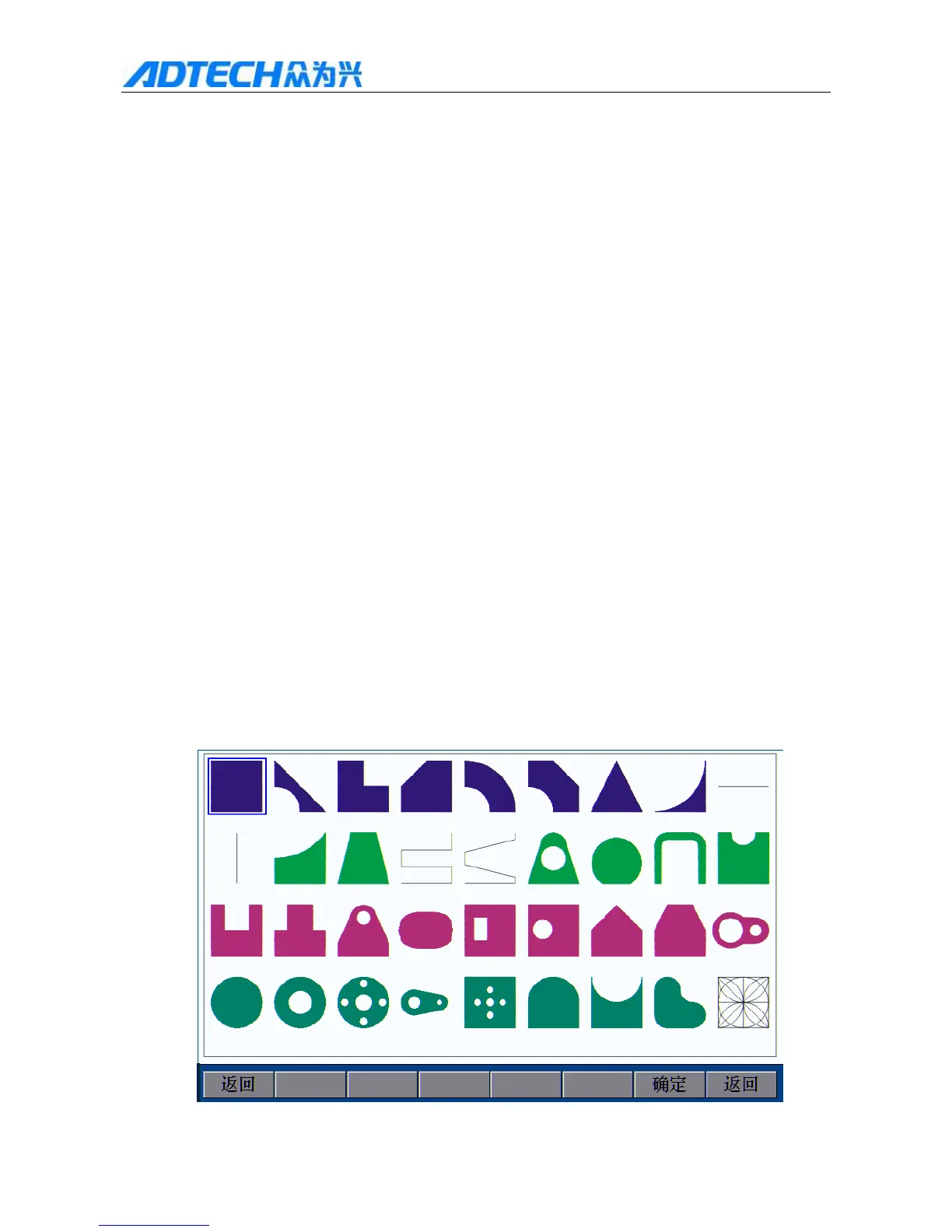
In the main interface, press [F2] to enter the graphics library interface (as shown in Fig. 2.1). In this interface,
35 graphics are available. You can press [Y+], [Y-], [X+], [X-] to select the graphics and press [OK] to enter
the settings.
Return / OK / Return



 To Next Page