MX2800 STS-1 User Manual Installation and Operation, Section 2
Front Panel
61204659L1-1A 2-9
Establishing Terminal Connection
NOTE
A Telnet menu session has priority over a terminal menu session through
the craft port. If a terminal menu session is active when a Telnet menu
session is initiated, the terminal menu session will be disabled while the
Telnet menu session is active.
To connect the MX2800 STS-1 to a VT100 terminal, follow the steps below:
1. Configure the VT100 terminal as follows:
• 9600, 19200, 38400, or 57600 baud
• 8-bit characters
•no parity
• one stop bit
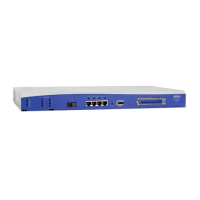
2. Using the terminal interface cable adapter provided by ADTRAN, connect the DTE port of a terminal
to the 8-pin modular jack labeled
CRAFT on the MX2800 STS-1 front panel.
3. Initialize the terminal session.
4. Press
ENTER repeatedly until the username: prompt appears.
5. Enter the user name. The factory default user name is adtran (all lower-case). The
password: prompt
appears.
6. Enter the password. The factory default password is adtran (all lower-case). The Main Menu
displays (see Figure 2-5).
7. Make selections by entering the number corresponding to the chosen parameter. Press
ESC on the
keyboard to return to the previous screen. End a terminal session by selecting
Logout from the Main
Menu or by pressing
CTRL+C at any time.











 To Next Page