2-10 61204659L1-1A
Section 2, Installation and Operation MX2800 STS-1 User Manual
Front Panel
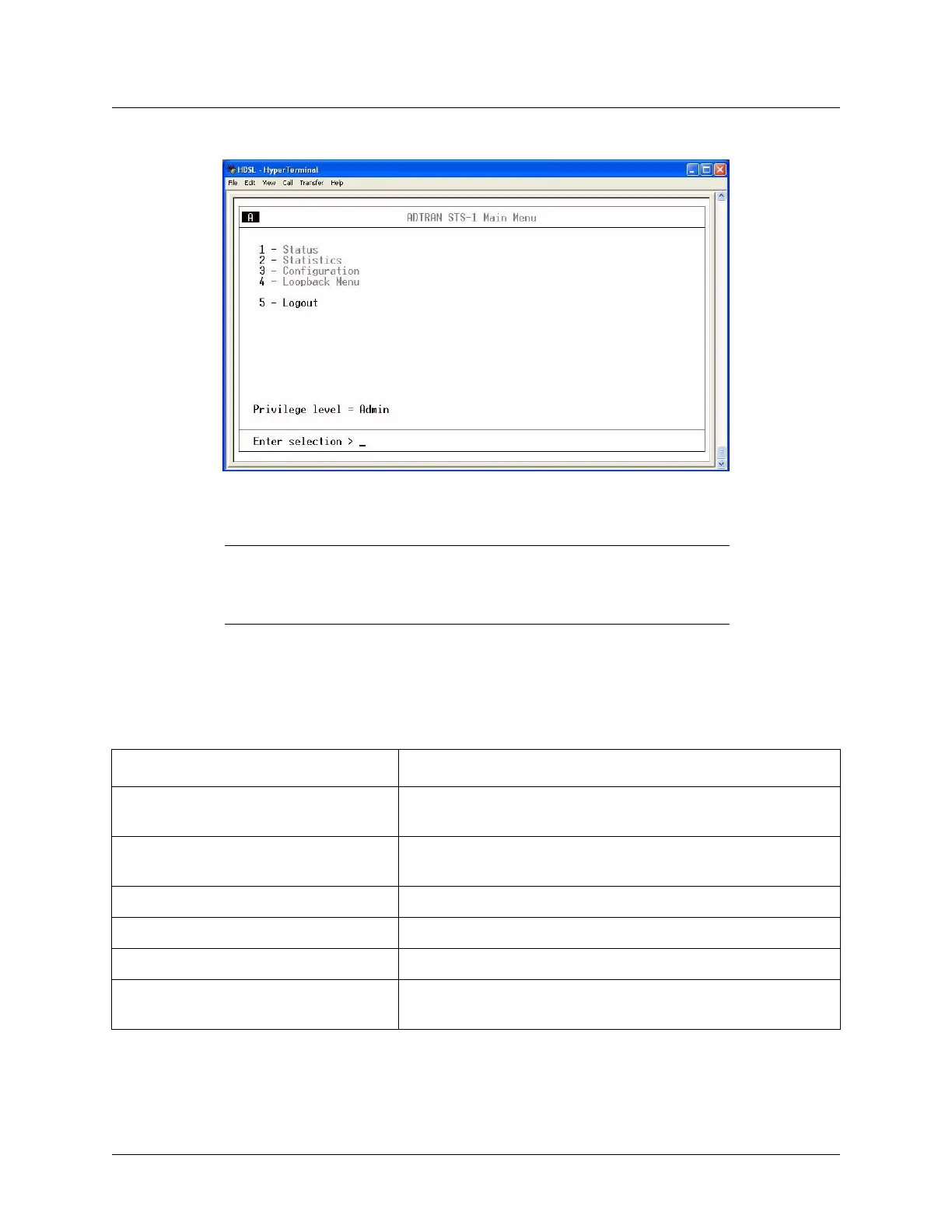
Figure 2-5. ADTRAN STS-1 Main Menu
NOTE
The letter displayed in the upper left-hand corner of the terminal menu
indicates which controller card is active (A or B).
Navigating Within the Menus
Navigate within the MX2800 STS-1 terminal menus using the following procedures:
To... Then...
Select an item Press the number corresponding to a choice, and then press the
E
NTER key
Scroll left and right within the same screen Press the left and right arrow keys. Additional screens are available
when < or > is displayed in the top portion of the menu
Return to the previous menu Press the E
SC key
End the terminal session Press C
TRL+C
Refresh the display Press C
TRL+R
Scroll up or down within the same screen Press the up or down arrow keys. Additional screens are available
when ∧ or ∨ is displayed in the top portion of the menu











 To Next Page