5-2 61204659L1-1A
Section 5, Statistics MX2800 STS-1 User Manual
STS-1 Statistics
Navigation
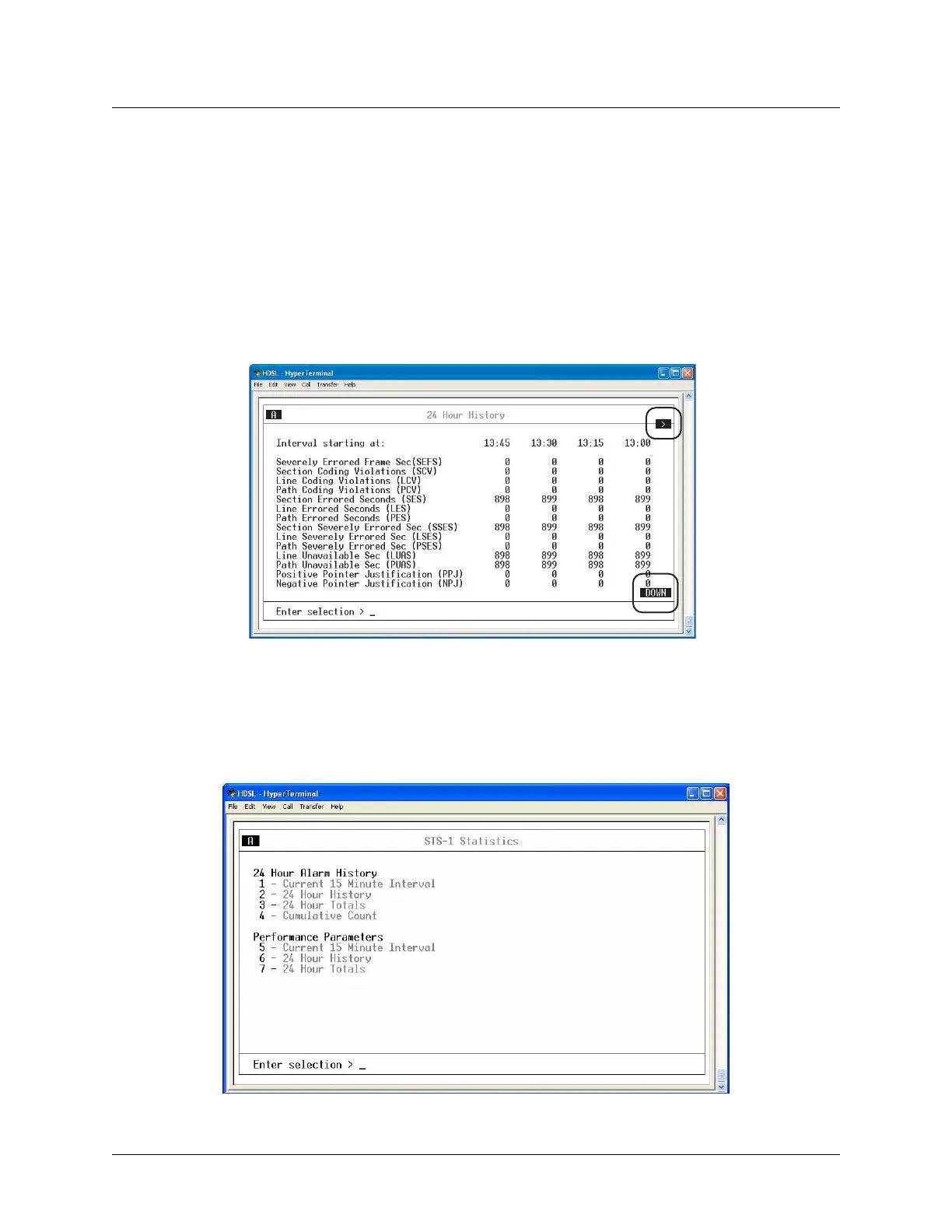
The screen will provide a prompt indicating that more information is available than that shown on the
current screen:
• When a > or < symbol appears in an upper corner of the screen, use the left or right arrow keys on the
keyboard to scroll left or right to view additional information.
• When DOWN or UP in reverse video appears in the lower/upper right corner of the screen use the down
or up arrow keys to scroll between pages.
Figure 5-2 shows an example of these screen navigation prompts.
Figure 5-2. Navigation Aids
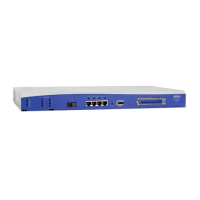
1. STS-1 STATISTICS
This menu provides submenus for alarm history and performance parameters (see Figure 5-3).
Figure 5-3. Local STS-1 Statistics Menu












 To Next Page