1290 Infinity Quaternary Pump User Manual 261
Hardware Information
12
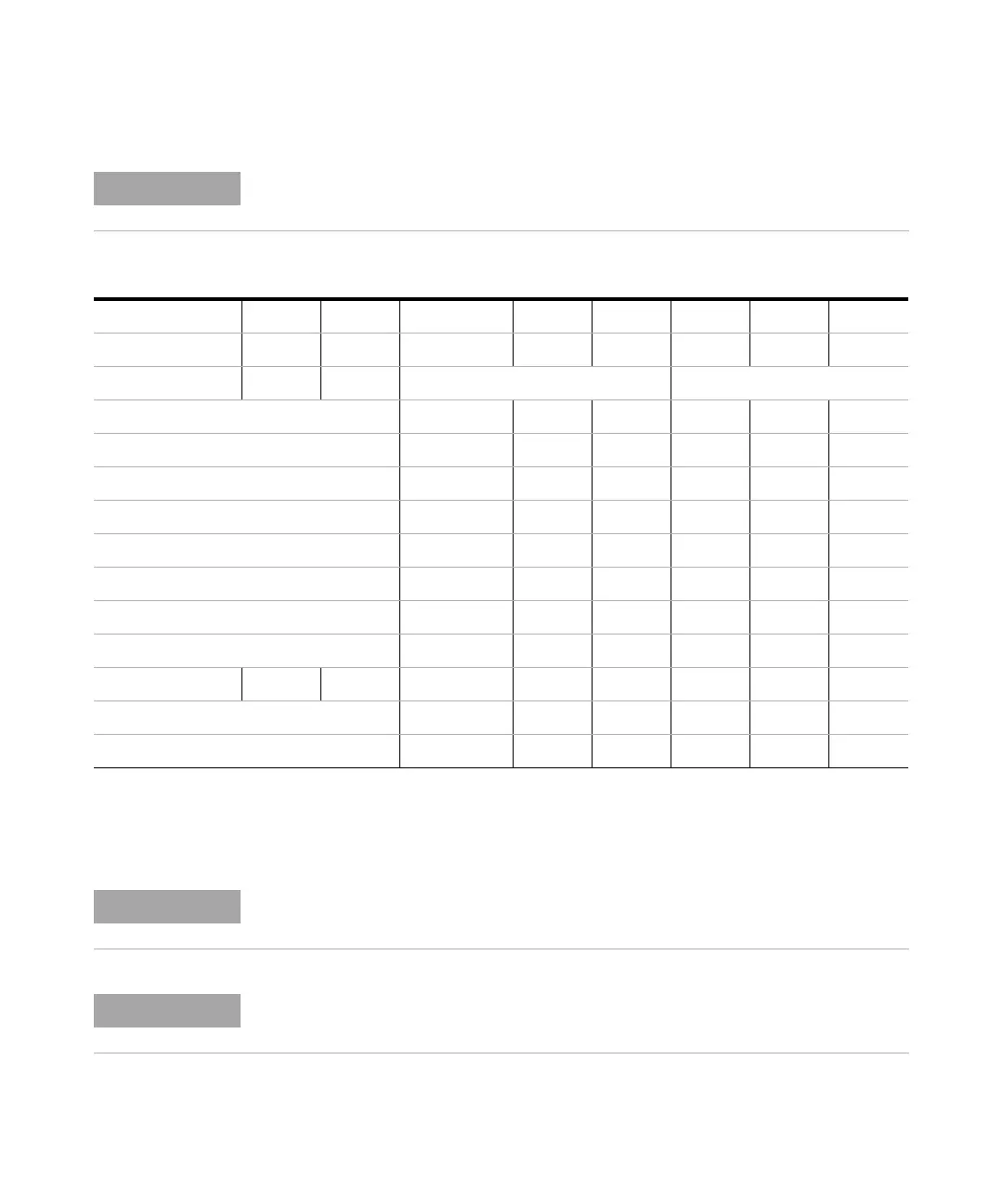
Setting the 8-bit Configuration Switch
Legend:
0 (switch down), 1 (switch up), x (any position)
To perform any LAN configuration, SW1 and SW2 must be set to OFF. For details on the
LAN settings/configuration refer to chapter LAN Configuration.
Tab le 1 1 8-bit Configuration Switch (with on-board LAN)
Mode Function
SW 1SW 2 SW 3 SW 4SW 5SW 6SW 7SW 8
LAN 00 Link Configuration Init Mode Selection
Auto-negotiation 0 xxxxx
10 MBit, half-duplex 1 00xxx
10 MBit, full-duplex 1 0 1xxx
100 MBit, half-duplex 1 1 0 xxx
100 MBit, full-duplex 1 1 1 x x x
Using Stored x x x 0 1 0
DHCP x x x 1 00
Using Default x x x 0 11
TEST 1 1 System NVRAM
Boot Resident System 1 x
Revert to Default Data (Coldstart) x x x 1
When selecting the mode TEST, the LAN settings are: Auto-Negotiation & Using Stored.
For explanation of "Boot Resident System" and "Revert to Default Data (Coldstart)" refer
to “Special Settings” on page 262.













 To Next Page