1290 Infinity Quaternary Pump User Manual 193
Maintenance
9
Replacing the Multi Purpose Valve
Replacing the Multi Purpose Valve
Tools required p/n Description
5023-0240 Hex driver, ¼", slitted
Parts required p/n Description
0100-1259 Blank nut (plastic)
01080-83202 Blank nut (stainless steel)
5067-4174 Multi Purpose Valve Head
Preparations Remove all capillary connections from the Multi Purpose Valve.
1
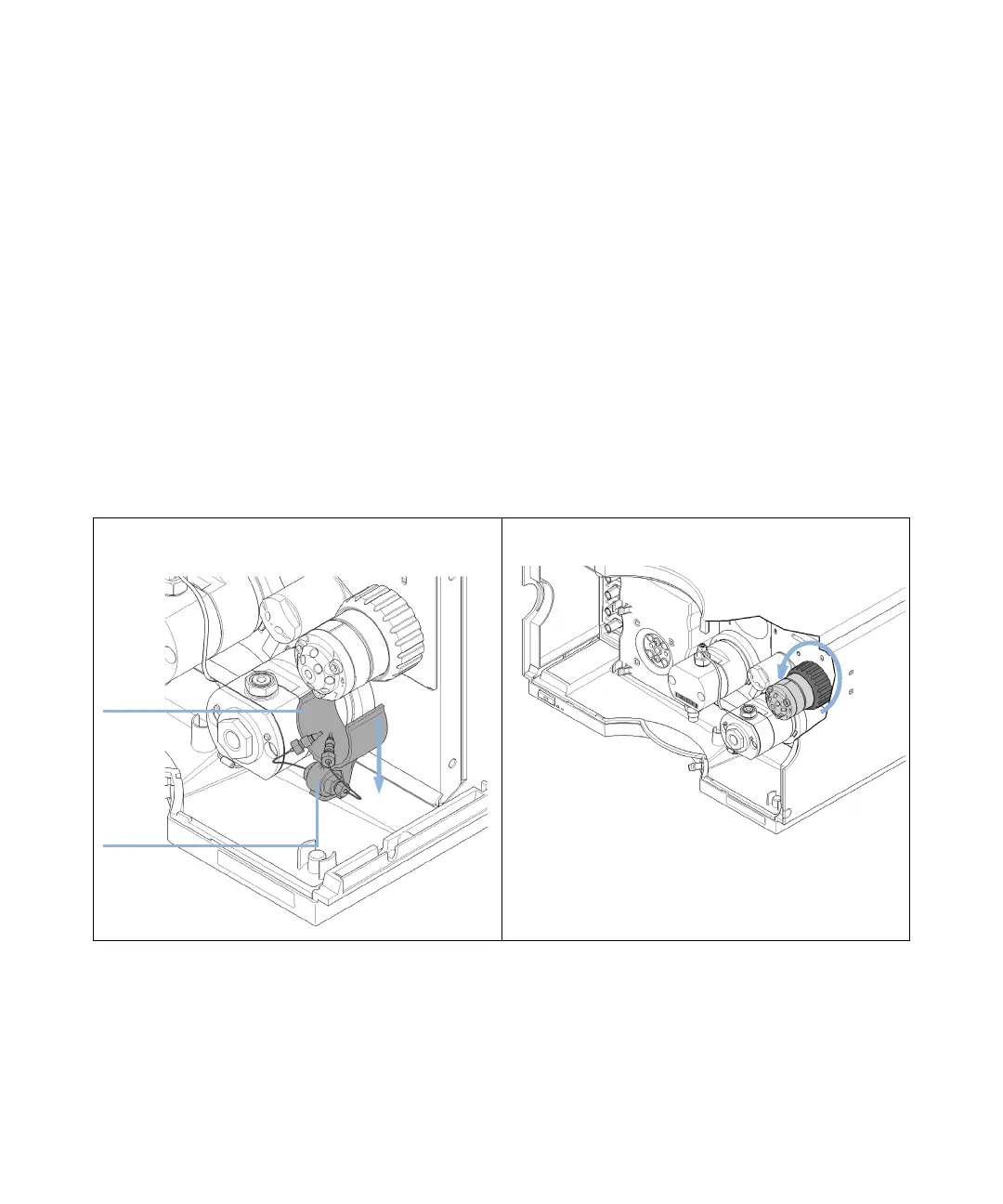
Remove the clamp with the inline filter (if installed).
2
Unscrew the black union nut and remove the head of the
purge valve by pulling it to the front.
&ODPS
,QOLQHILOWHU













 To Next Page