Installation
- 8 -
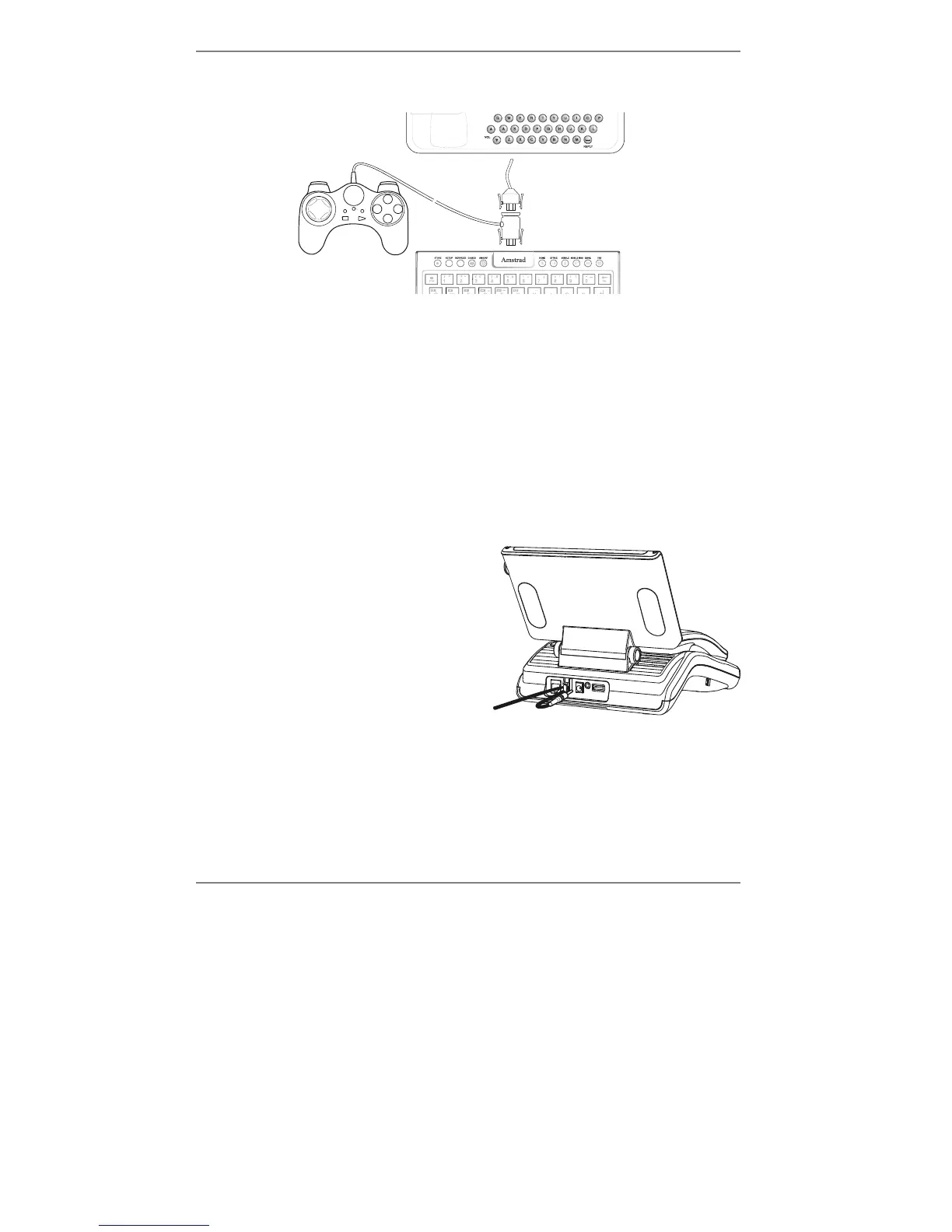
Plug the GamePad connector into the keyboard, then plug the e-m@iler into the
GamePad connector (see below).
& Remember – before inserting the plugs, make sure their central lugs are
face up. Never use force when inserting the plugs.
Later, you can remove the GamePad and reconnect the
e-m@iler directly to the
keyboard. When the GamePad is not connected, the keyboard may be slid back under
the front of the e-m@iler.
For further information on the GamePad, see page 112.
♦ If you wish to add a printer or smartcard see Advanced settings page 119.
6. Unpack the mains supply adaptor from its box – don't plug the adaptor into the
mains supply just yet!
Plug the lead from the mains supply adaptor
firmly into the POWER socket at the back of
the phone. Pass the wire around the 'hook'
beside the socket (see right) to prevent
it becoming unplugged if the lead is
accidentally tugged.
Y
WARNING – Use only the mains supply adaptor provided. Using
any other adaptor may damage the
e-m@iler and will invalidate the
warranty.
The e-m@iler is now ready to switch on. If you haven't already done so, remove
the plastic films protecting the display.



 To Next Page