Games
- 113 -
Downloading and playing a game
➣
FAST TRACK: Press GAMES, select category, select game.
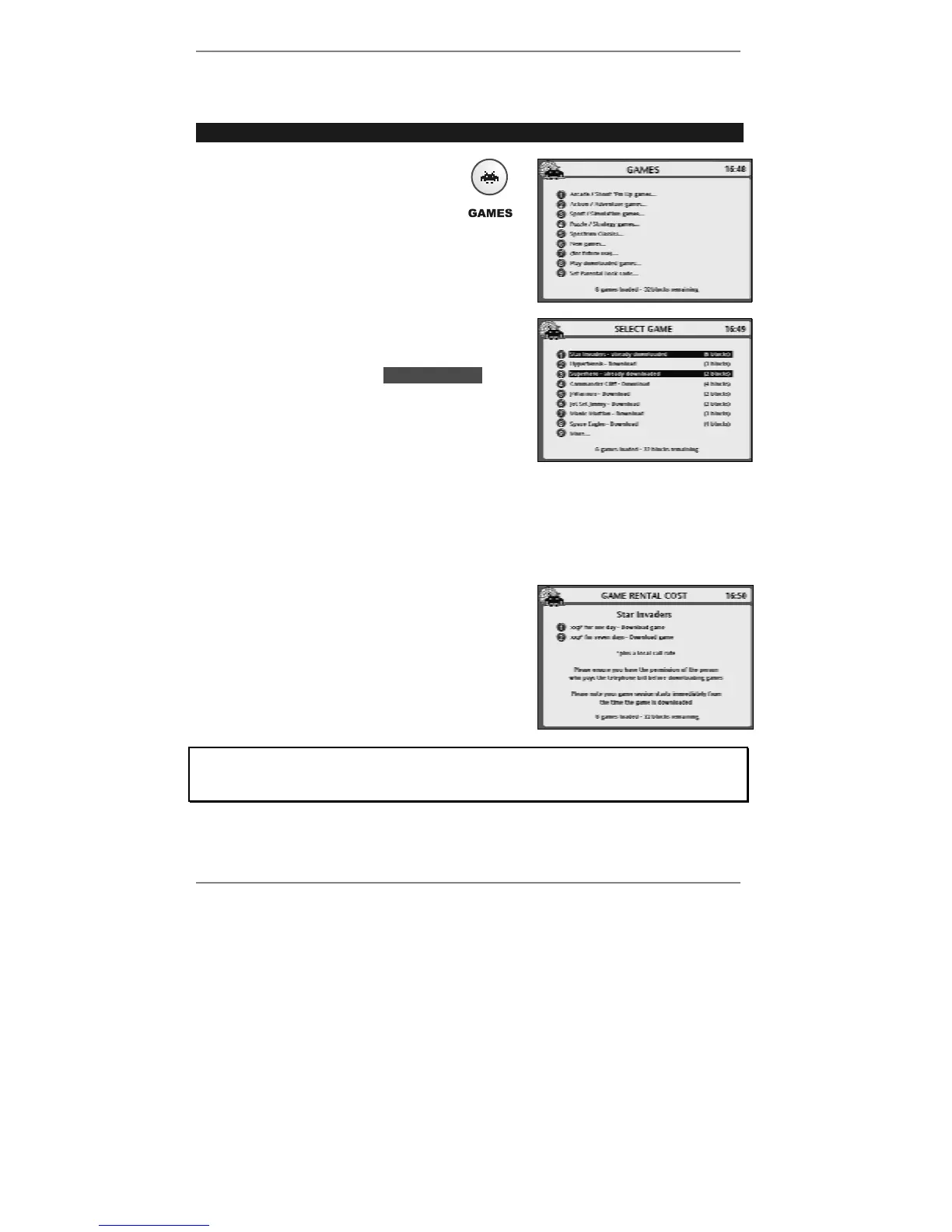
1. Press GAMES and wait for the
following display to appear (see
example right):
2. Press the number for the
category you require.
3. A list of available games will then be displayed
(see example right):
♦ Note, any games shown lhighlightedl have
already been downloaded and are
ready to play (see page 114).
Note, the display shows the number of memory
'blocks' required by each game. In total you have
50 blocks available for games. The number of
remaining blocks is displayed at the bottom of the
games menu, for example:
for example: 6 games loaded – 32 blocks remaining
4. Press the number for the game you require.
The cost of downloading the game (which
depends on the rental period) is displayed
(see example right):
If PARENTAL LOCK CODE appears instead of the above display, you must
enter the correct Parental Lock code before you can continue. (Parental Lock
information is on page 117.)



 To Next Page