Advanced settings
- 136 -
Changing email collection
➣
FAST TRACK: Press SETUP, 4, select/adjust required option(s), press
STORE.
For information on email collection and polling, see page 53.
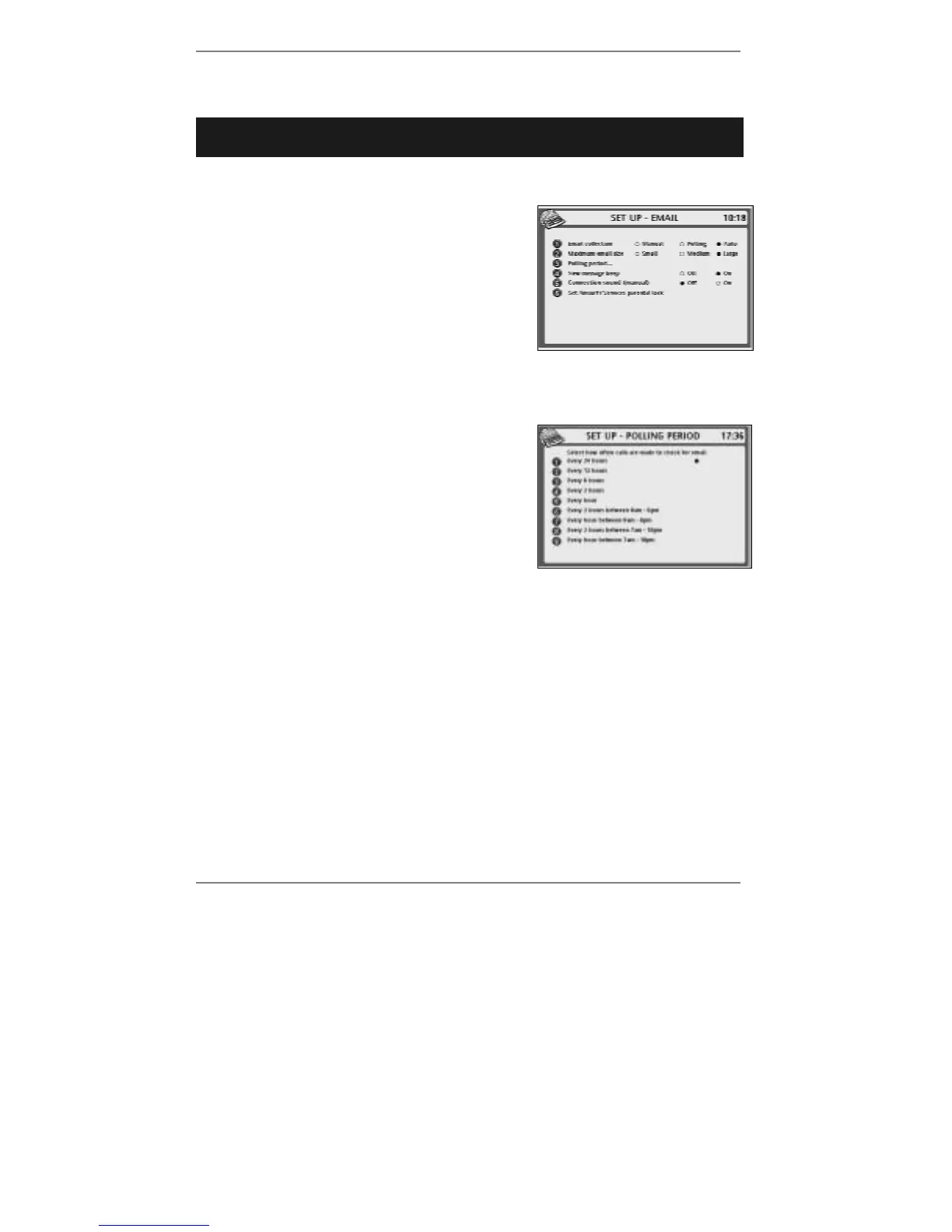
1. Press SETUP, 4 so that display top line reads
SET UP - EMAIL:
Note that the Auto option will appear only if you
subscribe to Caller Display. (Information on page
54.)
2. Press 1 to select Manual or Polling (or
Auto if available).
3. If you wish to change the polling period, continue to step 4. If not, go straight to
step 7.
4. Press 3 so that top line reads SET UP -
POLLING PERIOD:
5. Decide how frequently you want email
collection to take place, then press 1 – 9
accordingly.
6. Press STORE once.
♦ Note that the polling period is timed from the moment you press STORE.
Therefore, for example, if you require daily polling after 6pm, then you must
actually make the setting after 6pm.
& If the correct time isn't set, then polling (if selected) will take place
every 12 hours.
7. If you wish to change the maximum size for incoming email messages, continue
to step 8. If not, go straight to step 9.
8. Press 2 to set email size to Small, Medium or Large.
& The size limits equate to 50kB (small), 100kB (medium) and 300kB (large).
9. If you wish to change whether or not the
e-m@iler beeps when a new message is
collected, continue to step 10. If not, go straight to step 11.



 To Next Page