Registration
- 15 -
Registration procedure
Note, if you have previously owned an e-m@iler and already have an
existing email address at @amserve.com or @amserve.net that you wish
to use, then do not carry out this registration procedure. Instead, go to
the section entitled 'Adopting an old
e-m@iler account' on page 132.
If you wish to abort the registration procedure at any time, press
the STOP button on the
e-m@iler. (Note that any details you've
entered will be cleared and you can start registration again.)
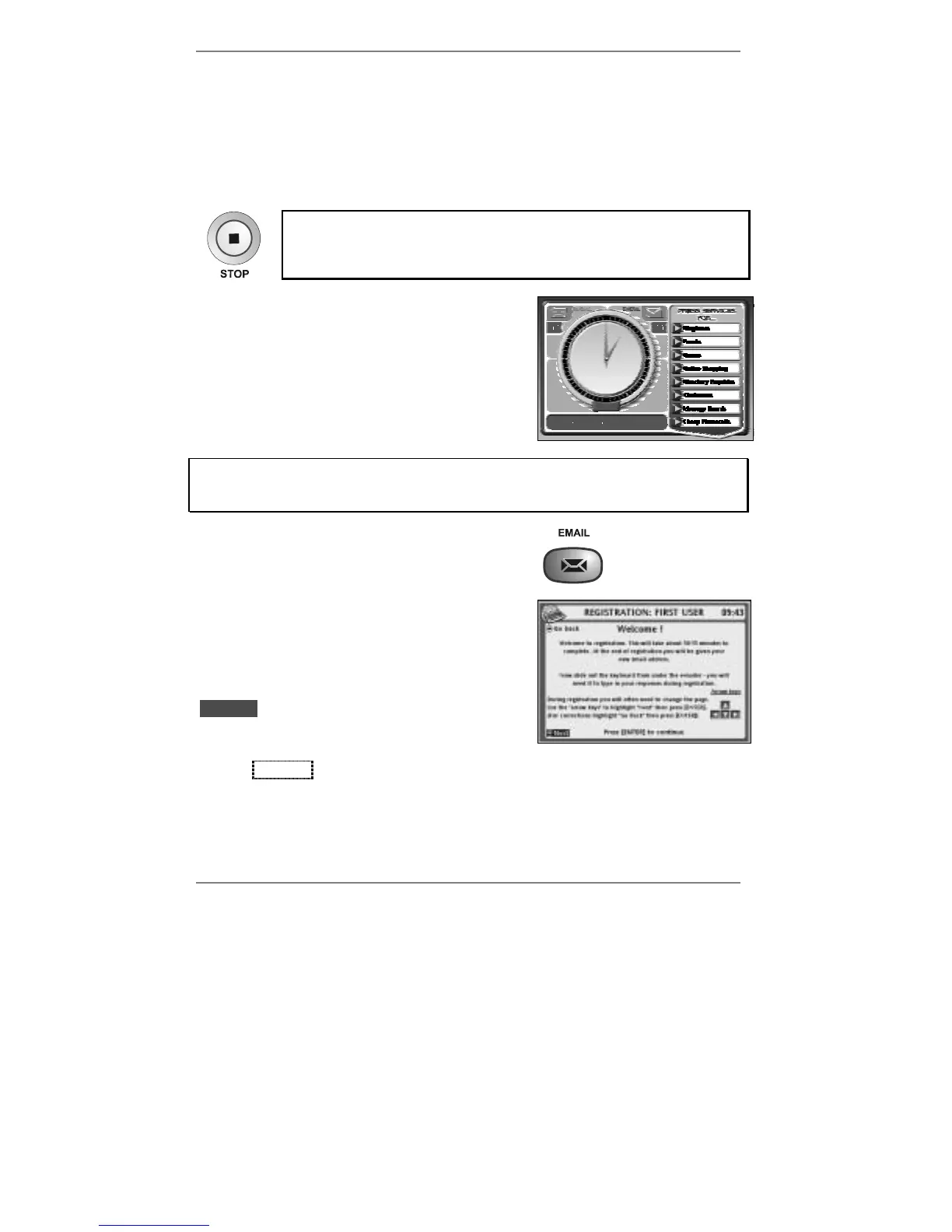
Note the first time you switch on the
e-m@iler
(after you’ve waited a minute for the unit to start
up), the standby display will appear (see right)
with the bottom line inviting you to: Press the
[EMAIL] button to get connected.
Now start registration at step 1 and follow the instructions on the screen. If you
get stuck at any point, look up the screen in question to find out what action is
required by you.
1. Press the EMAIL button to start registration.
2. This screen gives you information on how to
use the arrow keys and ENTER to go
forwards to the next display or back to the
previous display.
Action required:
When you've read this display, make sure that
lDNextl is highlighted (at the bottom left of the
screen) then press ENTER.
(Note if l
DNextl isn't highlighted, press D to highlight it before pressing ENTER.)



 To Next Page