Registration
- 19 -
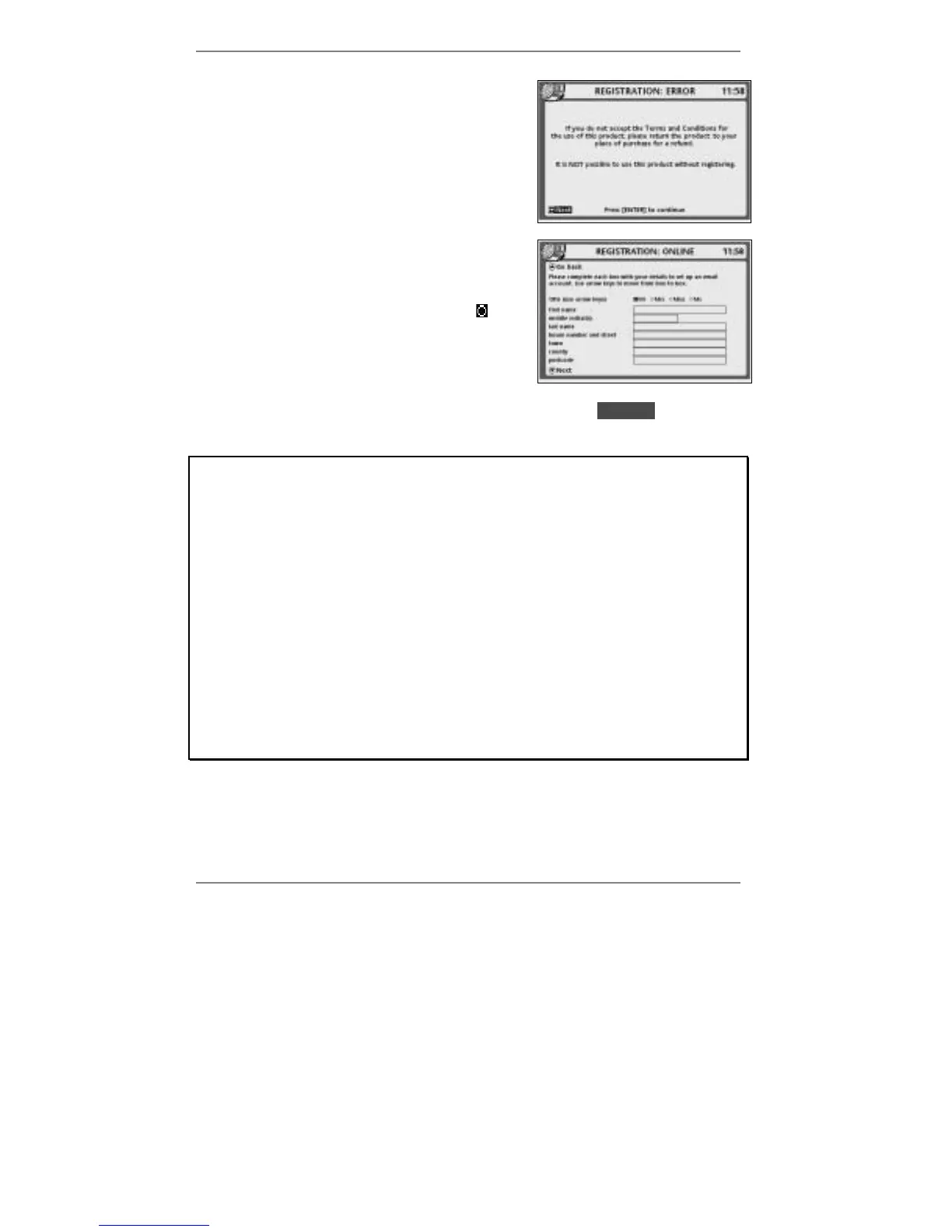
15. This display appears if you did not accept the
Conditions for Amserve.
Action required:
You cannot use this product without accepting the
Conditions for Amserve. Press ENTER and switch
off the
e-m@iler. Re-pack the unit and return it to
your place of purchase for a refund.
16. This display asks you to enter your name and
address.
Action required:
Use keys
L and R to highlight the blob you
require: Mr, Mrs, Miss or Ms.
Use keys U and D to move into each of the boxes
and type in the details required (see notes below).
When you've completed this screen, press D to highlight lDNextl, then press
ENTER and wait for display 18.
Notes
♦ When entering your first name, initials or last name, do not type any spaces
before or after or within the names. Note that names should contain letters
only – no numbers or symbols.
♦ It doesn't matter whether you type in capital or small letters. (For capitals,
hold down "SHIFT while typing the letter.)
♦ When entering numbers, make sure you type in 0 and not letter O. Similarly,
make sure you type in 1 and not letter I.
♦ If you live in or near a large city (for example London), type in the city name
for the county. Similarly, if your county isn't listed, type in the nearest large
city or county.
♦ You can leave out the postcode if you don't know it.



 To Next Page