Registration
- 18 -
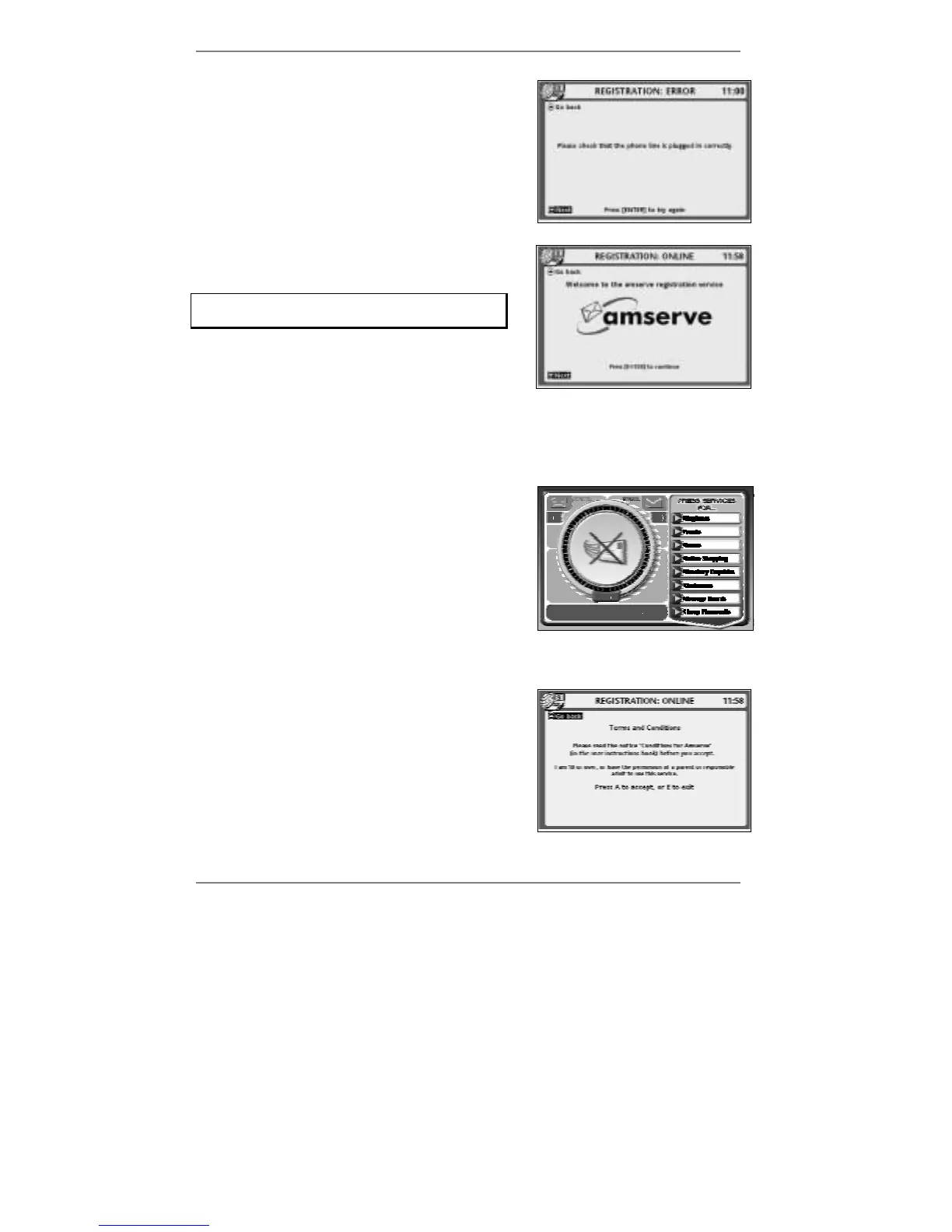
11. This display appears if there is a problem
getting through to Amserve.
Action required:
Check that the
e-m@iler is plugged into your phone
line socket, then press ENTER to try again.
(If you continue to have difficulties getting through,
contact Amserve Support – see page 29.)
12. This display appears when the
e-m@iler is
ready to continue with registration.
Remember – always make sure the screen
appears in full before continuing.
Action required:
Press ENTER, then wait for display 14.
$
Whenever you press ENTER to move on to the next screen, check that $
appears at top left of display. You must then wait for
$ to disappear before
continuing.
13. This display appears if the telephone handset
(or an extension) has been picked up during
registration. Note that registration will be
aborted.
Action required:
Please wait for this display to clear and start the
registration procedure again. (Go back to step 1.)
& The above display will also appear if you press STOP to abort registration.
14. This display refers to the section 'Conditions
for Amserve' on page 155.
Action required:
Press A to confirm your acceptance of the
conditions, then wait for display 15.



 To Next Page