Email
- 73 -
4. Click on ILoginI to enter the web site. The following screen will appear:
Once you've logged-in, simply follow the
on-screen instructions to use the any of
the facilities provided.
♦ If there are any messages, these
will be listed on the screen. You can
read a message by clicking on its
Subject
.
♦ If you require help on how to use
the web site, click on Help.
♦ To exit from the web site, click on Log Out.
& Note the service will time-out automatically after 30 minutes' inactivity.
Note that incoming and outgoing messages displayed on the web site can be
collected by the e-m@iler after you log-out. Once collected, they will not appear
on the web site when you next log-in.
Checking user-personal information
➣
FAST TRACK: Press SETUP, 6. (Press STOP to finish.)
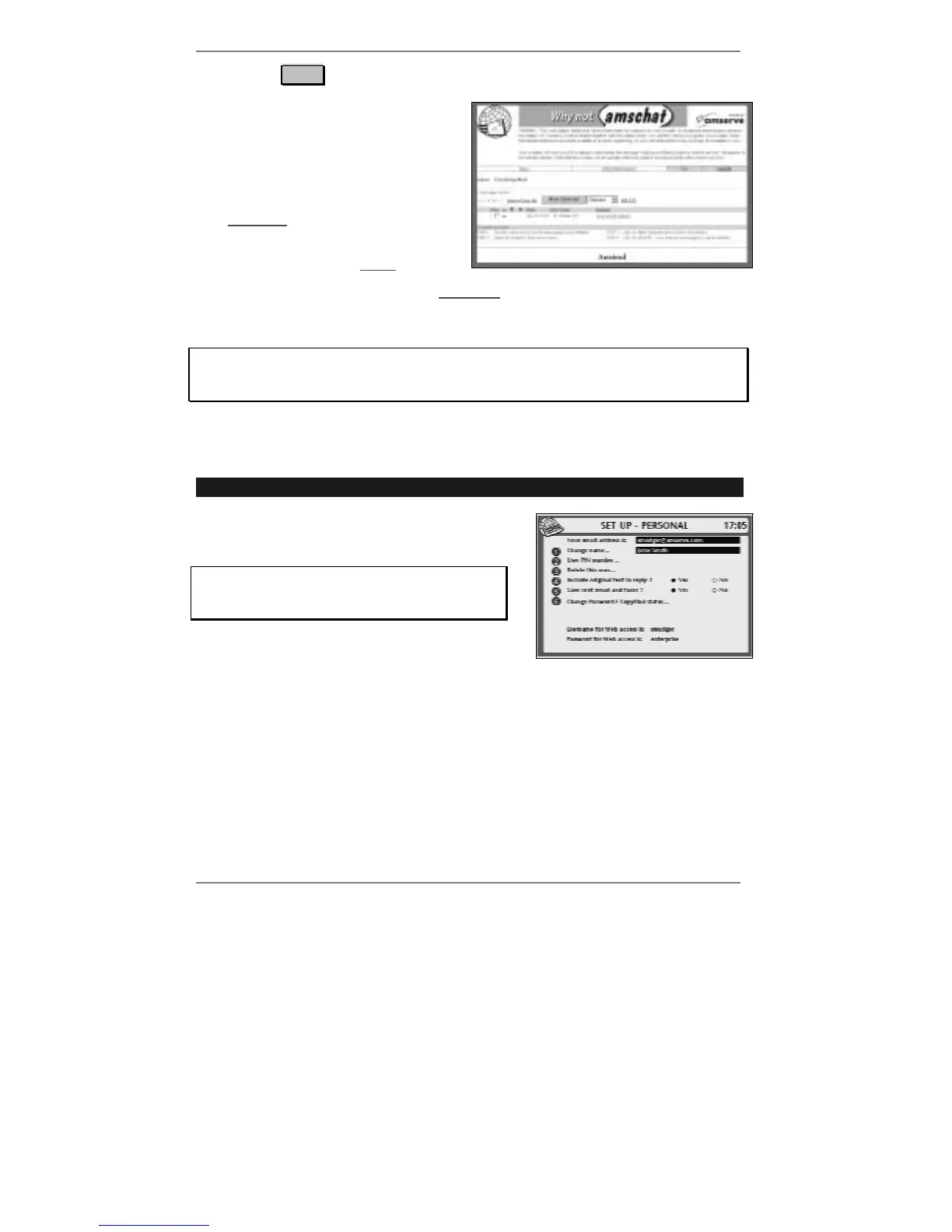
1. Press SETUP, 6 so that display top line reads
SET UP - PERSONAL:
If you've set up two or more email users,
then before you receive this display you'll be
asked to select a user.
♦ Note the top of the display highlights your email address as well as the name
quoted on your outgoing email. If you wish to change the name, see Advanced
settings page 137.
♦ Note the bottom of the display shows your username and password for web
access. If you wish to change the password, see Advanced settings page 135.
♦ If you wish to add or remove CopyMail (or change the CopyMail address), see
Advanced settings page 133.
2. Press STOP twice to return to the standby display.



 To Next Page