Text messages
- 75 -
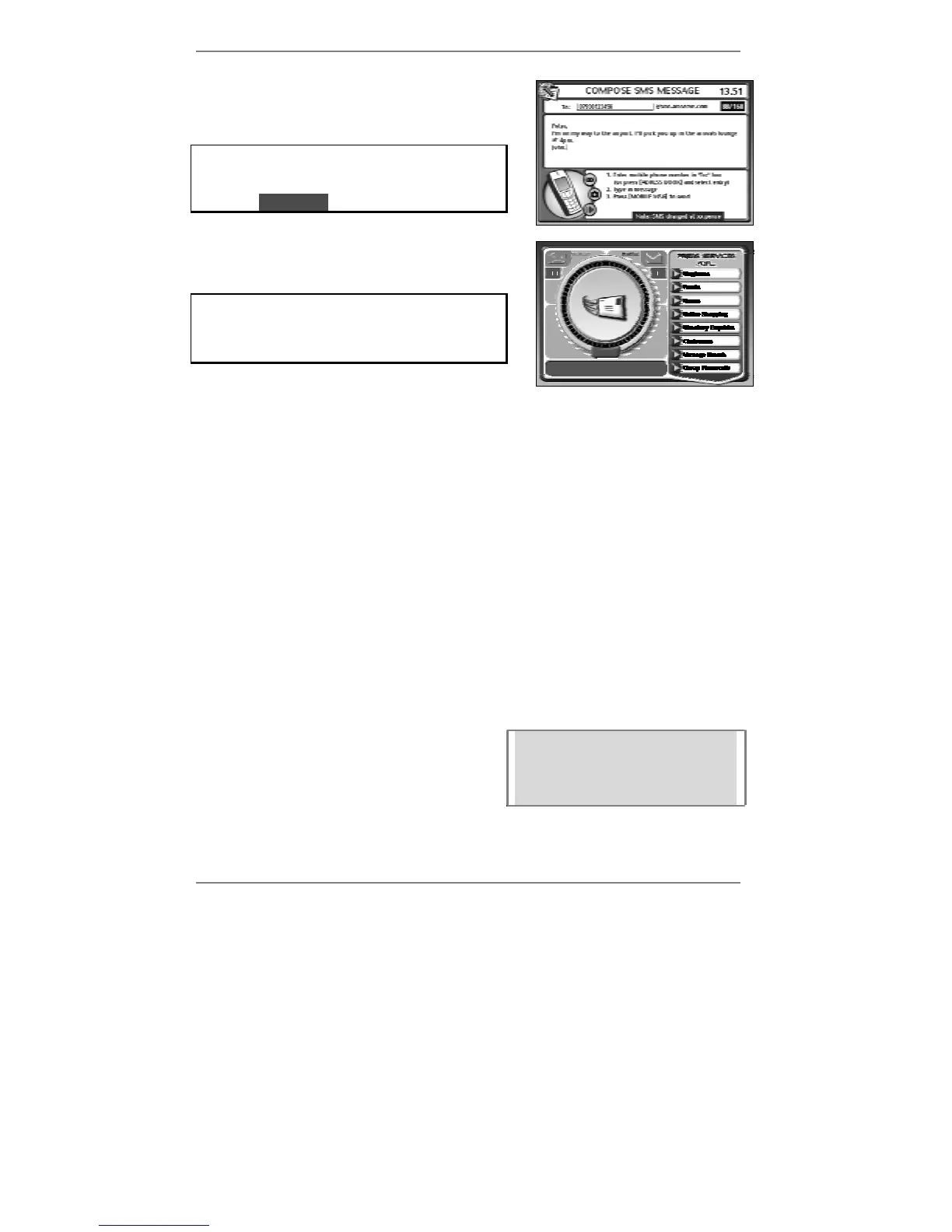
3. Move the cursor down to the message area of
the display, then type in the message (see
example right):
Note the message itself can be up to 160
characters long. The number of characters
you've typed is displayed at the top right, for
example l88/160l.
4. To send the message, press MOBILE MSG.
The following display will appear (right):
If you don't see the display: Dialling for
email, then you haven't entered a mobile
phone number in the To: box. Go back to
step 2.
& The e-m@iler will beep if the To: box is empty.
After a while, the above message (Dialling for email) will change to Checking
email, then to Sending / Collecting email, before returning to the standby
display showing the date and time.
Text messages sent by the e-m@iler
Whenever the e-m@iler calls up Amserve to send a text message, it also checks
whether there is any email to be sent or collected. If so, the
e-m@iler sends and/or
collects it there and then on the same call.
Messages you send are saved and stored automatically by the
e-m@iler. You can set
them not to be saved however (for information see Advanced settings page 137).
& Avoid saving and storing messages containing photo and/or voice
attachments as they use up a lot of memory.
Peter, I'm on my way to the
airport. I'll pick you up in the
arrivals lounge at 4pm. John.
The recipient will be able to read your message
on their mobile phone, for example (right):
The recipient can reply to your text message
(replies will be received as email) at which point
you can re-text back and forth again as many
times as you like.



 To Next Page