Surfing the internet
- 90 -
Responding to contact links by email
While surfing, you can respond to contact links by email. (Examples of contact links
are: Contact us or mailto: or sometimes just the contact's name or
email address.)
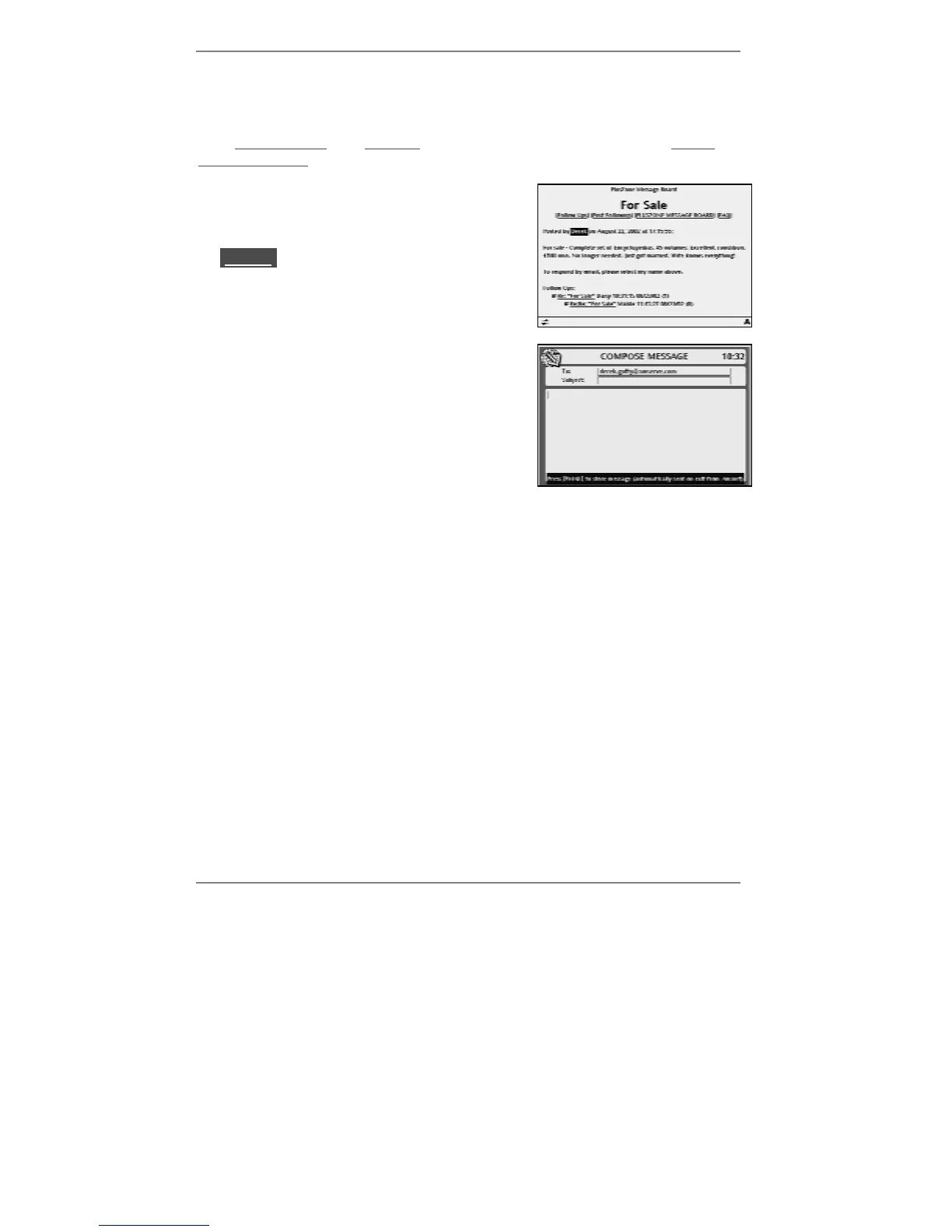
1. Display a web page containing a contact link,
(see example right):
2. Use
U D to highlight the link (for example
lDerekl) then press SELECT.
When you select a contact link, the 'compose
message' screen will appear with the contact's
email address in the To: box (see example right):
3. Type in your message (and Subject: if
necessary) then press EMAIL to finish*
composing and return to the web page.
*Any email(s) you've composed while surfing will be sent automatically when you exit
from Amsurf and return to the standby display. (After a few seconds you'll see
Dialling for email displayed.)
Emailing a link to the current web page
While surfing, pressing EMAIL will display the 'compose message' screen. The
message will contain a link to the current web page, ready for you to email. Simply
enter the recipient's email address in the To: box, type in any message (and
Subject: if necessary), then press EMAIL to finish* composing and return to the web
page.



 To Next Page