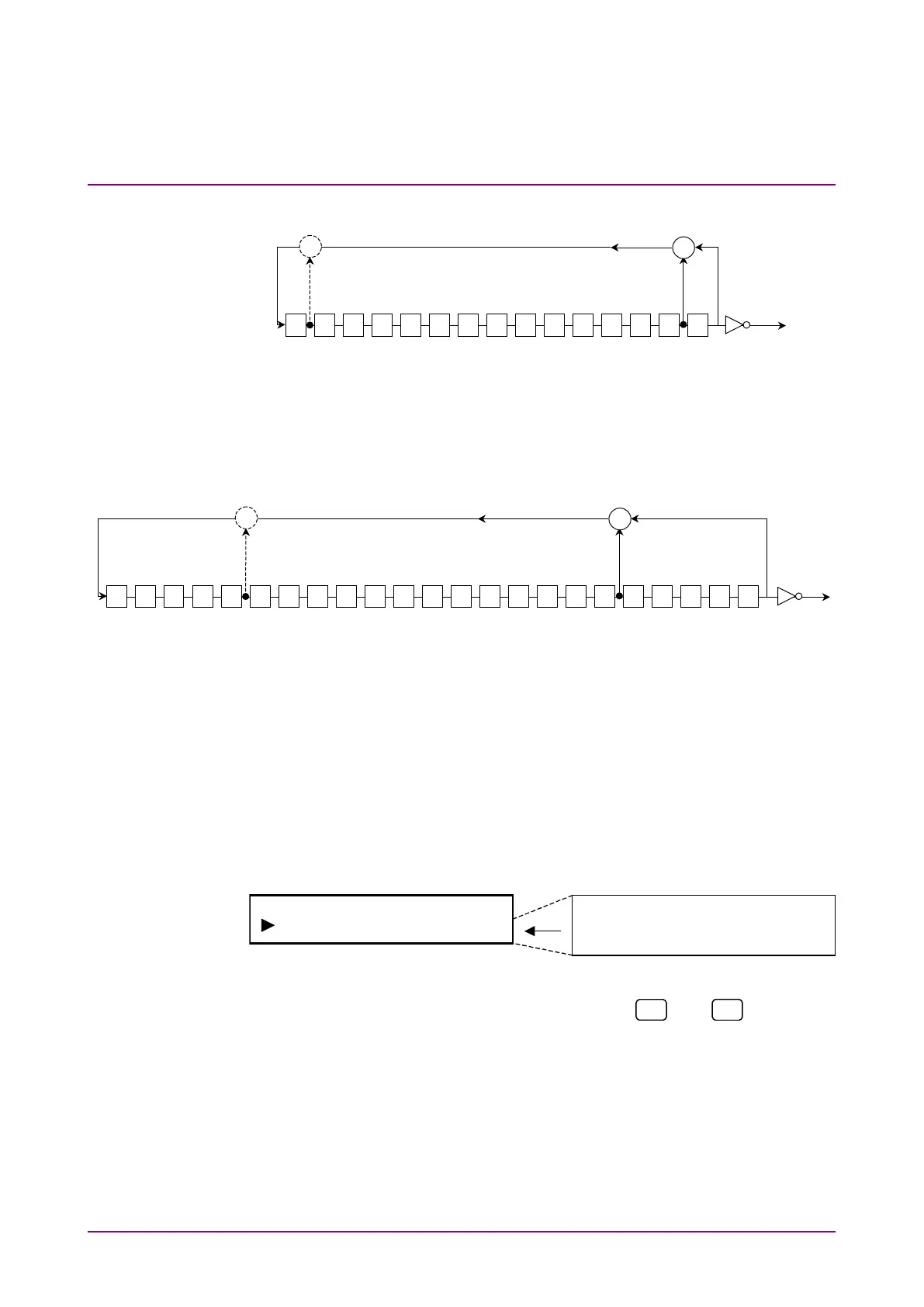
[2] PN 15: 2
15
–1, 1+X
14
+X
15
Note:
Broken line indicates PN 15 Reverse (reverse direction.)
[3] PN 23: 2
23
–1, 1+X
18
+X
23
Note:
Broken line indicates PN 23 Reverse (reverse direction.)
4.2.2 Interface setting (Interface)
Set measuring interface. Multiple interfaces cannot be used simulta-
neously.
Select “Interface” on the main menu screen to perform setting.
<Procedure>
1. Select measuring interface by using the
and
keys for the
Interface setting items. Press [Enter] to finalize the setting.
When this setting is performed during measurement, measurement
is restarted and the menu closes. Or, when measurement is
stopped, returns to the main menu.














 To Next Page