101
Application Basics
AQUOS R compact
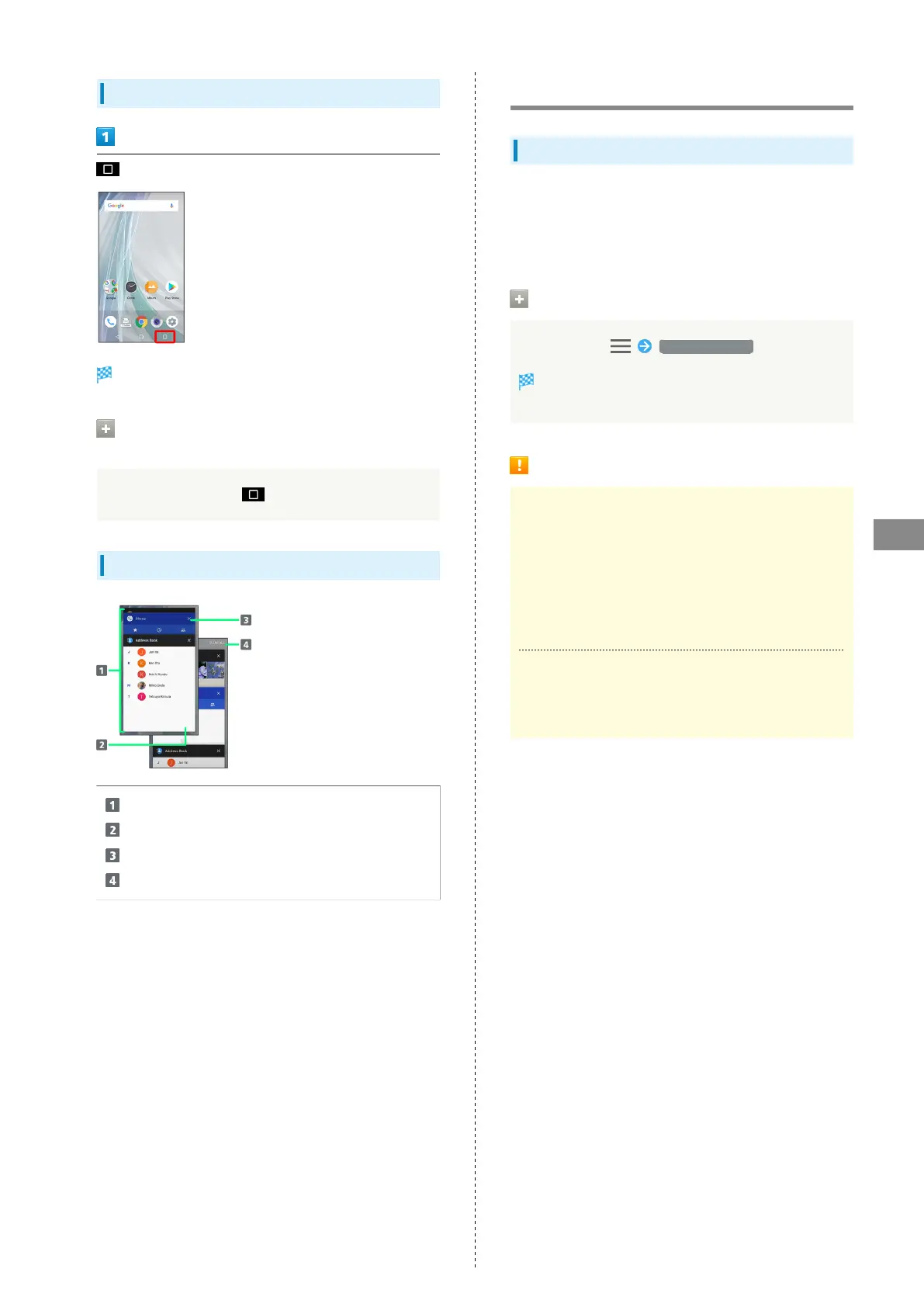
Opening Recent Apps Window
Recent apps window opens.
Opening Most Recently Activated
Application
In recent apps window,
Recent Apps Window Layout
Tap to activate recently used applications.
1
Pin a screen.
2
Remove application from the list.
Remove all applications from the list.
3
1 Flick left/right to remove from the list.
2 Appears when Screen pinning is enabled. See "Security &
Location Settings" for details.
3 If two or more applications are shown, Drag applications
downward to view hidden applications.
Adding/Deleting Applications
Google Play
Download a variety of applications (free/paid) from Google
Play. Change the setting of downloaded applications to enable
manual or automatic updates. Sign in to a Google Account
beforehand.
Getting Help with Google Play
In Google Play, Help & feedback
The Web browser will take you to the Google Play Help
Web page.
Google Play Cautions
Application Installation Disclaimer
Many different kinds of applications can be installed
on handset from Google Play (provided by Google LLC).
SoftBank Corp. is not responsible in any way for user-
installed applications (quality, reliability, legality, fitness
for a purpose, credibility, accuracy, etc.) or resulting
malfunctions (viruses, etc.).
Google Play Operations & User Interface
Operations and user interface are subject to change due to
automatic application updates or other reasons.



 To Next Page