66
Address Book
Save phone numbers and mail addresses as well as birthdays,
nicknames, etc.
Set ringtones for each contact as needed.
Address Book Caution
Contacts may be altered/lost if handset is left uncharged
or due to accidents, malfunctions, repairs, handset
upgrade/replacement, mishandling, etc. Back up important
contacts and other data regularly. SoftBank Corp. is not
liable for any damages resulting from loss/alteration of
contacts.
Adding New Contacts
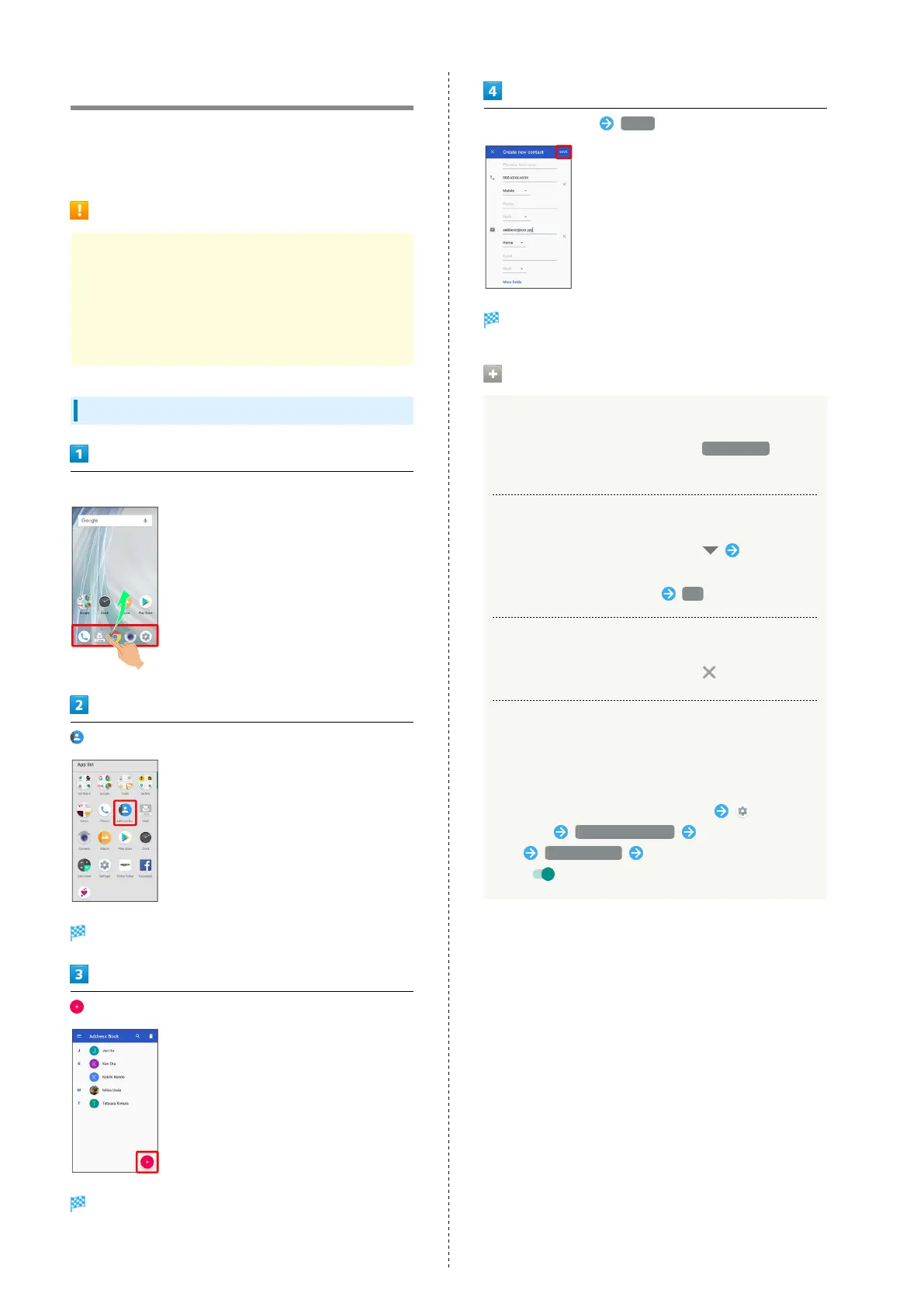
In Home Screen, Flick Favorites Tray up
(Address Book)
Address Book opens.
Window for saving new contact opens.
・If confirmation appears, follow onscreen prompts.
Set/enter each item SAVE
Contact is saved.
Operations when Saving Contacts
Showing Other Savable Items
In window for creating new contact, More fields
・Save residential address, chat, memos, etc.
Saving Type of Phone Number, Etc.
In window for creating new contact, Tap type to
save
・
For Custom, enter type name OK .
Deleting Entered Phone Number, Etc.
In window for creating new contact, for item
Syncing with Contacts on Server
Sync handset Address Book with Google contacts on server.
Also sign in to a Google Account before syncing with a
non-Google Account.
In Home Screen, Flick Favorites Tray up
(Settings) Users & accounts Tap account to
sync Account sync Tap application or data to
sync ( )



 To Next Page