63
Phone
AQUOS R compact
Call Barring
Restrict outgoing/incoming calls and SMS messages.
・When attempting to place/send a call/SMS while calling is
restricted, a message appears. Message may take time to
appear in some areas.
Restriction Description
Bar outgoing
calls
- All outgoing calls
Restrict all outgoing calls
- Bar int'l call
Restrict international calls; while outside
Japan, calls within current country are
allowed
- Local & home only
Restrict international calls; while outside
Japan, calls within current country and to
Japan are allowed
- Stop all outgoing calls
Cancel all outgoing call restrictions
Bar incoming
calls
- Restrict all incomings
Restrict all incoming calls
- Bar if abroad
Reject calls while outside Japan
- Stop all incoming calls
Cancel all incoming call restrictions
Reject call
- Specified numbers
Reject calls from specified numbers
- Number not sent
Reject calls from unnotified numbers
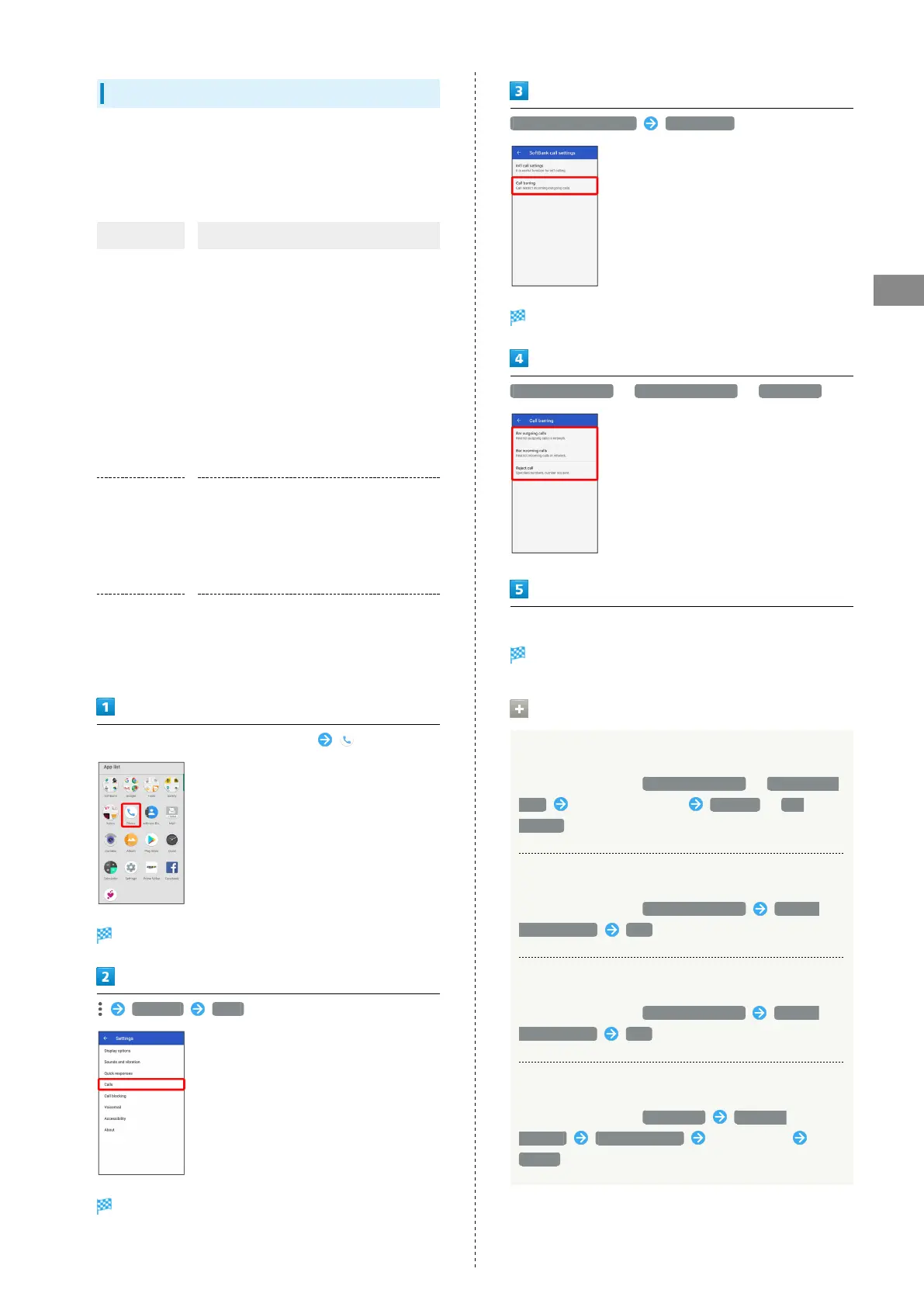
In Home Screen, Flick Favorites Tray up (Phone)
Phone opens.
Settings Calls
Call settings appear.
SoftBank call settings Call barring
Call barring menu opens.
Bar outgoing calls / Bar incoming calls / Reject call
Follow onscreen prompts
Restriction is set.
Call Barring Operations
Setting Call Barring
In Call barring menu, Bar outgoing calls / Bar incoming
calls Tap barring method Restrict / Not
restrict
Canceling All Outgoing Call Restrictions
In Call barring menu, Bar outgoing calls Stop all
outgoing calls YES
Canceling All Incoming Call Restrictions
In Call barring menu, Bar incoming calls Stop all
incoming calls YES
Rejecting Calls from Specified Numbers
In Call barring menu, Reject call Specified
numbers ADD A NUMBER Enter number
BLOCK



 To Next Page