151
Handset Settings
AQUOS R compact
Setting Rules to Keep Manner Mode (Priority
only/Alarms only/Total silence) Active during
Specific Hours or Events
In Sound menu, Manner Mode 平日の夜
(Weeknight)/ 週末 (Weekend)/ 予定 (Event) Off
( On ) Set items
・
To add a rule, Tap Add more .
・
To delete a rule, Tap for the rule DELETE .
Setting Ringtone for Notifications
In Sound menu, Advanced Default notification
sound Follow onscreen prompts
Setting Default Alarm Sound
In Sound menu, Advanced Default alarm sound
Follow onscreen prompts
Enabling/Disabling Dialpad Tones
In Sound menu, Advanced Dial pad tones
・
Tap Dial pad tones to toggle on ( )/off ( ).
・
Disable Dial pad tones to save battery power.
Enabling/Disabling Tone when Locking/
Unlocking Screen
In Sound menu, Advanced Screen locking sounds
・
Tap Screen locking sounds to toggle on ( )/off
( ).
・
Disable Screen locking sounds to save battery power.
Enabling/Disabling Confirmation Tones when
Tapping a Menu, Etc.
In Sound menu, Advanced Touch sounds
・
Tap Touch sounds to toggle on ( )/off ( ).
・
Disable Touch sounds to save battery power.
Enabling/Disabling Vibration when Tapping
Dialpad, Etc.
In Sound menu, Advanced Vibrate on tap
・
Tap Vibrate on tap to toggle on ( )/off ( ).
・
Disable Vibrate on tap to save battery power.
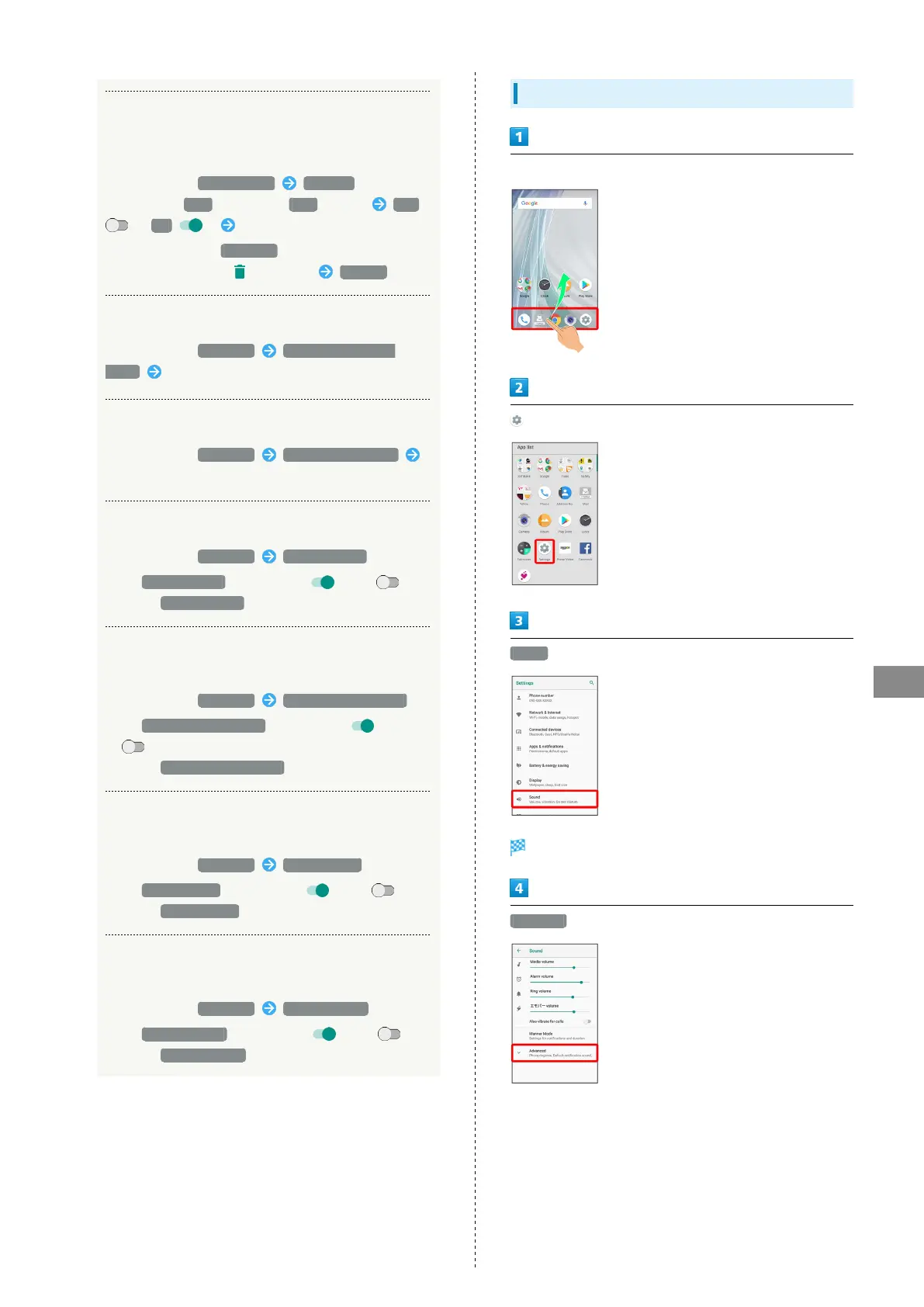
Setting Ringtones
In Home Screen, Flick Favorites Tray up
(Settings)
Sound
Sound menu opens.
Advanced



 To Next Page