150
Sound Settings
Sound Settings
Set ringtone, operation tones, notifications, etc. Settable
items are the following.
Item Description
Media volume Set volume for music, videos, etc.
Alarm volume Set volume for Alarm.
Ring volume
Set volume for ringtones for incoming
calls, etc.
エモパー
volume
Set volume for emopa.
Also vibrate
for calls
Enable/disable vibration for incoming
calls.
Manner Mode
Set priority notifications and incoming
calls/messages.
Advanced
Make settings for phone ringtone, default
notification ringtone, default alarm
ringtone, other sounds and vibrations, etc.
See "緊急速報メールを利用する
(http://help.mb.softbank.jp/aquos-r-
compact/05-08-02.html)" (Japanese) for
details on emergency broadcasts.
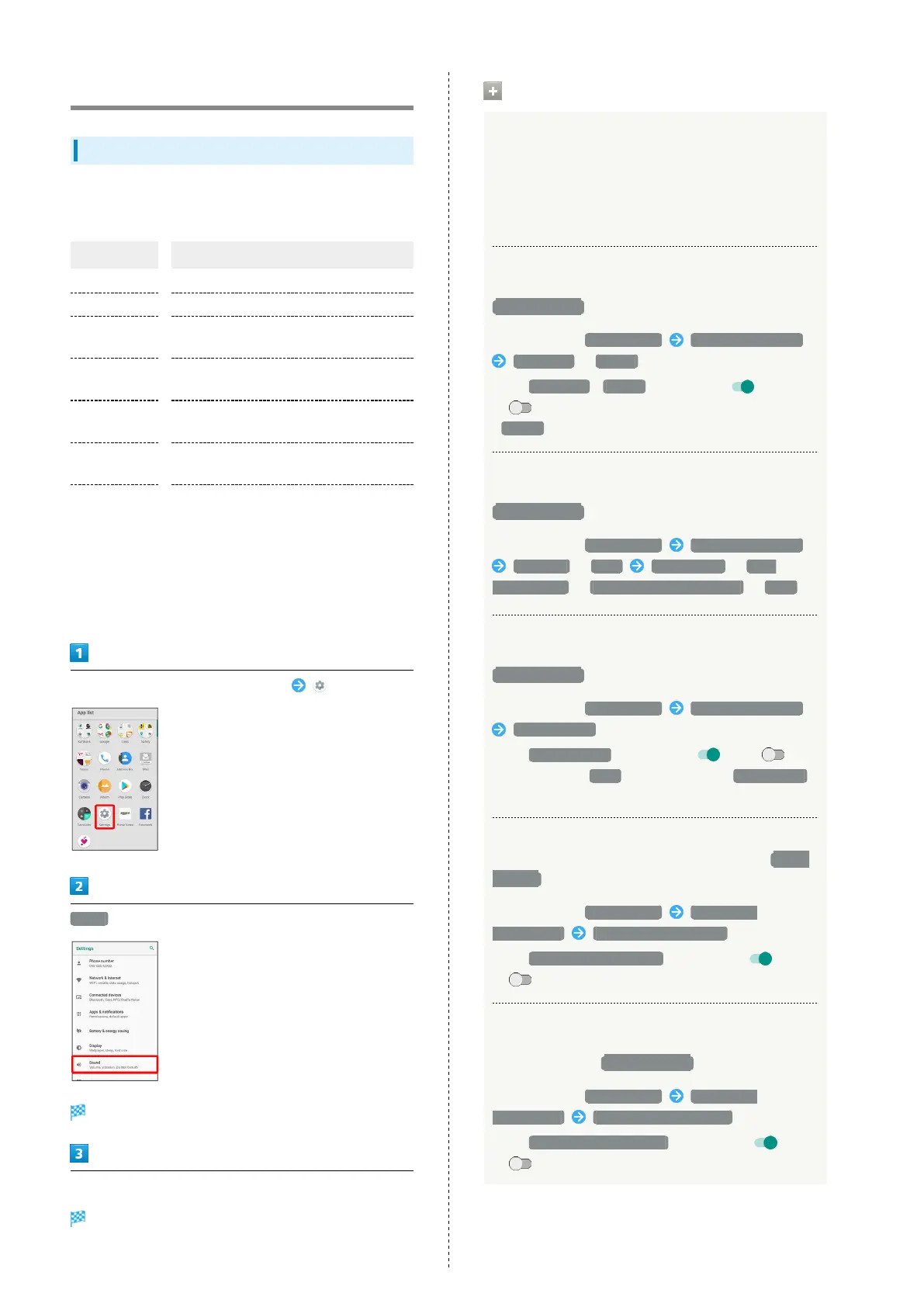
In Home Screen, Flick Favorites Tray up (Settings)
Sound
Sound menu opens.
Set each item
Setting is complete.
Sound Operations
Setting Volume for emopa
In Sound menu, Drag エモパー volume (emopa volume) slider
to adjust volume
・emopa speaks at set volume when releasing finger from
slider.
Setting Whether to Sound Ringtone for
Reminders/Events when Manner Mode is Set to
Priority only
In Sound menu, Manner Mode Priority only allows
Reminders / Events
・
Tap Reminders / Events to toggle on ( )/off
( ).
・
Alarms is always enabled.
Setting Whether to Sound Ringtone for
Messages/Calls when Manner Mode is Set to
Priority only
In Sound menu, Manner Mode Priority only allows
Messages / Calls From anyone / From
contacts only / From starred contacts only / None
Setting Whether to Sound Ringtone for Calls
from Same Caller when Manner Mode is Set to
Priority only
In Sound menu, Manner Mode Priority only allows
Repeat callers
・
Tap Repeat callers to toggle on ( )/off ( ).
・
Available when Calls option other than From anyone
is set.
Setting Whether to Show Notifications with
Display On when Manner Mode is Set to Total
silence
In Sound menu, Manner Mode Block visual
disturbances Block when screen is on
・
Tap Block when screen is on to toggle on ( )/off
( ).
Setting Whether to Show Notifications with
Display Off (Screen Lock Active) when Manner
Mode is Set to Total silence
In Sound menu, Manner Mode Block visual
disturbances Block when screen is off
・
Tap Block when screen is off to toggle on ( )/off
( ).



 To Next Page