138
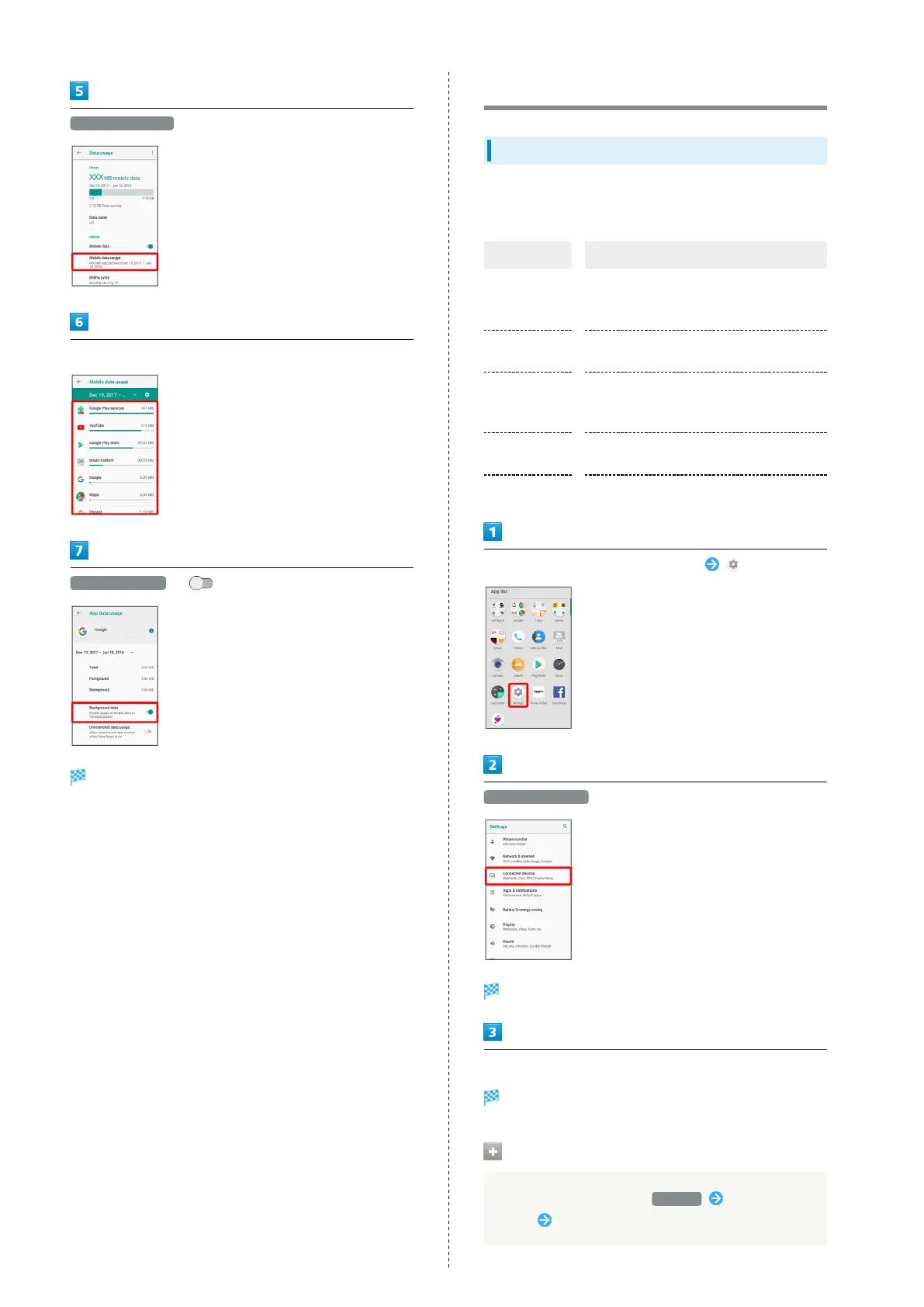
Mobile data usage
Tap application name
Background data ( )
Restriction on background data is set.
Connected Device Settings
Connected Device Settings
Make Bluetooth
®
connection and other settings. Settable items
are the following.
Item Description
Bluetooth
Enable Bluetooth
®
connection.
See "Using Bluetooth
®
Function" for
details.
Cast
View handset screen on external device
via Wi-Fi.
NFC/Osaifu-
Keitai
settings
Make settings for operation of NFC and
Osaifu-Keitai
®
.
USB
Set type of usage when handset is
connected to a PC.
Printing Make settings for cloud printing.
In Home Screen, Flick Favorites Tray up (Settings)
Connected devices
Connected devices menu opens.
Set each item
Setting is complete.
Making Printing Settings
In Connected devices menu, Printing Select print
service Follow onscreen prompts



 To Next Page