117
Wi-Fi/Bluetooth
®
AQUOS R compact
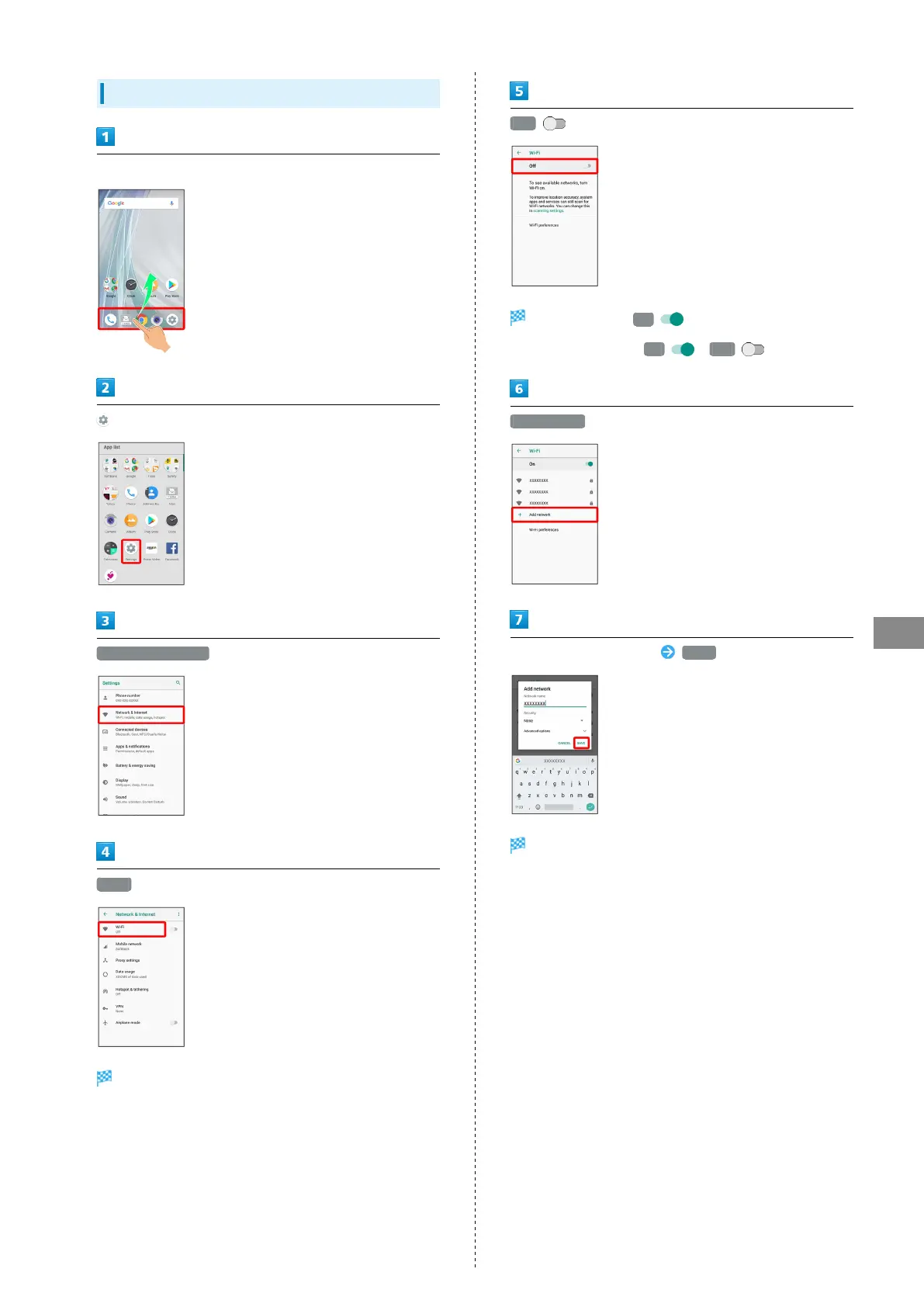
Entering Details Manually to Connect
In Home Screen, Flick Favorites Tray up
(Settings)
Network & Internet
Wi-Fi
Wi-Fi menu opens.
Off
Wi-Fi is enabled ( On ).
・
To disable Wi-Fi, Tap On ( Off ).
Add network
Enter access point setting SAVE
Handset is connected.
・Depending on Security setting, other fields may also need to
be completed.



 To Next Page