48
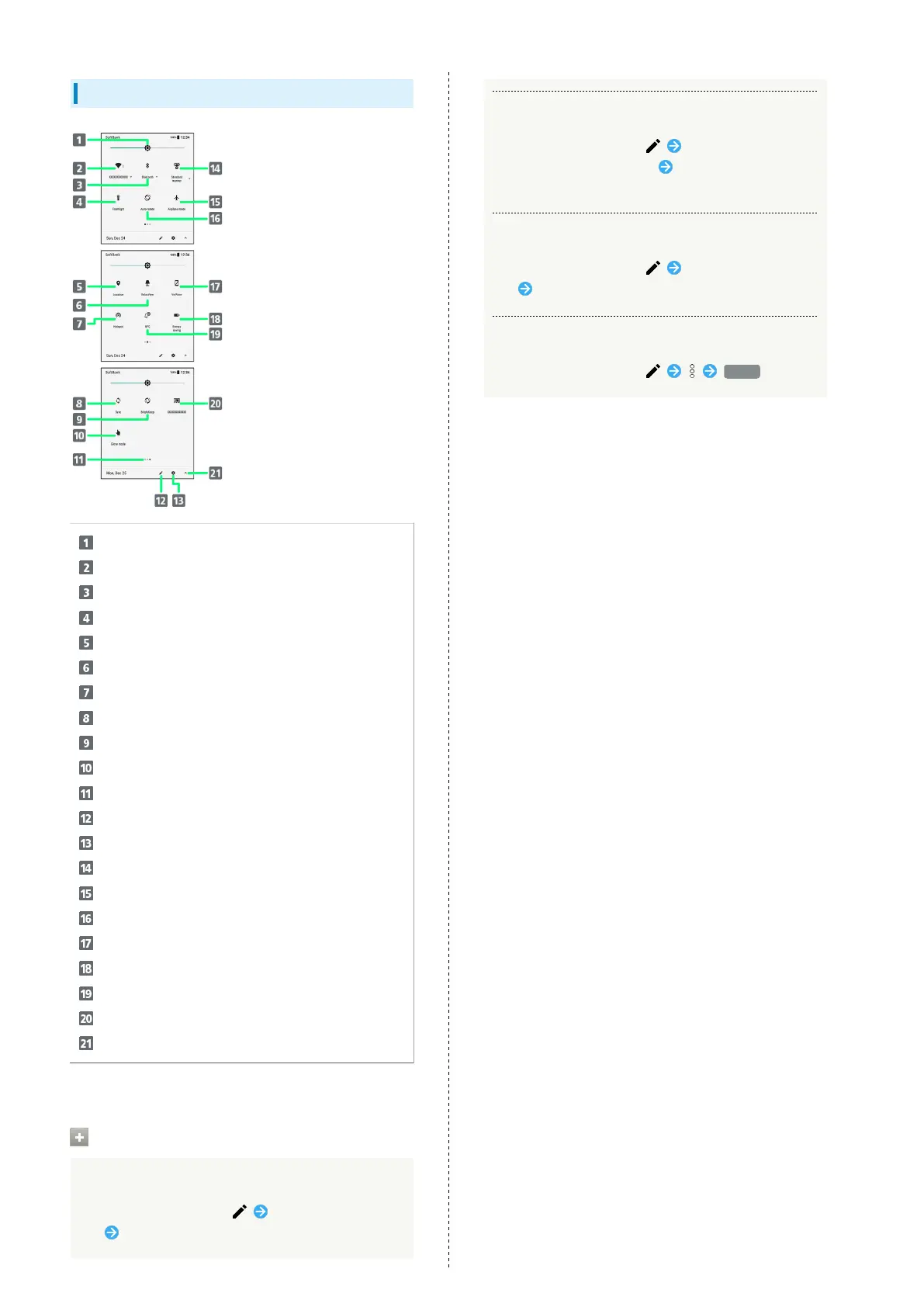
Quick Settings Window Layout
Adjust Display brightness.
Set Wi-Fi.
Set Bluetooth
®
function.
Turn on/off Mobile Light.
Enable/disable Location.
Toggle RelaxView on/off.
Toggle Wi-Fi tethering on/off.
Enable/disable account sync.
Toggle Bright Keep on/off.
Enable/disable Glove mode.
Indicate position of Setting key sheet.
1
Open Edit screen for Quick Settings Window.
Open Settings.
Set Manner mode.
Enable/disable Airplane mode.
Enable/disable Auto-rotate screen.
Toggle VeilView on/off.
Toggle Energy saving on/off.
Toggle Reader/Writer, P2P on/off.
Show cast screen.
Open/close Quick Settings Window.
1 Flick Setting key area left/right to toggle sheets.
Customizing Quick Settings Window
Rearranging Setting Keys
In Quick Settings Window, Touch & Hold Setting
key Drag Setting key to rearrange it
Adding Setting Keys
In Quick Settings Window, Touch & Hold Setting
key below "Drag to add tiles" Drag Setting key to
target location
Deleting Setting Keys
In Quick Settings Window, Touch & Hold Setting
key Drag to "Drag here to remove"
Resetting Quick Settings Window
In Quick Settings Window, Reset



 To Next Page