76
Opening Gmail
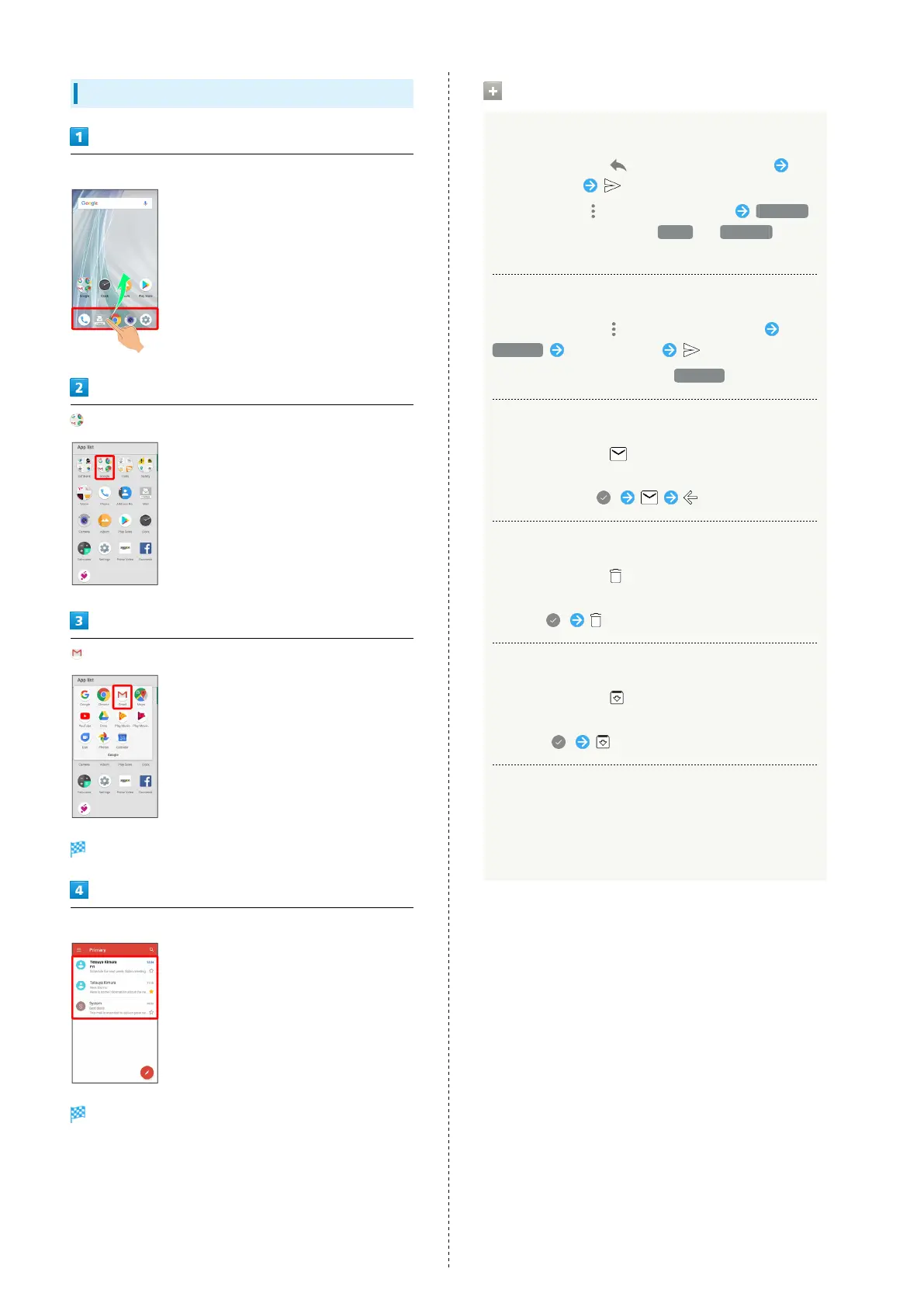
In Home Screen, Flick Favorites Tray up
(Google)
(Gmail)
Message list opens.
Tap message
Message window opens.
Operations when Opening Messages
Replying to Messages
In message window, for message to reply to
Create message
・
To reply to all, for message to reply to Reply all .
・
Alternatively, to reply, Tap Reply or Reply all below
message.
Forwarding Messages
In message window, for message to forward
Forward Create message
・
Alternatively, to forward, Tap Forward below message.
Resetting Messages as Unread
In message window,
・Alternatively, in message list, Tap icon for message to
reset as unread ( ) .
Deleting Messages
In message window,
・Alternatively, in message list, Tap icon for message to
delete ( ) .
Archiving Messages
In message window,
・Alternatively, in message list, Tap icon for message to
archive ( ) .
Syncing Accounts Manually
In message list, Drag down
・Sync sent and received messages manually at any time
regardless of the automatic sync settings.



 To Next Page