90
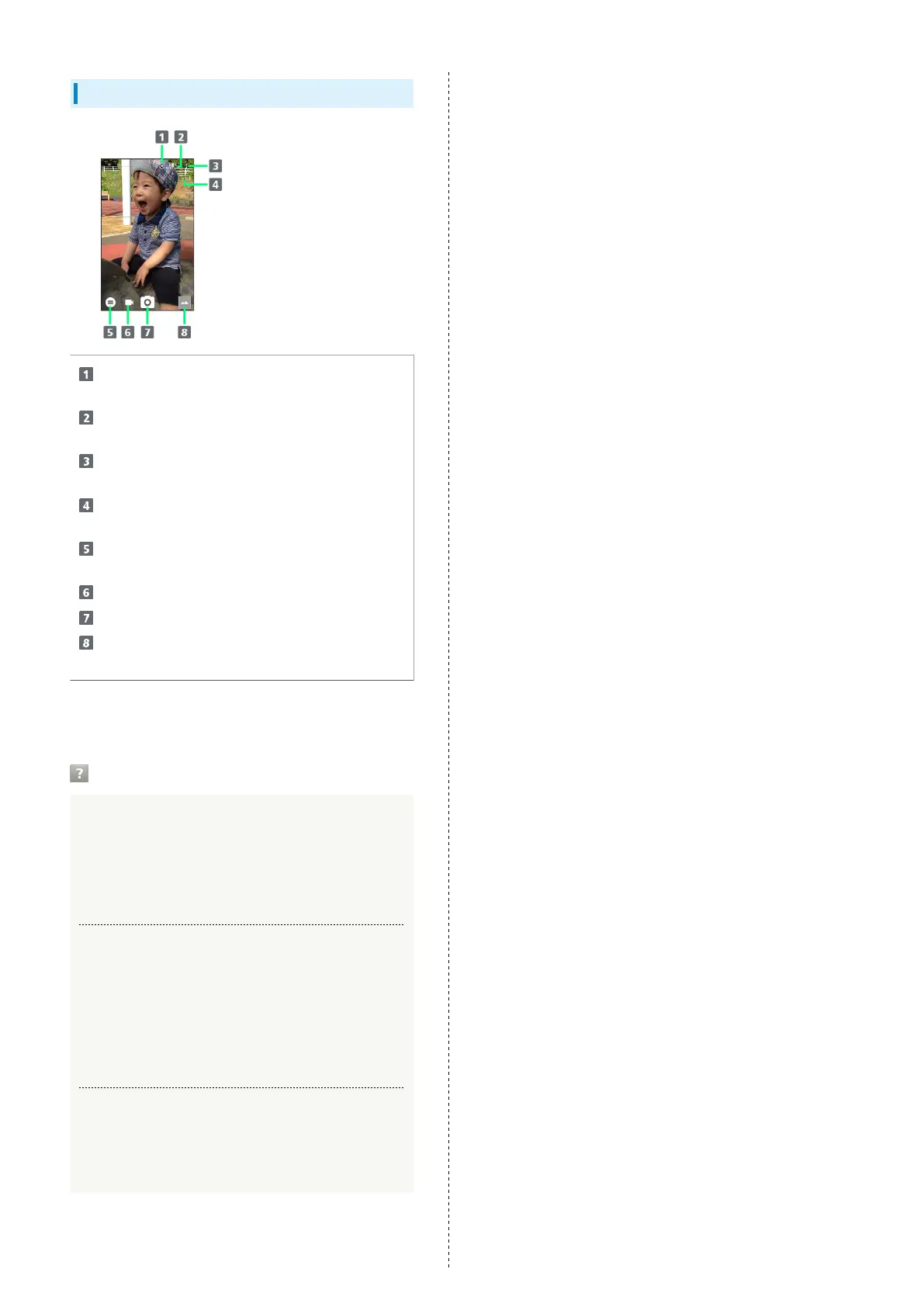
Viewfinder Layout
Front/Back Camera switch
Switch between Front Camera and Back Camera.
Mobile Light
Change Mobile Light setting.
Settings
Access various Camera settings.
HDR indicator
Appears when HDR function activates for capture.
Shooting mode
Change shooting mode.
Record video
Capture photo
Album/thumbnail
Open Album, or view immediately captured photo/video.
・Indicators shown in Viewfinder and available functions/
settings vary depending on Camera type and shooting mode.
Troubleshooting
Q. Camera exits suddenly
A. Continuing to use Camera while handset is warm causes
warning to appear, after which Camera saves captured
image data and exits.
A. Camera exits automatically after a period of inactivity.
Q. Images are dark/grainy
A. Is there a strong light near the subject, or a strong
light source in the screen? Avoid letting a strong light
source (the sun, light, etc.) in the screen. Leaving
handset in a warm place for a long time or where
Camera is in direct sunlight for a long time may affect
image quality.
Q. Images captured with Mobile Light appear whitish
A. A finger or cover near the lens can reflect light from
Mobile Light and cause captured images to appear
whitish.



 To Next Page