102
it and select Edit. The COM port is in the line <portnumber value="1" />. Change only the
number.
THIS IS WHAT THE START OF THE FILE LOOKS LIKE.
<?xml version="1.0" ?>
<mtx_config name="MTX" version="2.1.49" siteName="Test" fullScreenModeOption="false"
qualifyParts="false" skipPasswd="true" >
<language file="language.txt" />
<threads>
<thread type="mtxif" >
<rs232>
<portnumber value="1" />
<baudrate value="19200" />
<databits value="8" />
<stopbits value="1" />
<parity value="none" />
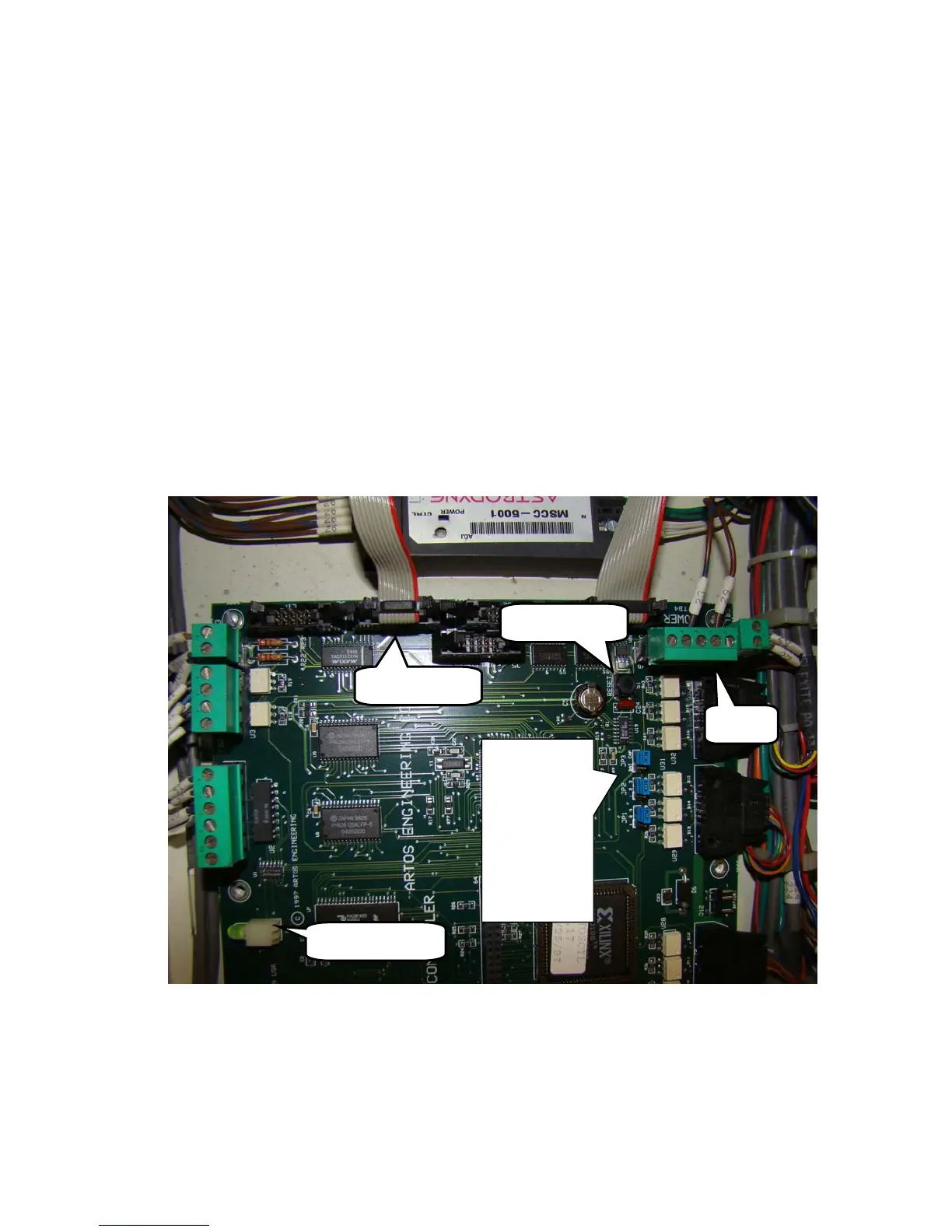
3. The other end of the serial cable must be plugged into RS-232 LINE 2 of the CPU board. Make
sure it is not loose.
4. Check the supply voltage of the CPU board. Between terminals TB4-P1 and TB4-P3 it should
be between 4.95VDC and 5.1VDC if not adjust the power supply PS1 so it is.
5. Make sure the jumpers, JP1,2,3 are in the correct position on the CPU board.
a. JP1 1-2
b. JP2 1-2
RS232 LINE
TB 4
JP3 CAP
BA
T
3
JP2 2
1
3
JP1 2
Reset Button
Multicolor


 To Next Page
 Loading...
