112
5. Strip Velocity. This is the stripping speed, generally when the stripping speed is lowered the wire
slip is reduced. If adjusting this value reduce it to 10% as a first try. The maximum velocity is
100%
6. Strip Acceleration. This is the acceleration to get up to the stripping speed. By lowering this you
reduce the amount the wire jerks as the strip begins, this can help reduce slipping in the belts. If
adjusting this value reduce it to 10% as a first try. The maximum acceleration is 100%
7. Strip Delay, This is how long the blade waits after it arrive at the strip diameter. Increasing strip
delay allows elastic insulations expand outward and cut while the blade is squeezing down on it.
Nibble mode.
If none of the adjustments above where able to solve the problem of the wire slipping in the belt then you
will need to try nibble mode. This mode removes only a part of the total strip length at a time.
To determine if this mode will help you, first try reducing your strip length to a value where the machine
will strip the wire. If this strip length is 25-99% of the total desired strip length, you should try using
nibble mode. If this strip length 24% or less of the total length, nibble mode is going to take too much
time and other solutions should be found. Note: 25% means that the machine will remove the desired
strip length in 4 pieces.
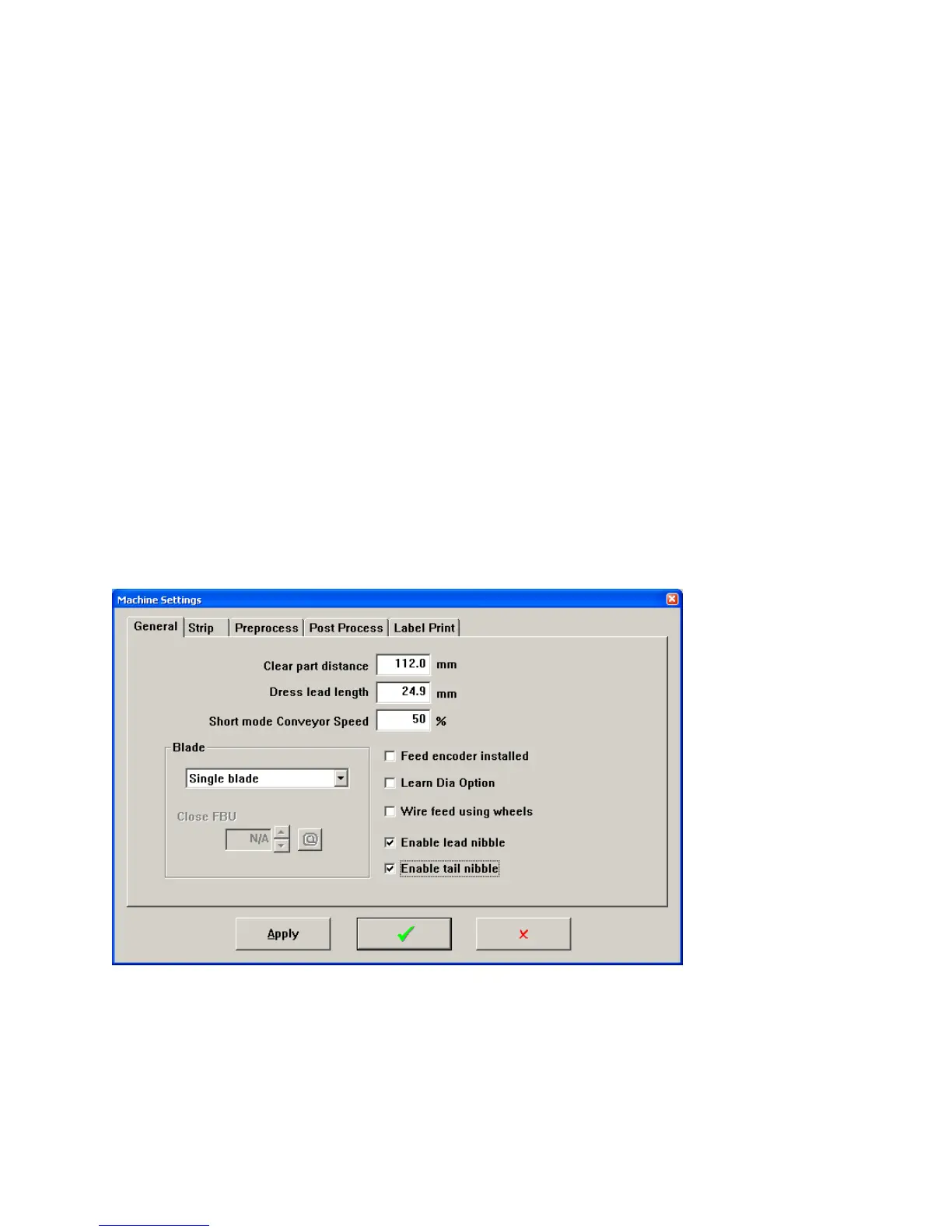
To use this first enable it by clicking Maintenance – Machine Settings. Then click the check boxes for
Enable nibble.
Then in the wire properties windows, set the Max slug to be the strip length you found works in the step
above.



 To Next Page