When the switch is powered on, it performs its diagnostic self-test and initialization. This boot process,
depending on switch model and configuration, takes approximately 1-2 minutes to complete.
General LED behavior:
During the switch boot:
• The Global Status, UID, other status, and mode LEDs, will initially turn green, and bicolor LEDs will change to
orange, then back to green.
• The Global Status LED will start blinking green, indicating that the switch is going through its self-test and will
continue to flash green until the switch is fully booted.
• The port LEDs will initially turn green, then turn orange, turn back to green, and then may blink on and off
during phases of the boot.
When the switch boots successfully, the following LEDs display:
• Global Status and back LEDs will be solid green.
• Locator LED is off.
• Other status LEDs may be on or off depending on the switch configuration and the hardware installed.
• The port LEDs go into their normal operational mode:
◦ If the ports are connected to active network devices, the port LED may be on and behaves according to the
LED mode selected. In the default LED mode (Activity/Link), the LED shows half-bright green to indicate
link and be flickering full-bright green to show network traffic.
◦ If the ports are not connected to active network devices, the port LED will stay off.
If the LED display is different than what is described earlier in this section, the switch boot has not completed
correctly. This is especially true if the Global Status LED continues to flash green for more than 120 seconds or
flashes orange continually, See Troubleshooting on page 68 for diagnostic help.
(Optional) stacking module LED behavior
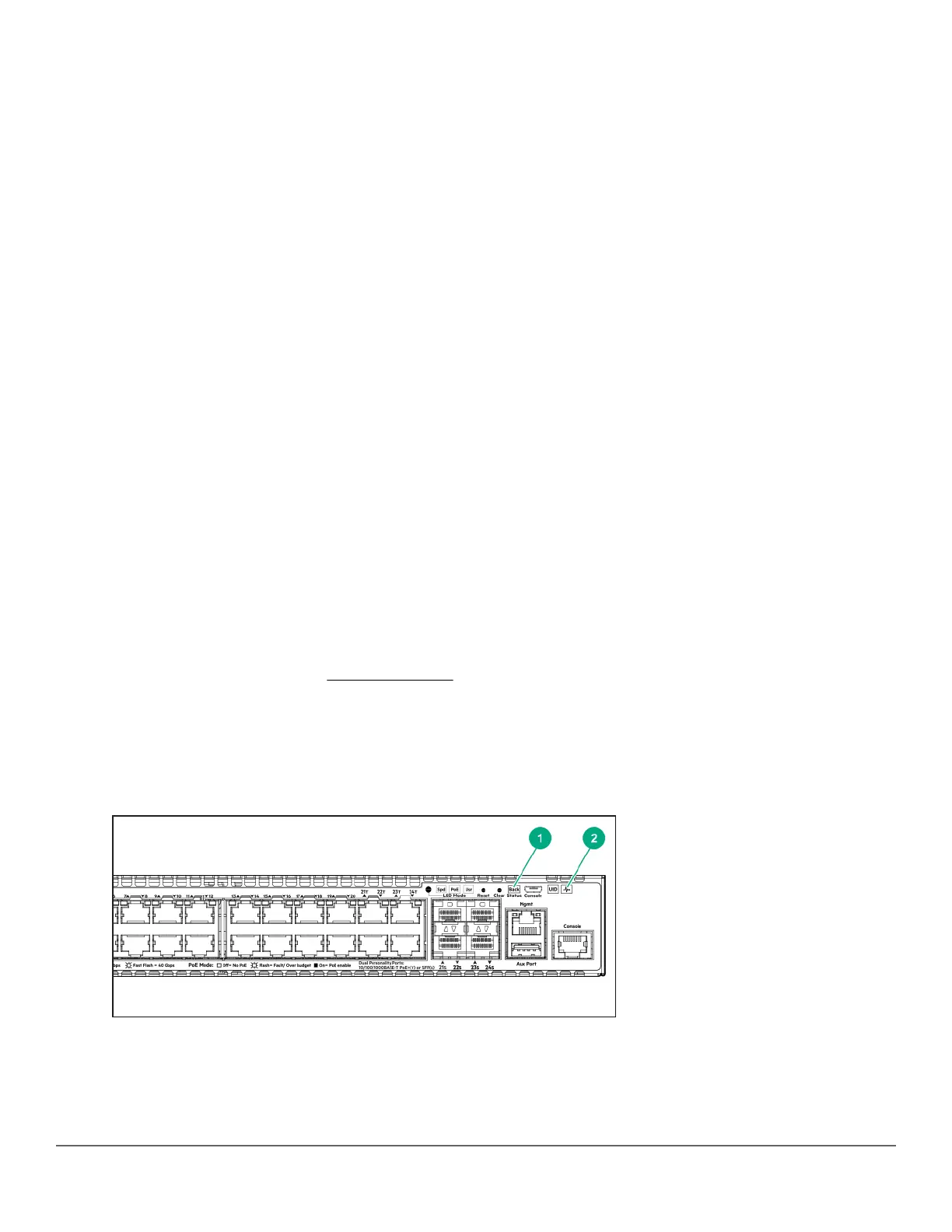
To verify that the module is installed correctly, observe the back and Global Status LEDs on front of the switch,
and the Module Status LED on the module.
Figure 11: Location of module status LEDs
40 Aruba 2930M Switches














 To Next Page