Procedure
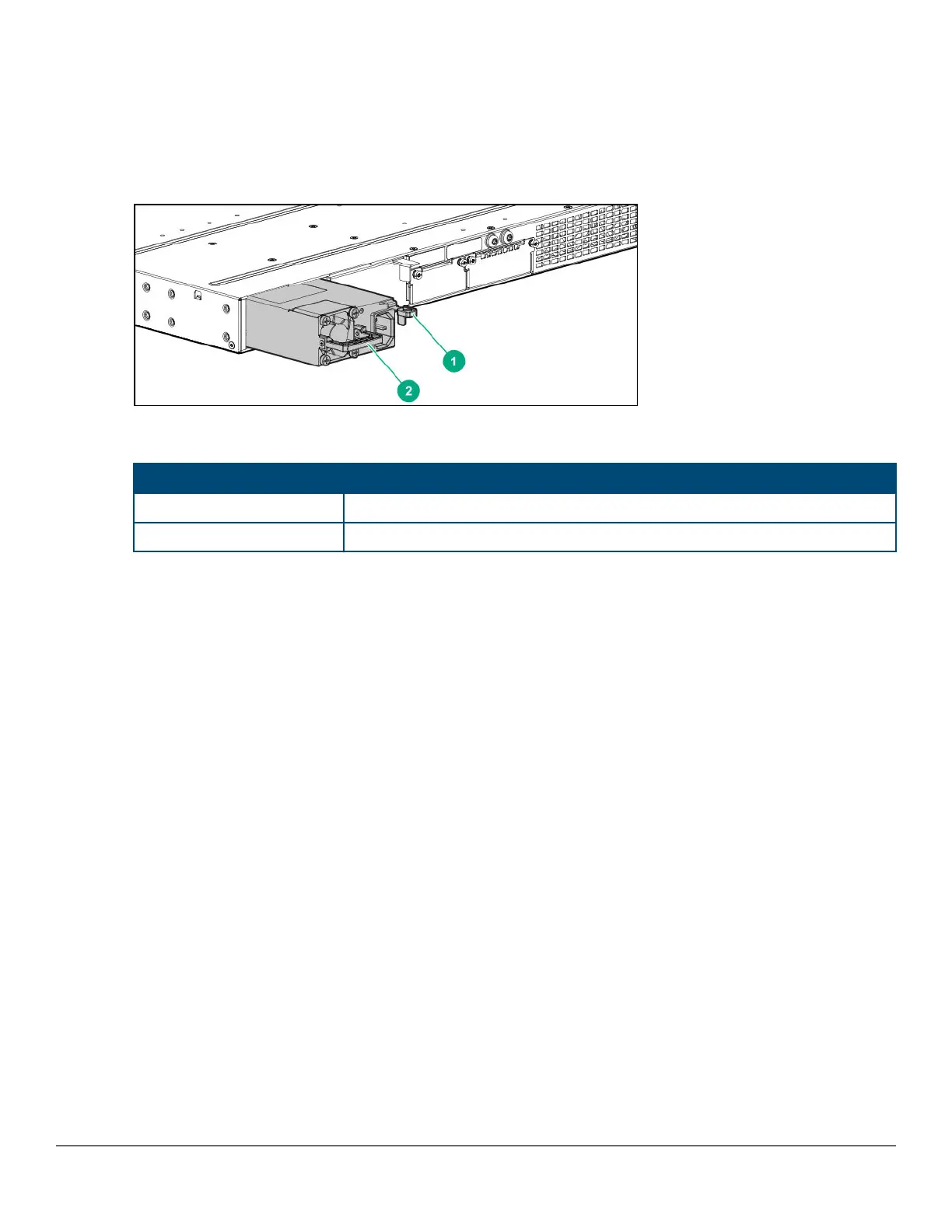
1. Remove the AC power cable from the connector on the failed power supply.
2. Grasping the handle of the failed power supply, release the locking mechanism by squeezing the latch handle
while removing the failed power supply.
Figure 23: Replacing a failed power supply
Table 18: Replacing failed power supply: Label and description
Label Description
1 Lock mechanism
2 Handle
3. Insert the new power supply. Slide it in all the way in until the locking mechanism locks.
Replacing the stacking module
The 2930M stacking module is not hot-swappable. The switch must be powered off before replacing the module.
To replace a stacking module:
Procedure
1. Power off the switch for which the stacking module needs to be replaced.
2. Remove the new stacking module from its packaging, being careful to not touch any of the circuitry on the
board.
3. Disconnect the stacking cables from the failed module. You do not need to disconnect the cables from the
switches at the other ends of the cables.
4. Unscrew the two retaining screws on the module and pull the module straight out.
Chapter 5 Replacing components 65














 To Next Page