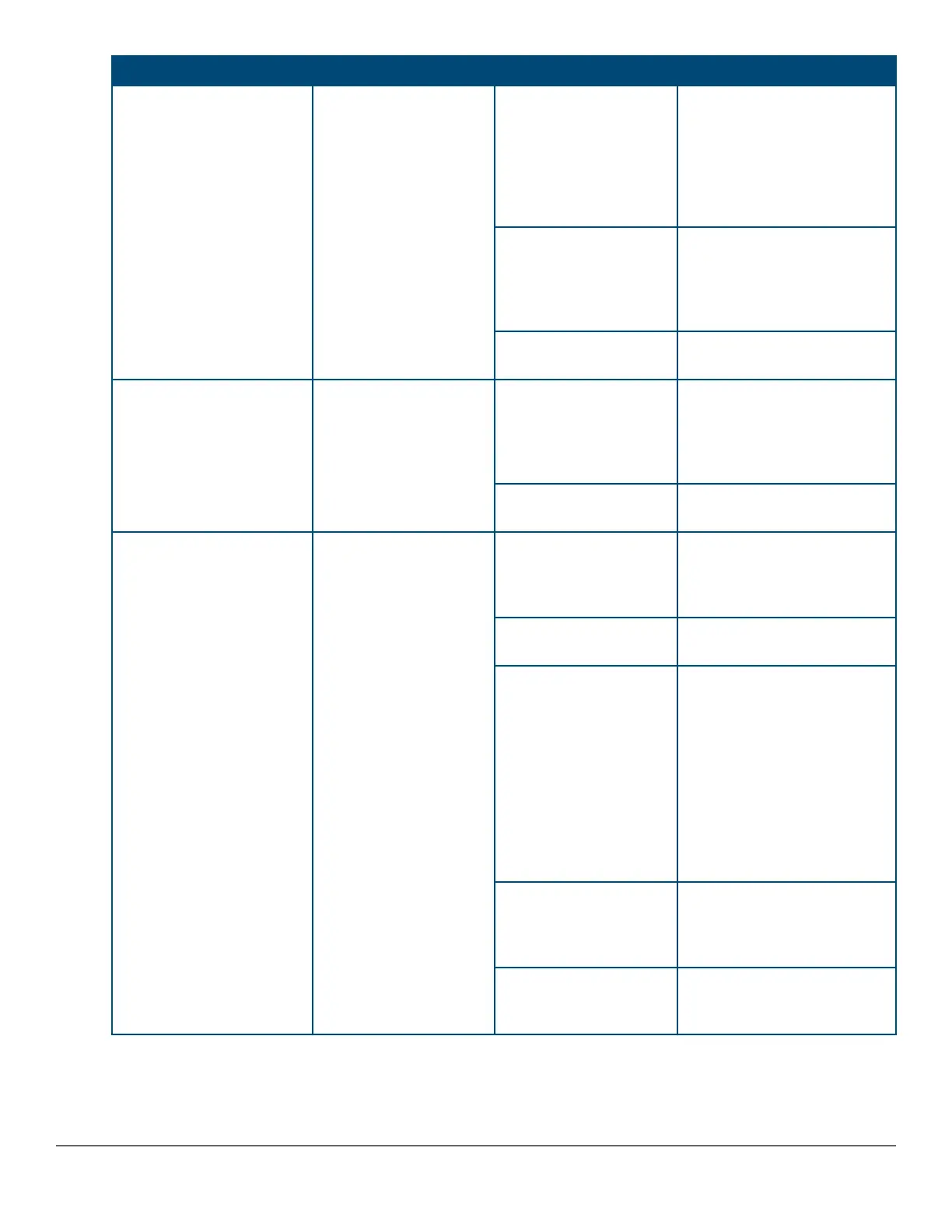
Switch LEDs Function State Meaning
Slow Flash Orange* A fault or self-test failure has
occurred on the switch, one of
the switch ports, or a module
in the rear of the switch. The
Status LED for the
component with the fault will
flash simultaneously.
On Orange If this LED is on orange for a
prolonged time, the switch
has encountered a fatal
hardware failure, or has failed
its self-test.
Off The unit is not receiving
power.
UID (Unit Identification) The Unit Identification
LED is used to help you
to identify a particular
unit in a rack or
collection of products.
On or Fast Flash** The “chassislocate” command
allows you to flash or turn on
the LED for a specified
number of minutes (1-1440).
The default is 30 minutes.
Off LED will clear after the
timeout period has expired.
Out-of-Band Management
(OOBM) Port LED: Activity/
Link
Display Activity/Link and
port status of OOBM
Half-Bright Green The port is enabled and
receiving a Link indication
from the connected device.
high-bandwidth
On Green The port is experiencing
utilization.
Activity Flicker Green The percentage of time that
the LED is full-bright is
roughly proportional to the
percentage of full bandwidth
utilization of the port. Even
just one packet will trigger a
visible full-bright flicker. Half-
Bright Green port Link
indication remains on as
Activity flickers from half-
bright to full-bright.
Slow Flash Orange The port has failed its self-
test. Flashes simultaneously
with the Global Status LED
flashing orange.
Off The port is disabled, not
connected, or not receiving
link.
Table Continued
Chapter 2 Introducing the 2930M switches 15












 To Next Page