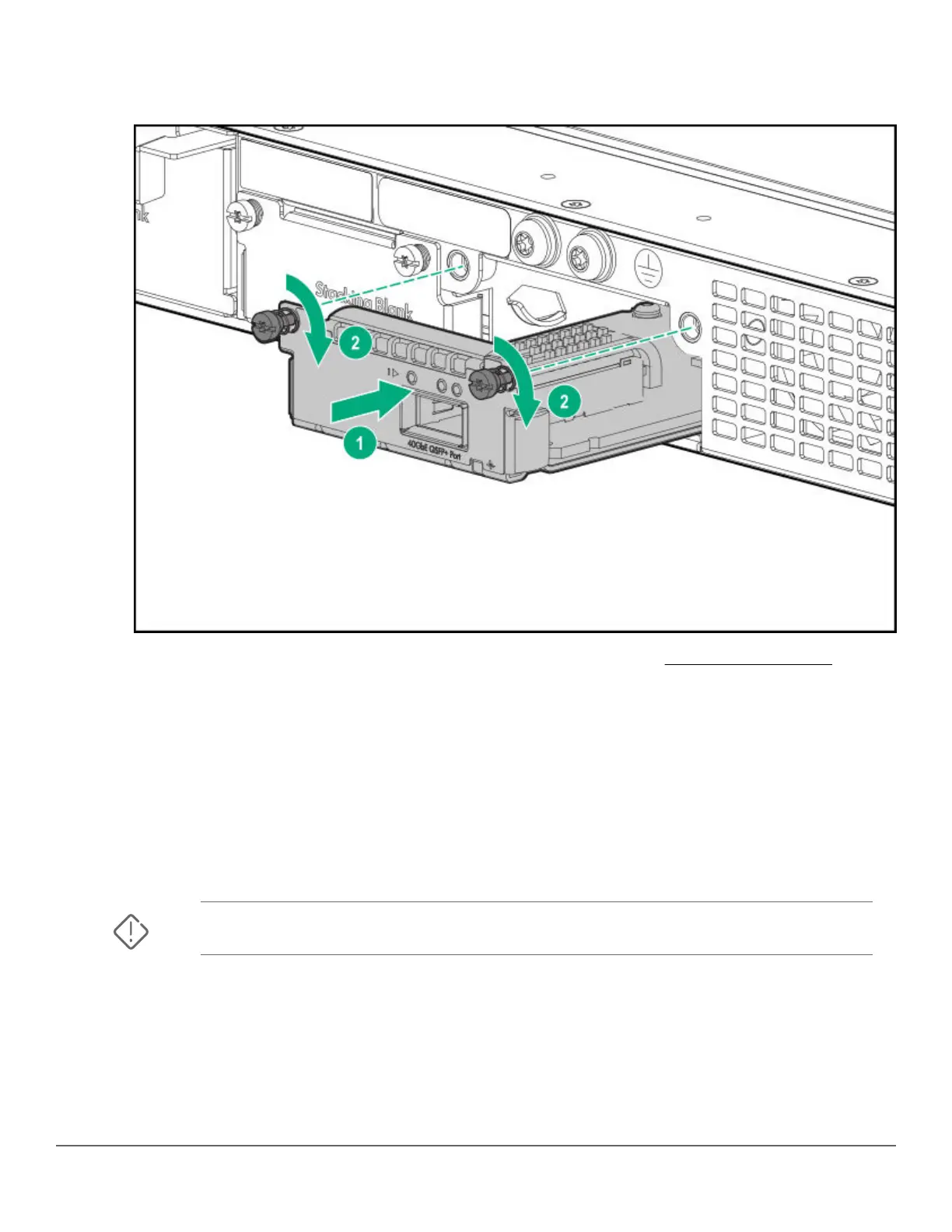
4. Engage the retaining screws and tighten them. Be sure not to over-tighten the screws.
Figure 13: Install uplink port module
5. Power on the switch and make sure that the module passes its self-test. See General LED behavior: on page
40 for the module LED behavior that indicates correct installation.
7. Mount the switch
After the switch passes self-test, it is ready to be mounted in a stable location. Supported mounting options for the
Aruba 2930M switches include:
• Two-post rack mount
• Tabletop or desktop
• Four-post rack mount (Requires the optional J9583A HPE X410 Universal Rack Mounting Kit.)
WARNING: Do not mount the switch on a wall, under a table, or under another horizontal surface.
Mounting the switch in a two-post rack
Prerequisites
Before beginning here:
Chapter 3 Installing the switch 43












 To Next Page