Procedure
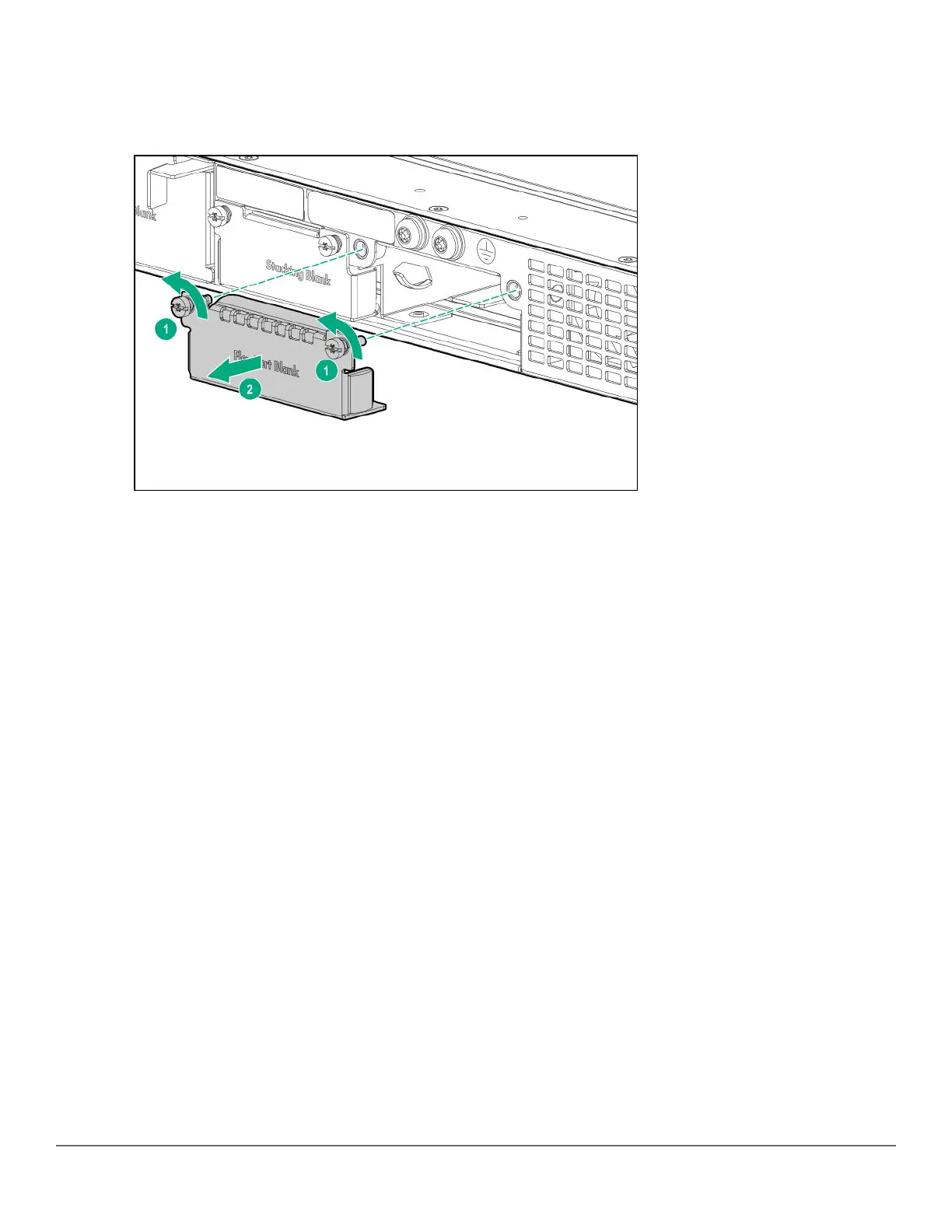
1. Unscrew the two retaining screws on the uplink port cover plate.
Figure 12: Remove the uplink port cover plate
2. Remove the new uplink port module from its packaging, being careful not to touch any of the circuitries on the
board.
3. Insert the uplink port module fully into the slot as shown following. The face plate of the module will be flush
with the front face of the switch.
42 Aruba 2930M Switches












 To Next Page