Under certain circumstances, depending on the cable used and the lengths of the cable runs, an external Mode
Conditioning Patch Cord may need to be installed between the Gigait-LX or 10-Gigabit LRM transmitting device
and the multimode network cable to provide the transmission conditioning. If you experience a high number of
transmission errors on those ports, usually CRC or FCS errors, you may need to install one of these patch cords
between the fiber-optic port in your switch and your multimode fiber-optic network cabling, at both ends of the
network link.
The patch cord consists of a short length of single mode fiber cable coupled to graded-index multimode fiber
cable on the transmit side, and only multimode cable on the receive side. The section of single mode fiber is
connected in such a way that it minimizes the effects of the differential mode delay in the multimode cable.
NOTE: Most of the time, if you are using good quality graded-index multimode fiber cable that
adheres to the standards listed in Cabling specifications, there should not be a need to use mode
conditioning patch cords in your network. This is especially true if the fiber runs in your network are
relatively short.
For 10-Gigabit LRM using OM3 cable (50 μm multimode @ 1500/500 MHz*km), a mode conditioning
patch cord is not required. Other multimode cables may require mode conditioning patch cords to
achieve the LRM maximum distances.
Installing the patch cord
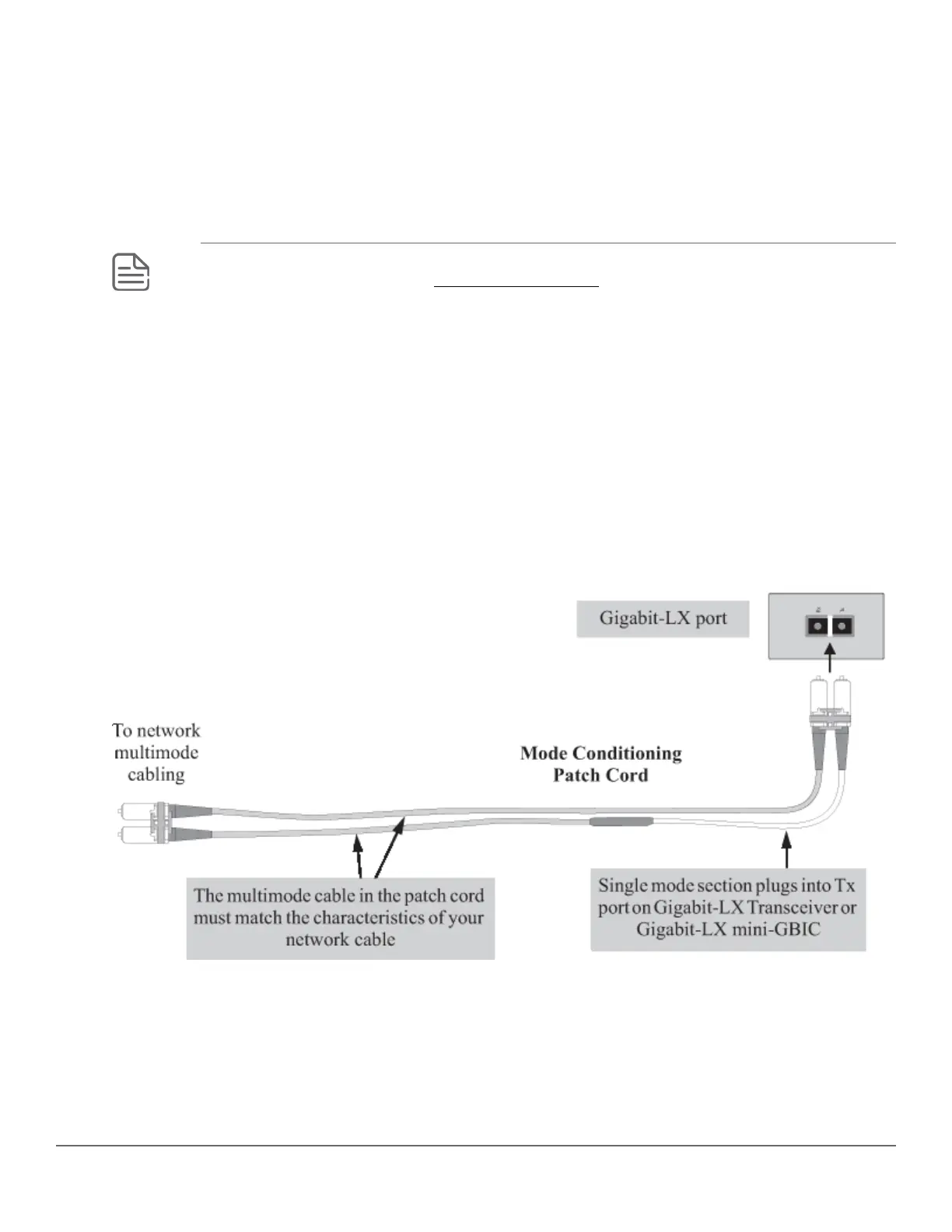
As shown in the illustration below, connect the patch cord to the Hewlett Packard Enterprise transceiver with the
section of single mode fiber plugged in to the Tx (transmit) port. Then, connect the other end of the patch cord to
your network cabling patch panel, or directly to the network multimode fiber.
If you connect the patch cord directly to the network cabling, you may need to install a female-to-female adapter
to allow the cables to be connected together.
Figure 26: Connecting a mode conditioning patch cord for Gigabit-LX
Be sure to purchase a patch cord that has appropriate connectors on each end, and has multimode fibers that
match the characteristics of the multimode fiber in your network. Most important, the core diameter of the
multimode patch cord must match the core diameter of the multimode cable infrastructure (either 50 or 62.5
microns).
Twisted-pair cable/connector pin-outs
Auto-MDIX feature:
92 Aruba 2930M Switches














 To Next Page