NOTE: When switch power is on and one end of the stacking cable is inserted, the link and module
status LEDs on the module and the back LED on the front of the switch flash orange until the other
end is connected to another switch stacking module. The LEDs turn solid green when the cable is
fully seated at both ends and a link is established.
To remove the stacking cable, pull the tab on the stacking cable connector straight out.
11. (Optional) Install transceivers
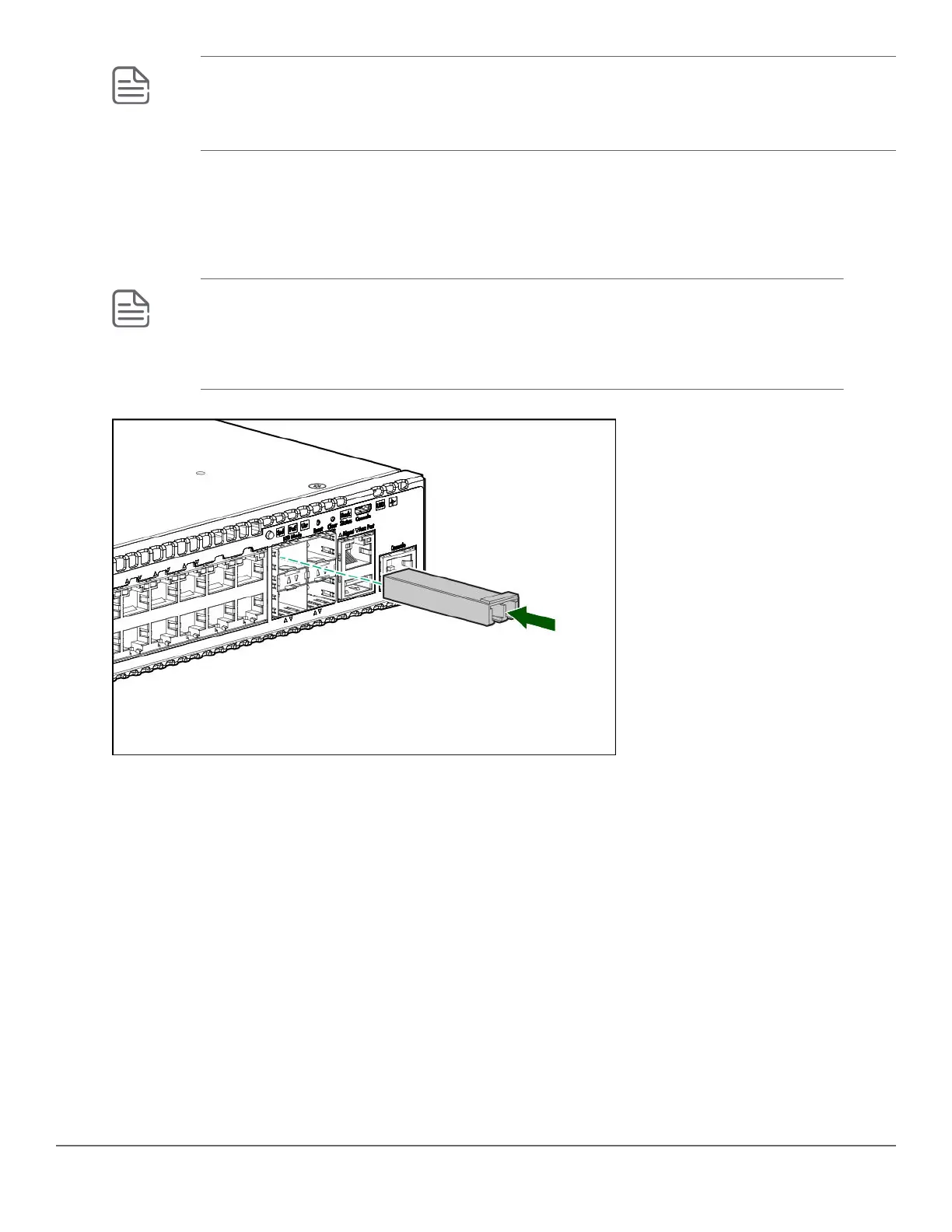
You can install or remove transceivers from the slots on the front of the switch without having to power off the
switch.
NOTE:
• The transceivers operate only at full duplex. Half duplex operation is not supported.
• Ensure that the network cable is NOT connected when you install or remove a transceiver.
(Optional) Insert up to four SFP transceivers in the fixed transceiver slots on the switch front panel.
12. Connect network cables
Connect network cables from network devices or your patch panels to the fixed RJ-45 ports and to any installed
transceivers.
• Connect network cables to the RJ-45 data ports and to any optional transceivers installed on the switch front
panel.
Chapter 3 Installing the switch 49














 To Next Page