ArubaOS-Switch Advanced Traffic Management Guide for your switch OS version for more information about
stacking configuration and operation.
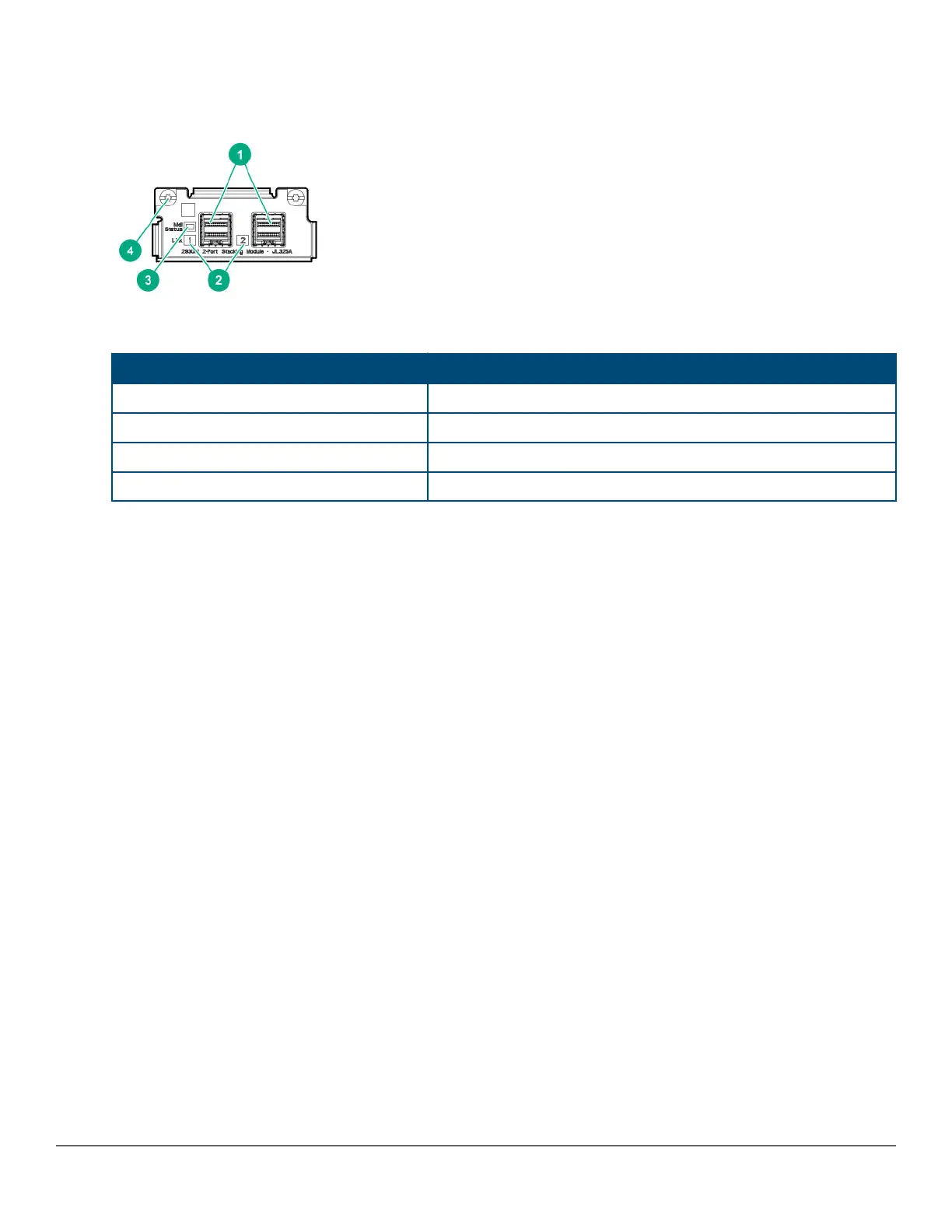
Figure 6: Front of 2930M 2-port stacking module
Table 12: Front of 2930M 2-port stacking module: Label and description
Label Description
1 Stacking connectors
2 Link LEDs
3 Stacking module status LED
4 Module retaining screws
The 2930M 2-port stacking module JL325A has the following features:
• Two stacking connectors for connecting the 2930M switch to other 2930Ms in a stacked topology (ring only).
Any of these available stacking cables can be used for these connections:
◦ Aruba 2920/2930M 0.5M Stacking Cable (J9734A)
◦ Aruba 2920/2930M 1.0m Stacking Cable (J9735A)
◦ Aruba 2920/2930M 1.0m Stacking Cable (J9735A)
• LEDs, described below.
Stacking module LEDs
The following LEDs are located on the 2930M stacking module itself and are only viewable from the rear of the
switch.
26 Aruba 2930M Switches














 To Next Page