Minimal configuration through the console port
connection
The quickest and easiest way to minimally configure the switch for networked management and password
protection is to use the direct (out-of-band) connection through the console port to start a console session and
access the Switch Setup screen.
Procedure
1. Configure a Management Console as described in Configuring the management console.
2. Set up a console connection through the console port by following the procedure described in Setting up a
console connection on page 59. The 2930M command-line prompt displays on the console screen,
typically with the switch model number (for example, Aruba 2930M).
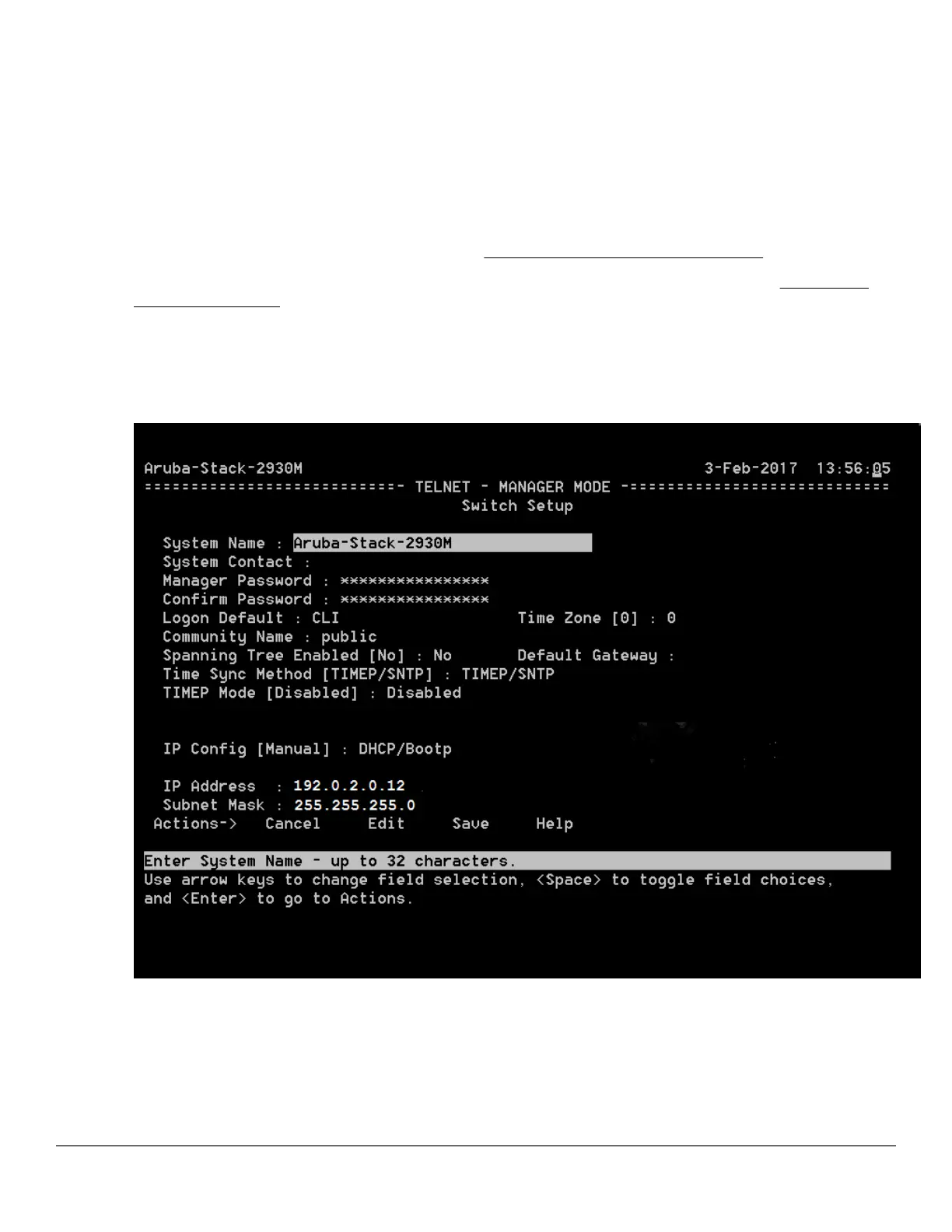
3. At the prompt, enter the setup command to display the Switch Setup screen. The following illustration shows
the setup screen with the default settings.
Figure 21: Example CLI switch setup screen
4. Use the Tab key to select the Manager Password field and enter a manager password.
5. Tab to the IP Config (DHCP/Bootp) field and use the spacebar to select the Manual option.
6. Tab to the IP Address field and enter the IP address that is compatible with your network.
58 Aruba 2930M Switches














 To Next Page