• Review the Installation precautions and guidelines on page 34.
• See 1. Prepare the installation site on page 36.
• Prepare your network data cables (not included) for connecting the switch to the network.
Procedure
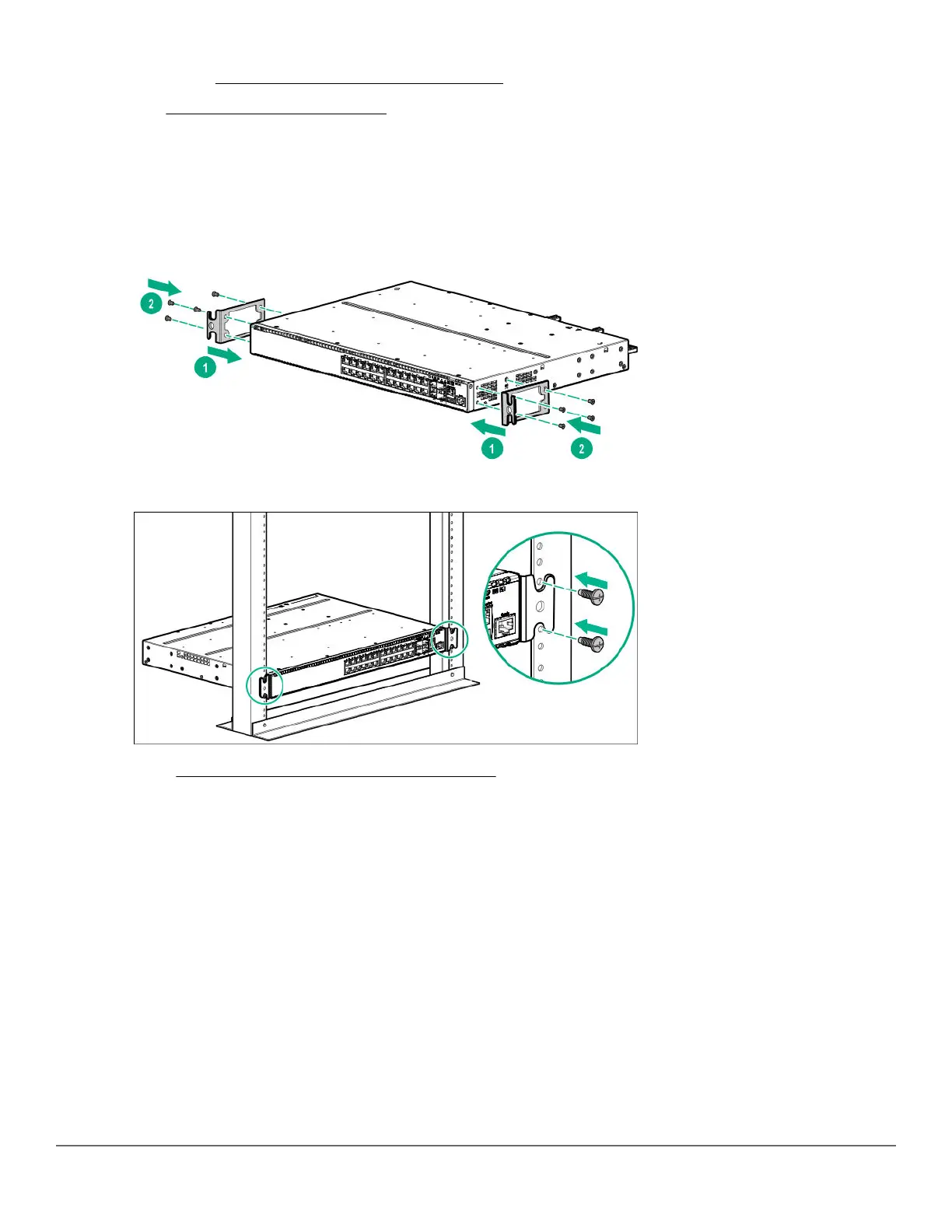
1. Attach the rack mount brackets to the switch by using a #1 Phillips (cross-head) screwdriver and the supplied
eight 8-mm M4 screws.
2. Use the four number 12-24 screws to secure the brackets to the rack.
3. Go to 10. (Optional) Installing the stacking cables on page 48.
Mounting a switch on a tabletop or desktop
Prerequisites
• Locate the four self-adhesive pads included in the switch accessory kit.
• Select a secure horizontal surface where the network cables and switch power cord will not create a tripping
hazard.
44 Aruba 2930M Switches














 To Next Page