Procedure
1. Remove the new uplink port module from its packaging, being careful to not touch any of the circuitries on the
board.
2. Disconnect the cables and any installed transceivers from the failed module. You do not need to disconnect
the cables from the switches at the other ends of the cables.
3. Unscrew the two retaining screws on the module.
4. Pull on the two retaining screws toward you to disengage the module and pull out the module.
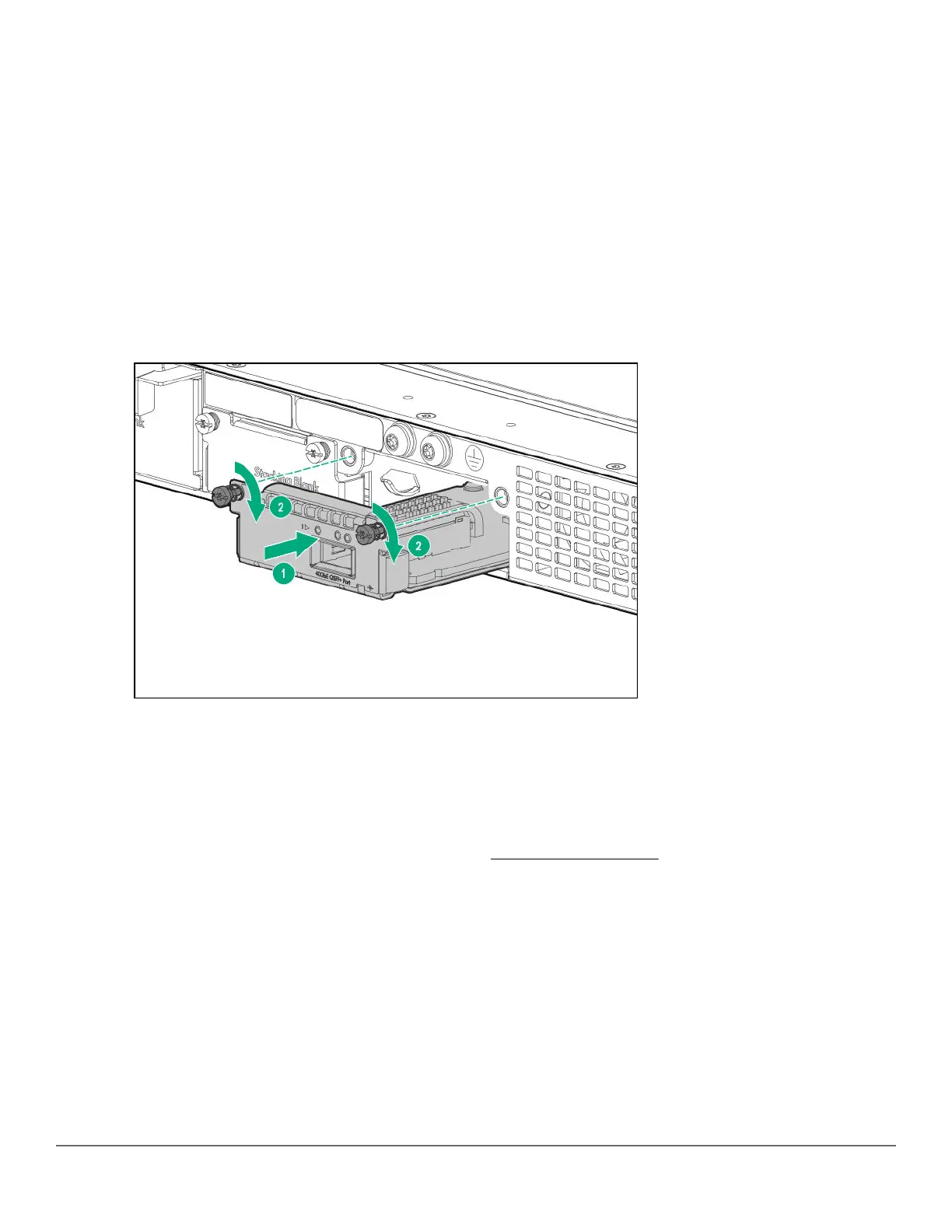
5. Insert the new uplink port module fully into the slot as shown in the following step. The face plate of the module
will be flush with the front face of the switch.
6. Engage the retaining screws and tighten them. Be sure to not over-tighten the screws.
Figure 25: Replace uplink port module.
7. If replacing with the same SKU, power on the module with one of the following commands. If replacing with a
different SKU, skip this step.
a. If stacking is enabled: no savepower flexible-module A member <ID>
b. If stacking is disabled: no savepower flexible-module A
8. Make sure that the module passes its self-test. See
General LED behavior: on page 40 for the module LED
behavior that indicates correct installation.
Chapter 5 Replacing components 67














 To Next Page