Procedure
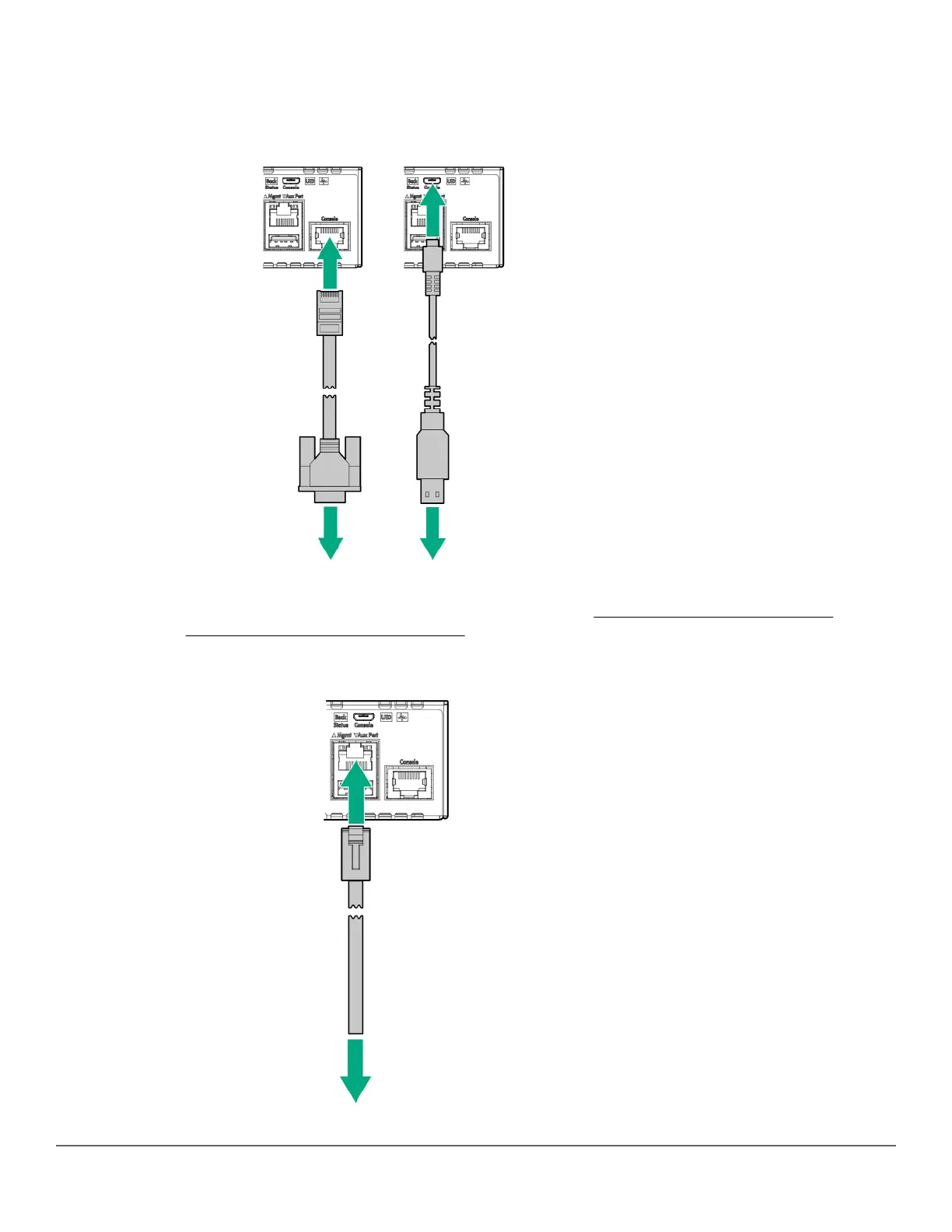
1. (Optional) Connect an RJ-45 to DB9 console cable to the Console port and to a VT-100 terminal (running
suitable terminal emulation software). You can also connect a micro-USB console cable (not included) to a
VT-100 terminal or to a PC (running suitable terminal emulation software).
If cables are connected to both the Console port and the micro-USB port, input is accepted only from the Micro
USB connector. (Echo output is accepted through both ports). See Setting up a console connection on page
59 and Configuring the management console on page 60.
2. (Optional) If you plan to manage the switch from a dedicated management network, connect an RJ-45 network
cable from the management network to the Mgmt port.
Chapter 3 Installing the switch 47














 To Next Page