Page 30 of 78
4.3.1 Compatible SFP and SFP+ Transceiver Modules Specifications for MXNet Network
Switches
•
SFP-SX-L transceiver 1000Base-SX SFP (850nm, MMF, 550m)
• SFP-LX-L transceiver 1000Base-LX SFP (1310nm, SMF, 10km or MMF, 550m)
• SFP-LX-20-L transceiver 1310nm light wave, 9/125um single mode fiber: 20km
• SFP-LX-40 transceiver 9/125um single mode fiber: 40km
• SFP-LH-70-L transceiver 9/125um single mode fiber: 70km
• SFP-LH-120-L transceiver 9/125um single mode fiber: 120km
• SFP-1000Base-T Gigabit Ethernet RJ-45 SFP copper module, 1.25Gb/s, operates on R-J45 cable
(Cat5e/6/7) spans of up to 100m (328ft) in length
•
SFPX-SR transceiver 10GBase-SR SFP+ (850nm, MMF, 550m)
• SFPX-LR transceiver 10GBase-LR SFP+ (1310nm, SMF, 10km)
• 10Gbase-T module: 10Gb/s SFP+ to RJ-45 Ethernet copper transceiver, support links up 30m
(98ft) over Cat6a/7 cable. SFF-8431 MSA, SFF-8432 MSA, and IEEE 802.3az compliant
• 10Gbase-T module: 10Gb/s SFP+ to RJ-45 Ethernet copper transceiver, support links up to
80m (262ft) over Cat6a/7/8. cable SFF-8431 MSA, SFF-8432 MSA, and IEEE 802.3az compliant
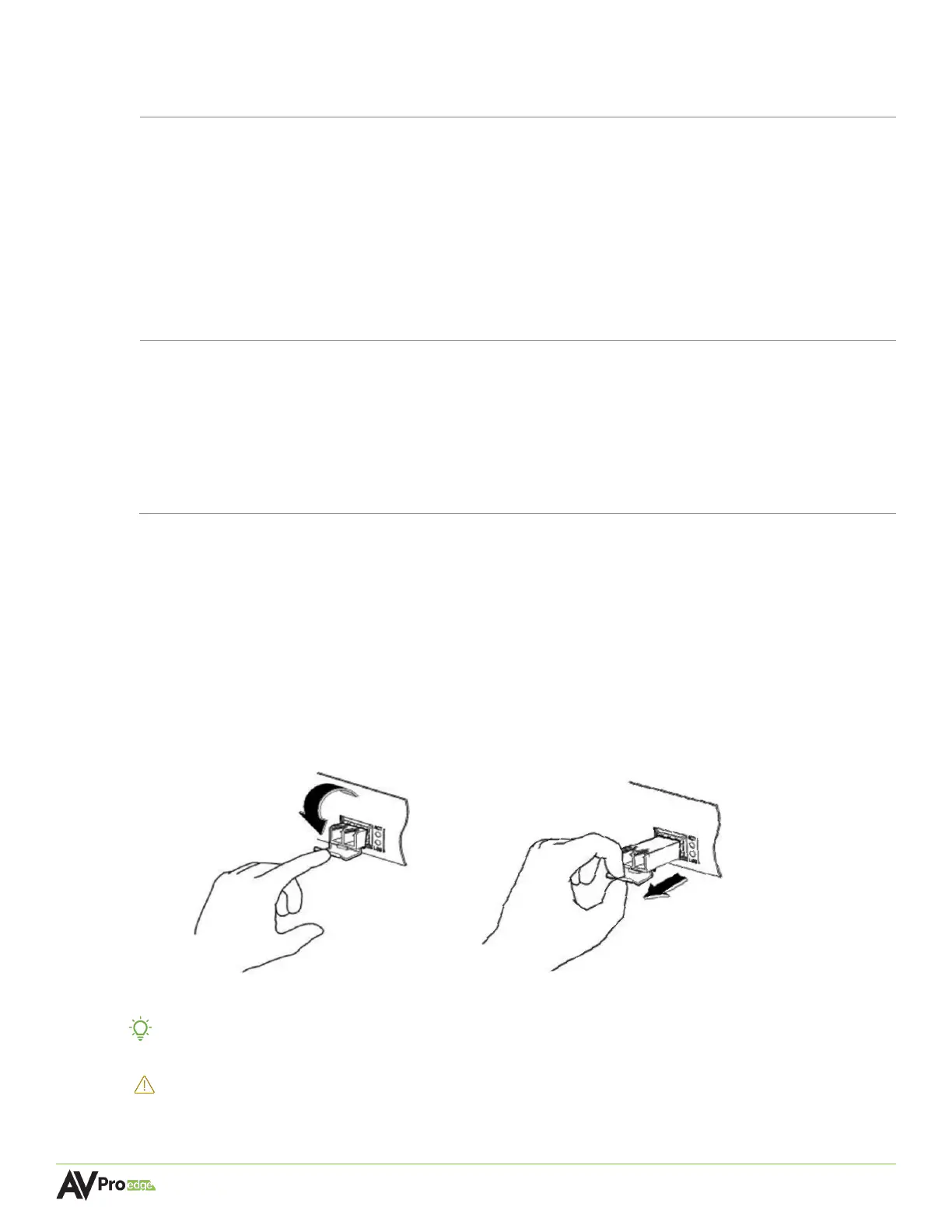
4.3.2 Installing SFP and SFP+ Transceiver Modules
The procedure for installing SFP and SFP+ transceiver modules is shown below:
1 Put on an ESD wrist strap (or antistatic gloves).
2 Insert the SFP or SFP+ transceiver to the guide rail inside the fiber interface line card. Do
not put in the SFP or SFP+ transceiver upside down.
3 Push the SFP or SFP+ transceiver along the guide rail gently until you feel the transceiver
snap into place at the bottom of the line card.
TIP:
The SFP and SFP+ transceiver modules are hot-swappable, meaning that they can be
inserted or removed while power is still present in the system.
WARNING: Do not stare directly at the two fiber bores inside the SFP or SFP+ transceiver module
while the network switch is operating as the laser may harm the eyes.



 To Next Page