Page 67 of 78
6.13.1 Creating a USB or KVM Routing Path
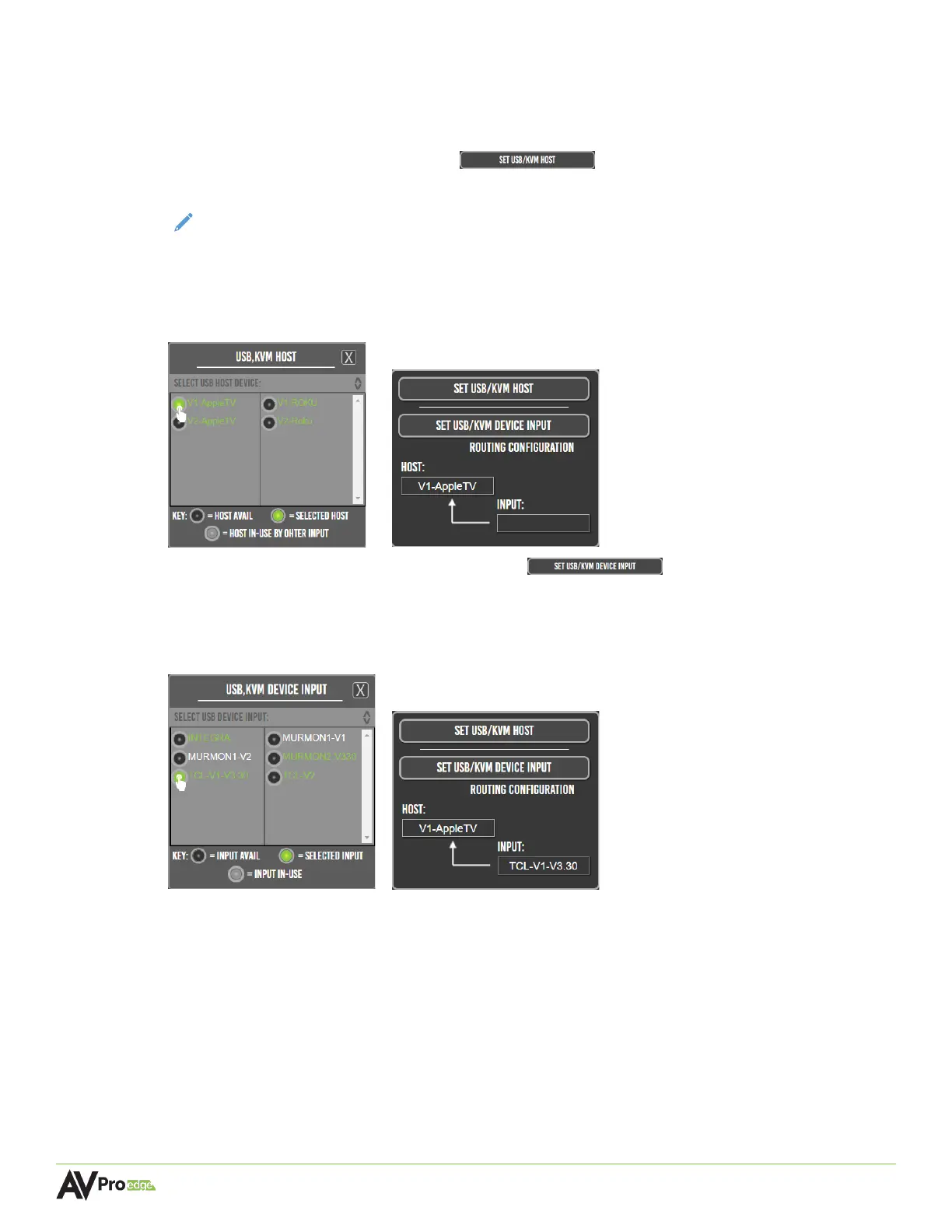
1 Plug in all the input devices into the USB ports on the decoder and connect the PC to the
USB HOST port on the encoder.
2 Select the set usb/kvm host button within one of the routing setup
boxes. This will open a list of USB host devices for the encoders.
NOTE:
If a previous KVM routing path has already been setup using a different routing
setup box, any previously selected encoders will then appear in the list as grey, or
unavailable.
3 Select an encoder to set it as the USB host, then select the x button to close the USB host
list. The selected encoder will now appear in the host field.
4 Select the set usb/kvm device input button within the same routing
setup box. This will open a list of USB input devices for the decoders.
5 Select a decoder to set it as the USB input device, then select the x button to close the USB
host list. The selected decoder will now appear in the input field.



 To Next Page