Page 38 of 78
5.3 Stacking Switches
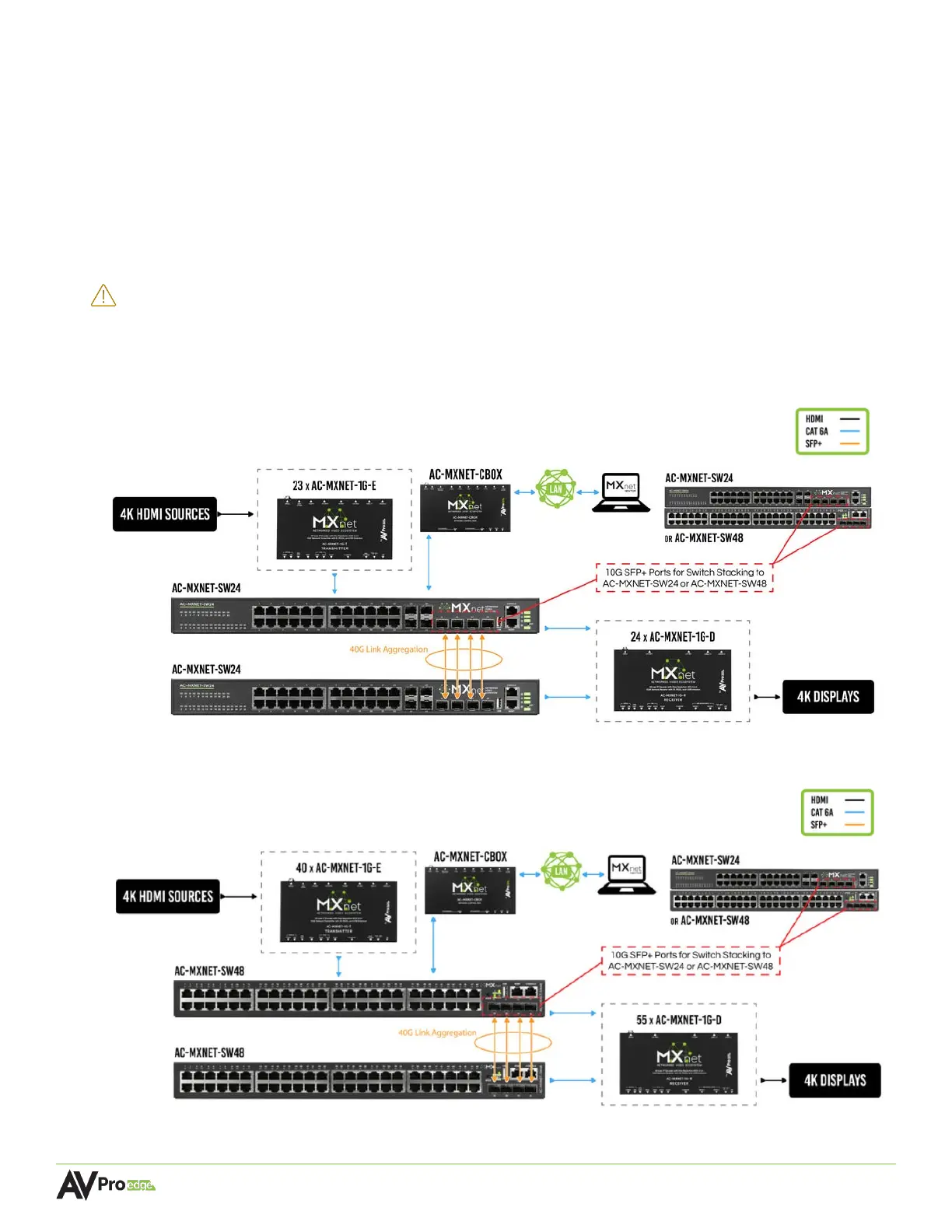
The AC-MXNET-SW24 and AC-MXNET-SW48 network switches can be stacked together by connecting
up to four SFP+ ports between the two switches. Each SFP+ port provides 10G uplink between each
switch. An SFP+ link is required per every 10 encoders; it is recommended to add an additional SFP+
link for system redundancy.
Stacking two MXNet network switches of the same model or stacking one SW24 with one SW48 requires
no additional configurations on the switches. Refer to the application diagram below and simply make
the connections between the two switches.
IMPORTANT:
If stacking 3 or more MXNet network switches together, contact AVPro Technical
Support for further assistance as this requires additional configurations on the
network switches.
5.3.1 Stacking Two AC-MXNET-SW24
5.3.2 Stacking Two AC-MXNET-SW48



 To Next Page