Page 33 of 78
5 INSTALLATION
All of the MXNet network switches are preconfigured out-of-the-box for AV over IP applications, meaning
the network settings of each individual encoder, decoder, CBOX, and network switch do not need to be
configured separately. Simply make the physical connections between the devices and MXNet will
automatically discover each encoder and decoder, receive each MAC address, auto-assign IP addresses
and multicast channels, and replicate the physical system in a digital space that can be accessed by using
the Mentor web interface.
5.1 Connecting the Devices
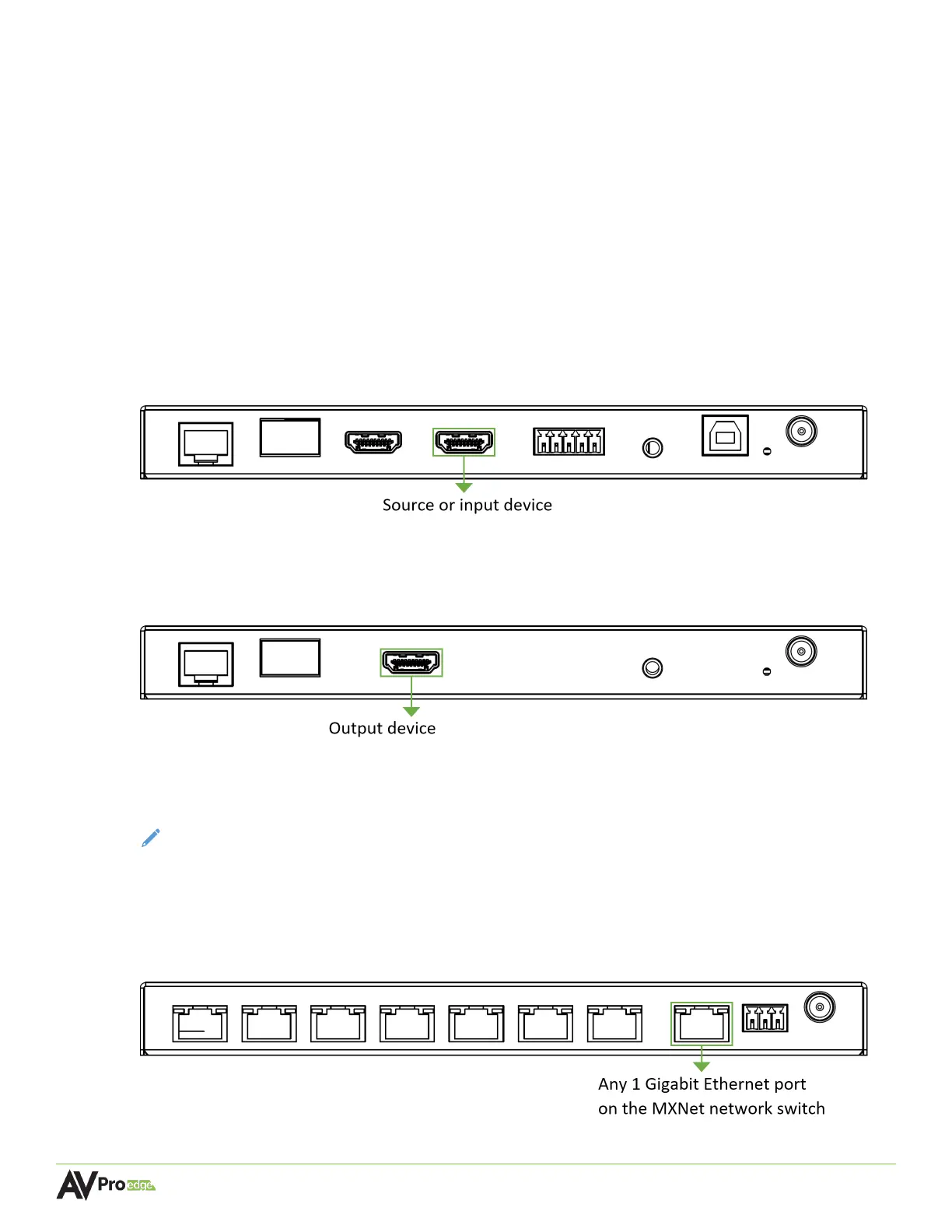
1. Connect an HDMI cable between the HDMI IN port on the encoder and an HDMI source
device.
AC-MXNET-1G-E encoder
2. Connect an HDMI cable between the HDMI OUT port on the decoder and an HDMI output
device.
AC-MXNET-1G-D decoder
3. Power on the source and output devices, then connect the power supply to the MXNet
network switch.
NOTE:
The CBOX, encoders, and decoders will be powered via PoE from the MXNet network
switch.
4. Connect a Cat5e (or better) cable between the MXnet (PoE) AV NETWORK port on the CBOX
to any 1 Gigabit Ethernet port on the MXNet network switch.
AC-MXNET-CBOX



 To Next Page