Page 34 of 78
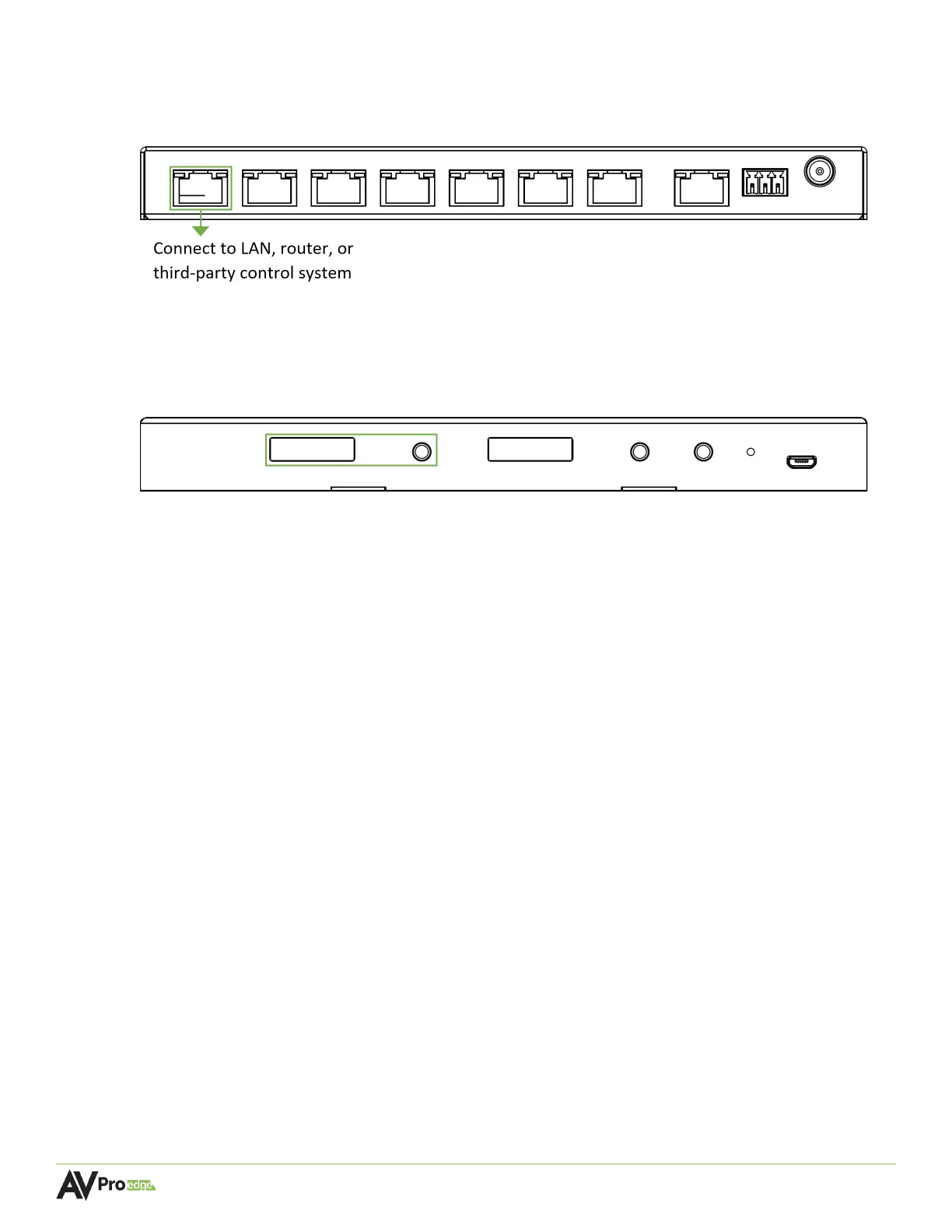
5. Connect a Cat5e (or better) cable between the PORT 1 MENTOR LAN/CONTROL port on the
CBOX to the LAN, router, or third-party control system.
AC-MXNET-CBOX
6. Locate the IP address on the CBOX by pressing the STATUS MONITOR A button to cycle
through all the different network settings, including the IP address.
AC-MXNET-CBOX
7. Open a new tab in any web browser and enter in the IP address of the CBOX. This will open the
Mentor web interface welcome page.
8. The MXNet installation is now complete and ready to access the online MXNet Mentor web UI.
Once all of the MXNet devices are successfully connected and the Mentor web UI is accessed, MXNet
will configure each encoder and decoder automatically.



 To Next Page