Page 41 of 78
6.3 System Utilities
6.3.1 LAN and AV Network Configurations
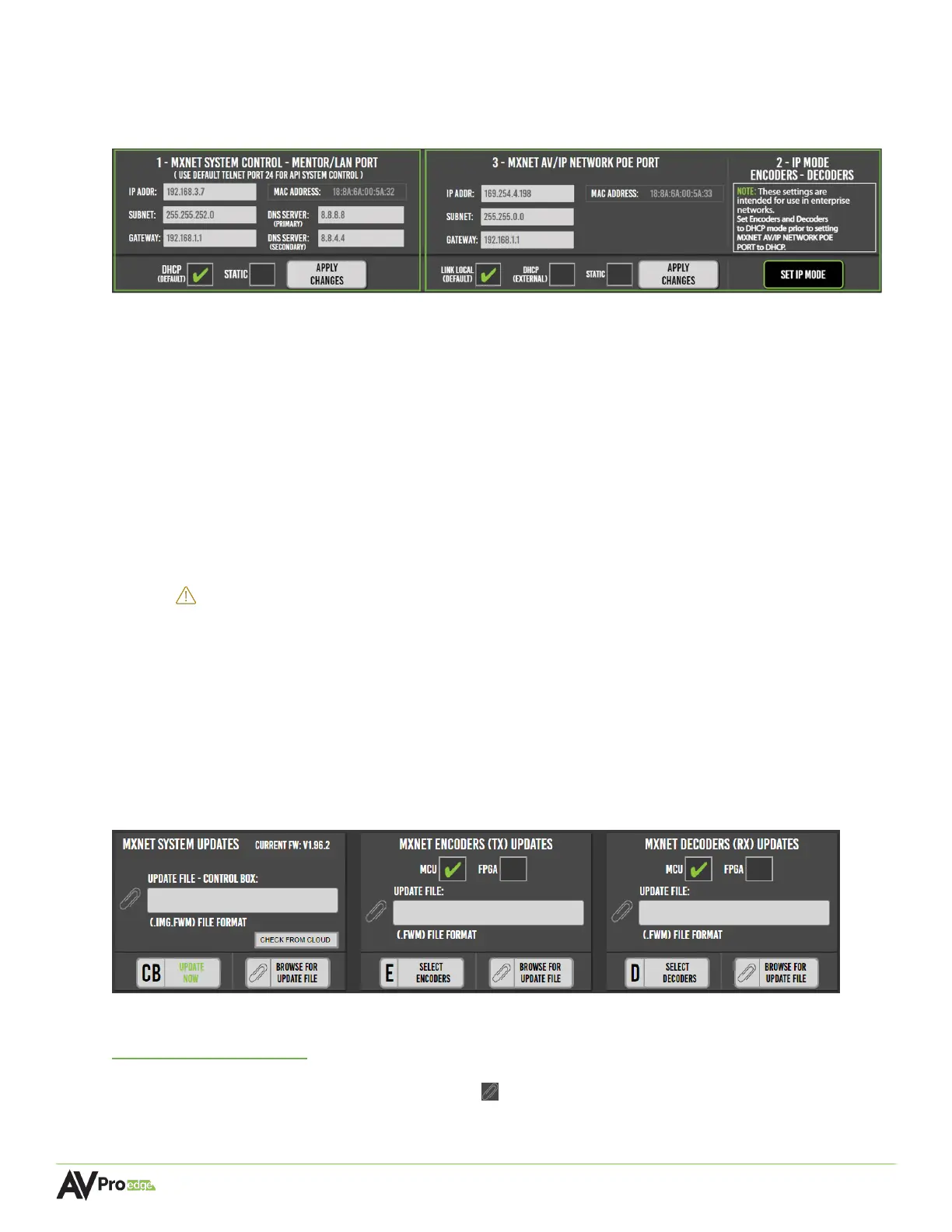
This section provides network connection settings; it is divided into two sections:
MXNET SYSTEM CONTROL - MENTOR/LAN PORT
This section is for setting an IP address for LAN and CPU connections. The default setting is
DHCP IP mode but can be changed to STATIC once communication is established with the
CBOX.
MXNET AV/IP NETWORK POE PORT
This section is used for changing the IP mode for the encoders and decoders, as well as the
MXnet (PoE) AV NETWORK port on the CBOX. The three options are: LINK LOCAL (default),
DHCP (external), and STATIC.
IMPORTANT:
It is highly recommended to leave the IP mode set to LINK LOCAL and not
change it to DHCP or STATIC unless the system is being installed in a large
corporate enterprise or commercial network setting where an IT department will
manage all network nodes, as this requires additional configurations that must be
made to all network switches prior to making this change.
6.3.2 MXNet Firmware Updates
The current firmware version on the CBOX can be viewed and updated from here, along with the
encoders and decoders. Firmware updates can be performed on multiple or individual encoders
and decoders by selecting them once the firmware file has been added to the Update File field.
The latest firmware for the encoders, decoders, and CBOX can be located at
Support.AVProEdge.com
a
nd can be installed once downloaded.
To update firmware, select the paperclip icon next to the Update File field of the device you
wish to update, then select the firmware file for the MXNet device.



 To Next Page