Page 68 of 78
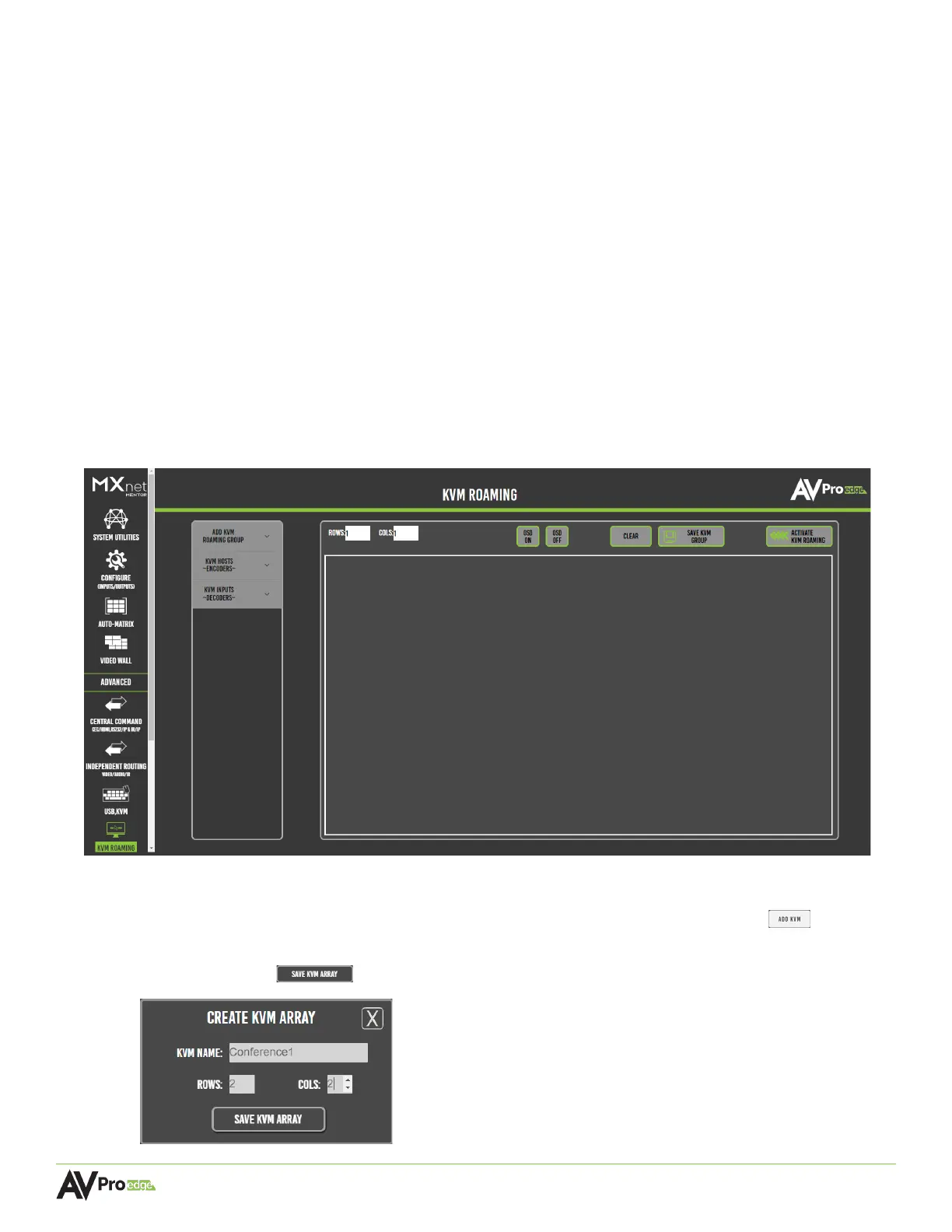
6.14 KVM Roaming
This page provides tools and features to send bi-directional USB signals for controlling USB and KVM
devices up to 150 meters. One KVM roaming group can have up to 17 PCs or laptops, meaning one
keyboard and mouse can control up to 17 PCs located in separate secure areas away from the
operator running the controls over the network with MXNet. Operators can simply move the mouse
cursor across the monitors or screens and fully control that PC through the decoder over the
network.
A KVM roaming group consists of a group of decoders that are each connected to their own display
(such as a computer monitor or video wall) with one decoder set as the primary decoder and others
set as the secondary decoders. In most applications, all PCs or servers will be located in a remote
computer rack room and the display monitors and operators will be in the local control rooms or
operation centers. In a control room, one operator will operate one KVM roaming group. If there are
more operators, then each operator must have a KVM roaming group.
This built-in MXNet feature is ideal for security control rooms, banking networks, corporate
communication centers, and educational administration settings.
6.14.1 Creating a KVM Array
1 Select the add kvm roaming group dropdown menu, then select the add kvm button .
2 Enter in a name into the kvm name field, and the number of rows and columns, then select the save
kvm array button .



 To Next Page