Page 45 of 78
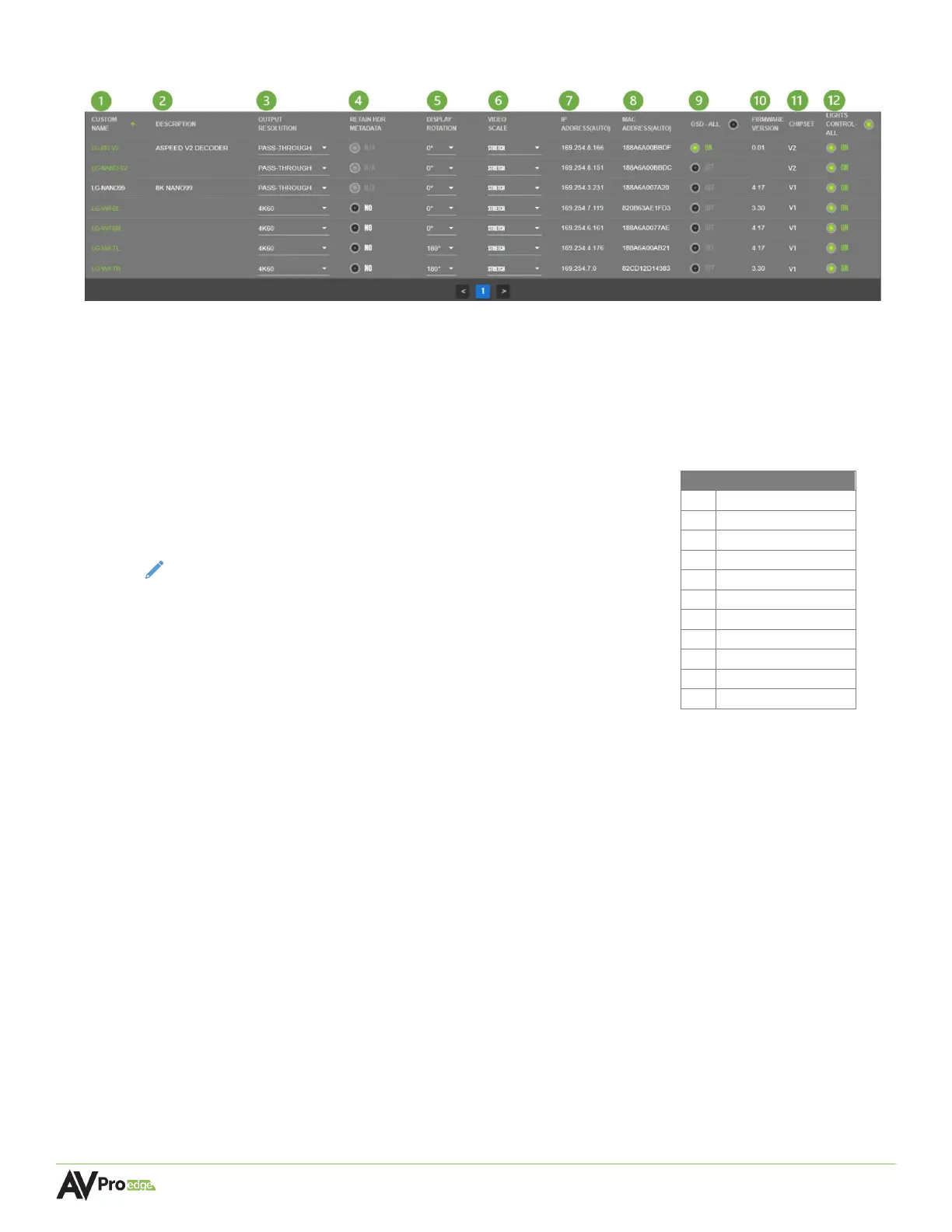
6.4.2 Outputs/Decoders/Displays
1 CUSTOM NAME (default MAC address)
Text field, limit of 12 characters. Type in a custom name and hit the Enter key to apply it.
2 DESCRIPTION
Text field, limit of 12 characters. Type in a custom description and hit the Enter key to apply it.
3 OUTPUT RESOLUTION
Dropdown menu containing nine scaling resolutions and two
video modes. Click on the dropdown arrow to select an output
resolution for the display.
NOTE: PASS-THROUGH sends an untouched video signal through
the decoder to the display
BLACK OUT generates a solid black screen overlay to the
display (audio is still present)
STREAM OFF disables the output stream entirely so no
signal is present on the display
4 RETAIN HDR METADATA
If the Output Resolution scaling is not set to PASS-THROUGH, a toggle button will appear in this
field instead of N/A. Selecting this will allow HDR metadata to be retained when switching
between sources with Output Resolution scaling enabled.
5 DISPLAY ROTATION
Dropdown menu, allows a display to rotate its image by selecting 180°, 270°, or 0° for no
rotation.
6 VIDEO SCALE
Dropdown menu, allows a display to change its aspect ratio.
7 IP ADDRESS (auto)
Shows the link-local IP address of the decoder. The network switch will automatically assign
this to the decoder once a connection is made.
8 MAC ADDRESS (auto)
Shows the MAC address of the decoder. This is a factory setting that cannot be changed.
4 1080P 24Hz



 To Next Page