Page 64 of 78
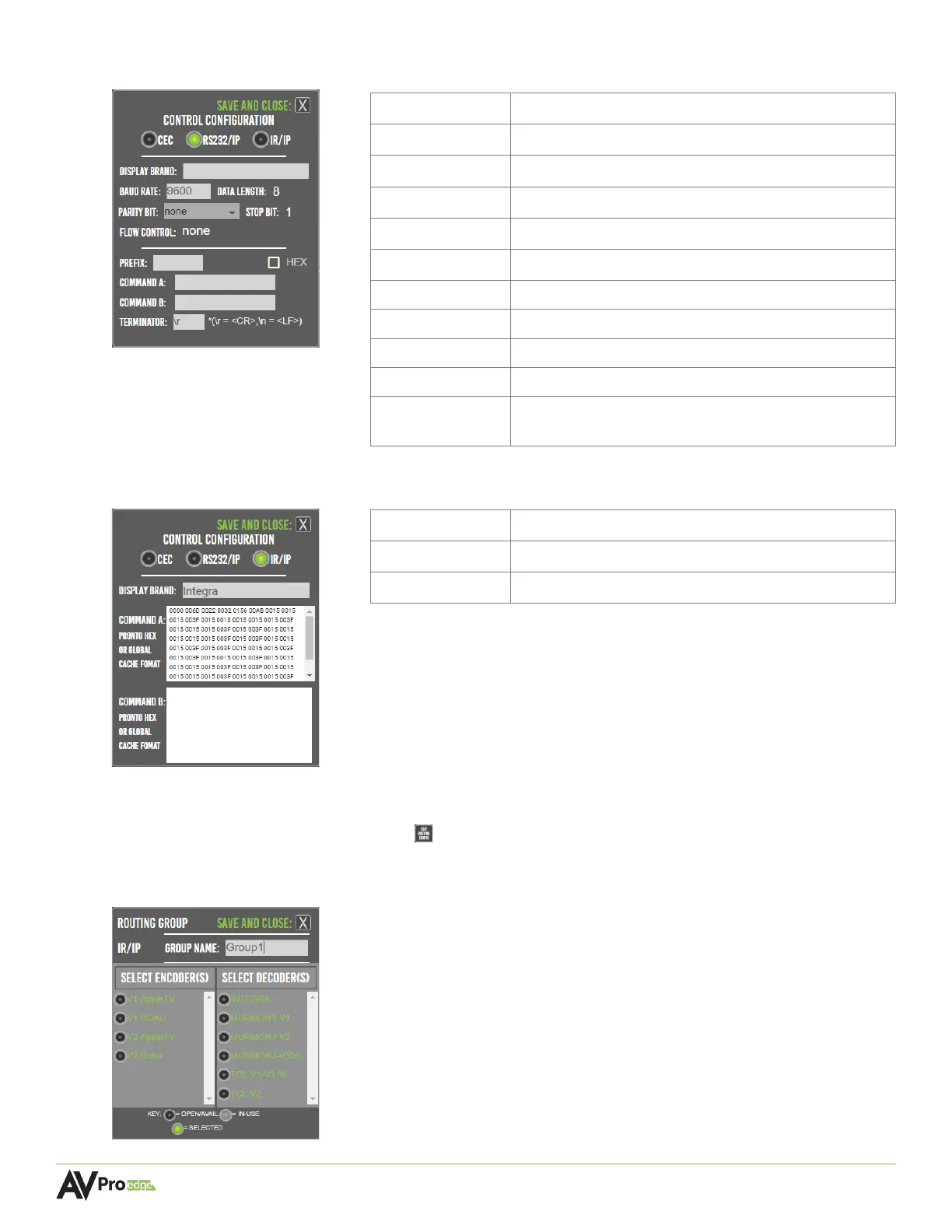
6.11.2 Creating an RS-232 Control Configuration
6.11.3 Creating an IR Control Configuration
6.11.4 Routing Groups for Encoders and Decoders
Select the edit routing config button , this will open a list of all the encoders and decoders.
Select the sources and displays here to apply the selected control configurations, then select the x
button to save and close.
Display Manufacturer or brand of display
Speed of bits being sent per second
Number of bits in a data frame
Error detection, includes none, odd, or even
Allows the next start bit to be transmitted
Controls the amount of data being transmitted
The leading character in each message
Command A Specified command
Terminator Carriage return or line feed, may be required by
some display manufacturers
Display Manufacturer or brand of display



 To Next Page