Page 63 of 78
6.11 Central Command
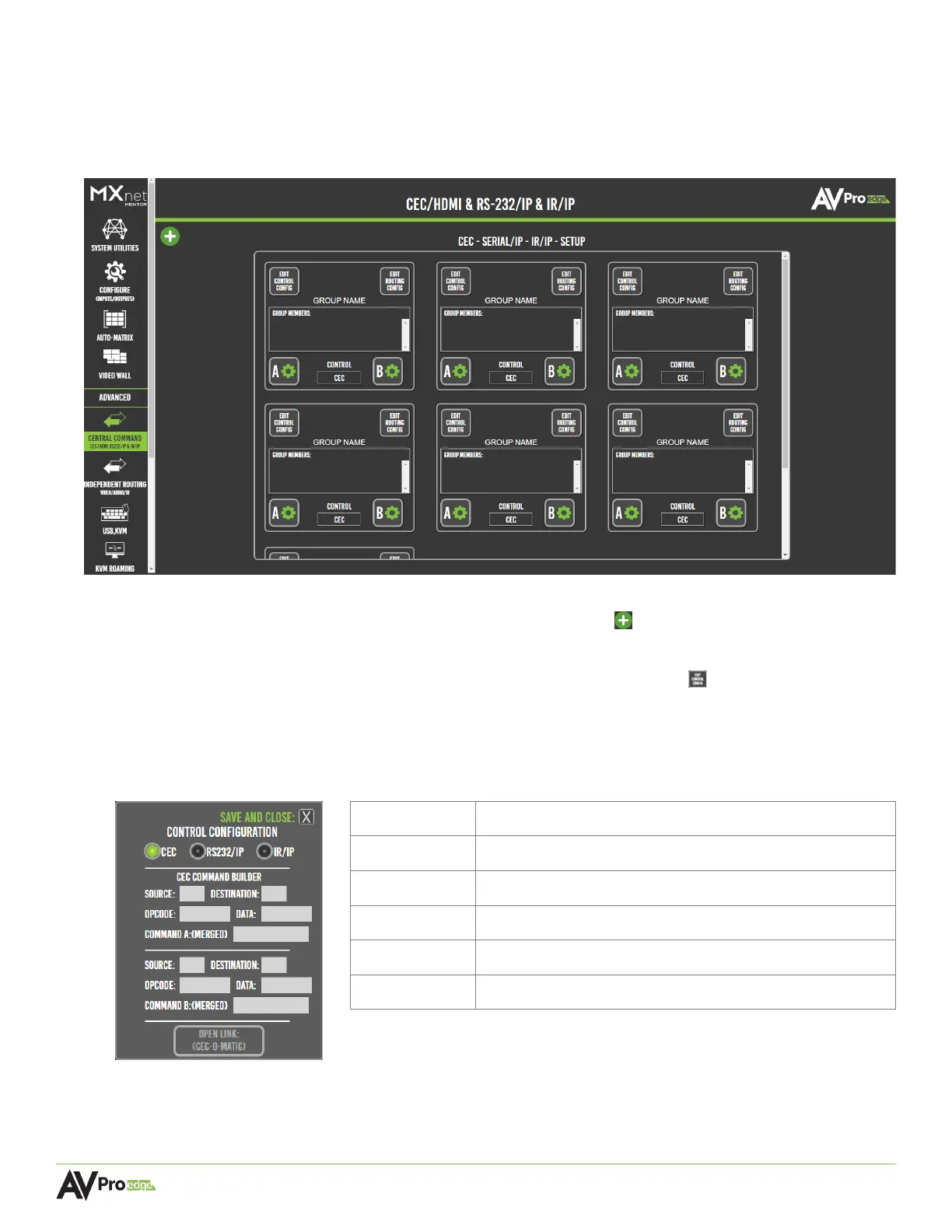
The Central Command page provides tools for creating and building various control commands,
including RS-232 over IP, IR over IP, and CEC over IP/HDMI. These commands can be sent to a single
encoder or decoder, a specified group of encoders and decoders, or all encoders and decoders.
Mentor provides six routing groups for specifying six different sets of targeted display groupings.
More routing groups can be added by selecting the + (add) button in the top-left corner of the
page.
Custom commands can be built by selecting the edit control config button and selecting either
CEC, RS232/IP, or IR/IP. Each command option will populate the necessary fields for the selected
signal type.
6.11.1 Creating a CEC Control Configuration
1
st
Byte, the logical source address of the message
Destination 1
st
Byte, the logical destination address of the message
2
nd
Byte, the CEC request message ID
4
th
Byte, the local physical address of the HDMI port
The HDMI-CEC message in its entirety
CEC-O-Matic Opens a new web browser tab to cec-o-matic.com



 To Next Page